Microsoft’s Surface Go devices are a bit hard to define. In the end, they are traditional Windows systems, but in the form factor of a tablet. I see it more like a light and portable computer when attached to a keyboard and the Surface Pen. The Microsoft Surface Go 3 has the same design and form factor as the earlier two generations, but features an upgraded processor.
Is the Surface Go 3 any upgrade over the previous models? I used the Surface Go 3 for a week, and here’s my review.
Microsoft Surface Go 3 review: Design and aesthetics
The Surface Go 3 looks and feels just like the Surface Go 2. It has the same 10.5-inch screen, magnesium body with a kickstand, stylus compatibility, and support for a keyboard via magnets. The display is still surrounded by noticeable bezels, but I did grow fond of the Surface Go 3’s brilliant industrial redesign. The Go 3 measures 9.65 x 6.9 x 0.33 inches and weighs 544 grams, making it a relatively portable and sleek device. Because the device is small and super compact, it is also convenient to keep the Go 3 on my lap, chat with friends and still become part of the conversation. Attaching and detaching the keyboard (more on that later) is smooth and the machine instantly becomes a tablet when the keyboard is removed.
 The Surface Go 3 has a premium magnesium alloy chassis with clean lines and an attractive chrome Microsoft logo on the rear. (Image credit: Anuj Bhatia/Indian Express)
Versatility is the biggest reason I like this device so much. Since it’s wintertime, I like to work at my neighborhood park in the afternoon. With the Surface Go 3, I get that confidence to take the device out, sit in the park for an hour or two and finish writing a piece at my comfort. The built-in kickstand around the back is still the best: it can be used at different angles and then tucked away when not in use. It also hides a compartment for a microSD card slot. There is a single USB-C port along with a 3.5mm headphone jack and a traditional Surface charging dock on the right. Meanwhile, a volume button and the power button are on the top. The lack of a USB A port is disappointing, meaning there is no way I can plug in a pen drive or use a wired mouse.
Microsoft Surface Go 3 review: Display and speakers
The display is neither small nor large. It’s a 10.5-inch touch display with 1920 x 1280p resolution. The Go 3’s refresh rate is limited to 60Hz, rather than the Surface Pro 8’s 120Hz but that doesn’t make much of a difference to average users. In terms of performance, the Go 3’s display is great. I was impressed to see how sharp and gorgeous the display looked when watching Spider-Man: Far from Home. The display also looked great in most lighting conditions, including bright indoor light. The display was even usable outdoors thanks to its brightness.
The 10.5-inch PixelSense display on the Surface Go 3 is excellent. (Image credit: Anuj Bhatia/Indian Express)
The Surface Go 3 has two speakers that work very well. Yes, they get really loud and the audio coming from them is clear but the speakers lack the punch of the quad speakers found on the iPad Pro. The device has an excellent pair of microphones, which are good for Zoom or Teams calls. The 5MP 1080p front-facing is simply brilliant, a step up over lousy 720p offerings found on a majority of laptops. If you spend a lot of time attending video calls like I do, you will thank Microsoft for adding a high-quality webcam on the Surface Go 3. The Windows Hello face recognition camera above the screen is fast, which instantly lets you log in when you look at it. You will also find an 8MP rear-facing camera, which I haven’t tested.
Story continues below this ad
Microsoft Surface Go 3 review: Keyboard and stylus
A big part of the Surface Go 3 is the way you can use Microsoft’s detachable keyboard and the Surface Pen. This strategy differentiates the Surface devices and iPads from traditional tablets available on the market that are limited to be content consumption devices. With support for the keyboard and the Surface Pen, the Surface Go 3 becomes a productivity device. As expected, the Type Cover is sold separately. The keyboard which is on the pricey side (it costs Rs 10,550 on Amazon.in) is an expensive accessory but changes the experience if you want full functionality. I know it’s an added cost but worth every penny. The keyboard provides backlit typing with excellent travel. It attaches to the bottom of the tablet with strong magnets and doubles as a protective cover for the Go 3. When the Type Cover is paired with the Surface Go 3, it’s not as heavy as carrying a separate keyboard and trackpad.
The detachable Type Cover keyboard feels comfortable to type on. (Image credit: Anuj Bhatia/Indian Express)
The keyboard makes the Go 3 a joy to use. When on the go, it makes the Surface Go 3 so useful, a full-blown computer without having the added weight of a traditional laptop. There are times when I feel how convenient the Type Cover is. The one issue I had was that the Type Cover keyboard is more cramped but I got used to that in a couple of hours. It works well on a desk, that’s where I spend my maximum time.
The Surface Pen (the old version, not the new one) also works with the Go 3. It’s a tried and tested stylus that magnetically clips onto the sides of the tablet. It offers excellent pressure and tilt sensitivity but lacks the ability to wirelessly charge through the Go 3’s body. The Surface Pen will cost you another Rs 8790, further pushing the price of the Go 3.
Microsoft Surface Go 3 review: Performance and battery
If you look at the Surface Go 3 purely from performance, this device still lacks serious horsepower. There are two models available: one with the dual-core Intel Pentium 6500Y and the other with the dual-core Intel Core i3-10100Y. The model I have has the 10th gen Intel Core M3 chip, 8GB of RAM, and a 128 Gb solid-state drive. The base model has 64GB of eMMC storage that may seem inadequate, but it’s fine for most people when cloud storage is becoming a norm these days.
To test the Surface Go 3, I used this device for a week and barely touched my work computer, and the results were in line with my expectations. I wasn’t blown away by its performance, and you should also keep that in mind.
Story continues below this ad
I found the Surface Go 3 to be an excellent device for basic computing tasks like writing and filing stories, using social media, participating in e-meetings, and streaming movies on Netflix after I am done for the day. Word, Google Docs, Powerpoint work fine on the Go 3. Don’t expect the Surface Go 3 to be a “pro” level machine to be used for editing videos or playing games. The whole idea of the Surface Go 3 is to have a computer that works well with the touchscreen and the Surface Pen. I can quickly write and send an important email, work on presentations while in a cab, and take notes while at the event. The Go 3 is about convenience and comfort. Mind you: this is a legit Windows computer that is also a tablet.
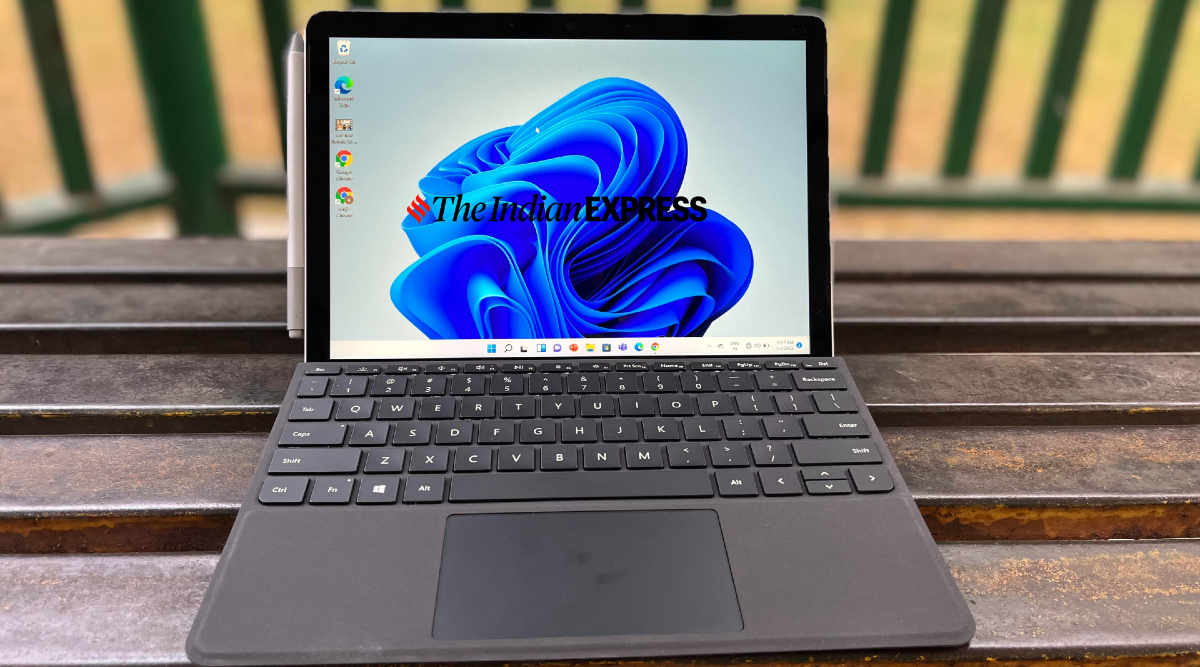
All legacy Windows programms work fine on the Surface Go 3. (Image credit: Anuj Bhatia/Indian Express)
Windows 11, the latest desktop operating system from Microsoft, feels fast and smooth on the Surface Go 3. It’s not a watered-down version of an operating system, meaning you can run all legacy programmes on this device. Tablet experience feels better on the Surface Go 3’s smaller screen with the improvements made in Windows 11, although the iPad still remains the best tablet. But it is hard to beat the Surface Go 3 when it comes to multitasking. The new snap layouts feature, for instance, lets you see two or more apps in various sizes side by side on the screen. It works beautifully on the Surface Go 3. Sure you won’t get as many apps on the Windows Store as you get on the iPad but things are slowly and steadily changing.
Battery life on the Surface Go 3 is mediocre. The device lasted close to 7 hours before shutting down, which is nowhere close to the battery life you get on the iPad. An ARM processor would have been a better fit for a device like the Surface Go 3.
Accessories, including the Type Cover and the Surface Pen, are a big part of the Surface Go 3. (Image credit: Anuj Bhatia/Indian Express)
Microsoft Surface Go 3 review: Should you buy it?
Overall, I feel the Surface Go 3 is a good device though not exceptional. Sure, I get that Microsoft is charging a premium for the Surface Go 3 (the cost drastically increases when you include the accessories). The Go 3 is a wonderful little computer that could have been great if it had a different processor powering it. I can only highlight the cons of the device through my reviews but this device needs a different processor and I think Microsoft also knows it. The competition is getting tough for Microsoft, because on one hand, the iPad is getting more powerful for doing real-world computing things and creative tasks, and on the other hand, Chromebooks are fine for basic tasks that are enough for a workday.


 10 min read



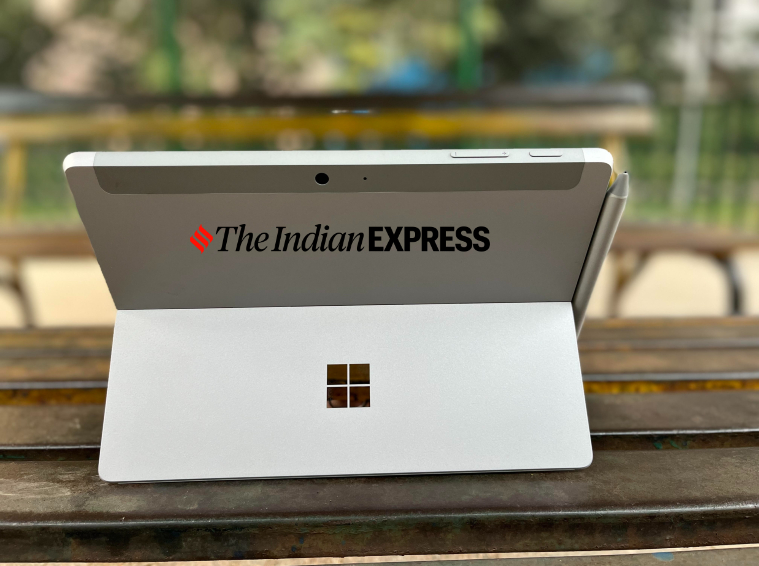 The Surface Go 3 has a premium magnesium alloy chassis with clean lines and an attractive chrome Microsoft logo on the rear. (Image credit: Anuj Bhatia/Indian Express)
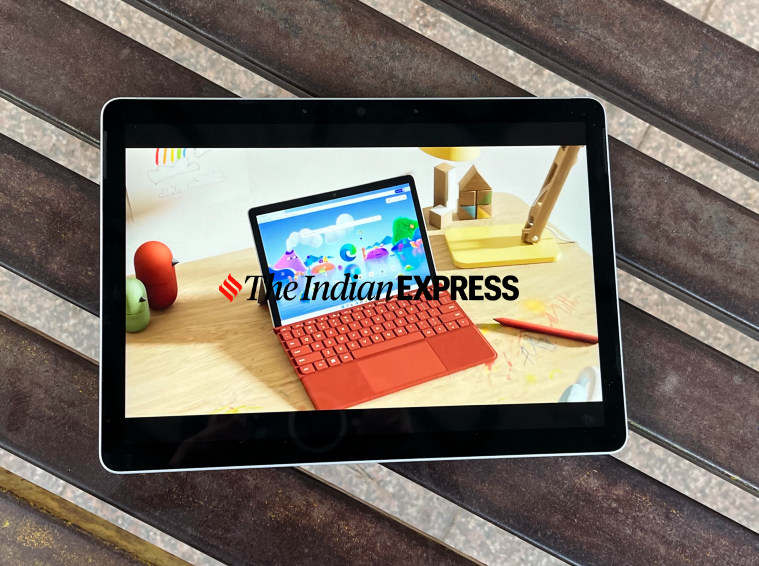 The 10.5-inch PixelSense display on the Surface Go 3 is excellent. (Image credit: Anuj Bhatia/
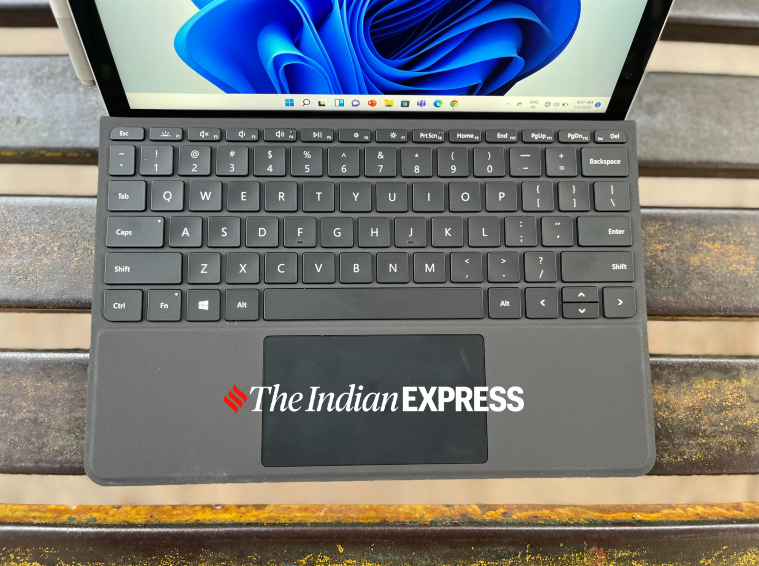 The detachable Type Cover keyboard feels comfortable to type on. (Image credit: Anuj Bhatia/Indian Express)
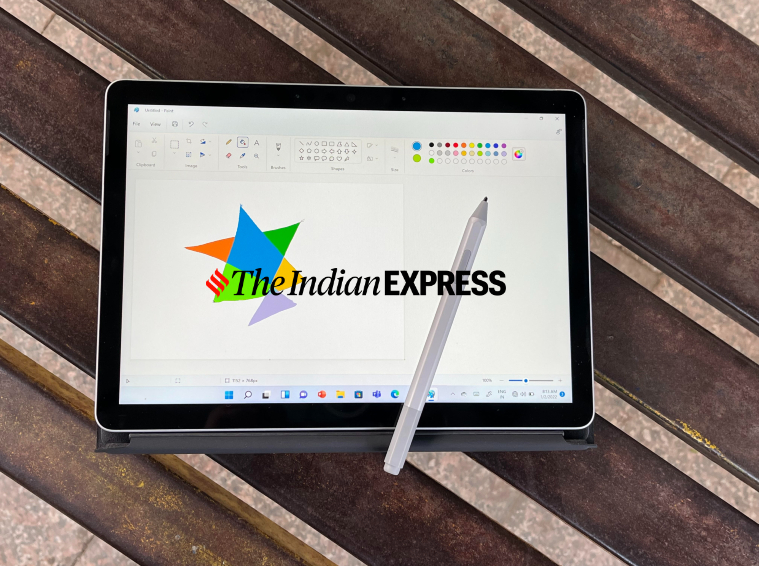 All legacy Windows programms work fine on the Surface Go 3. (Image credit: Anuj Bhatia/Indian Express)
 Accessories, including the Type Cover and the Surface Pen, are a big part of the Surface Go 3. (Image credit: Anuj Bhatia/Indian Express)