2 min read

Journalism of Courage



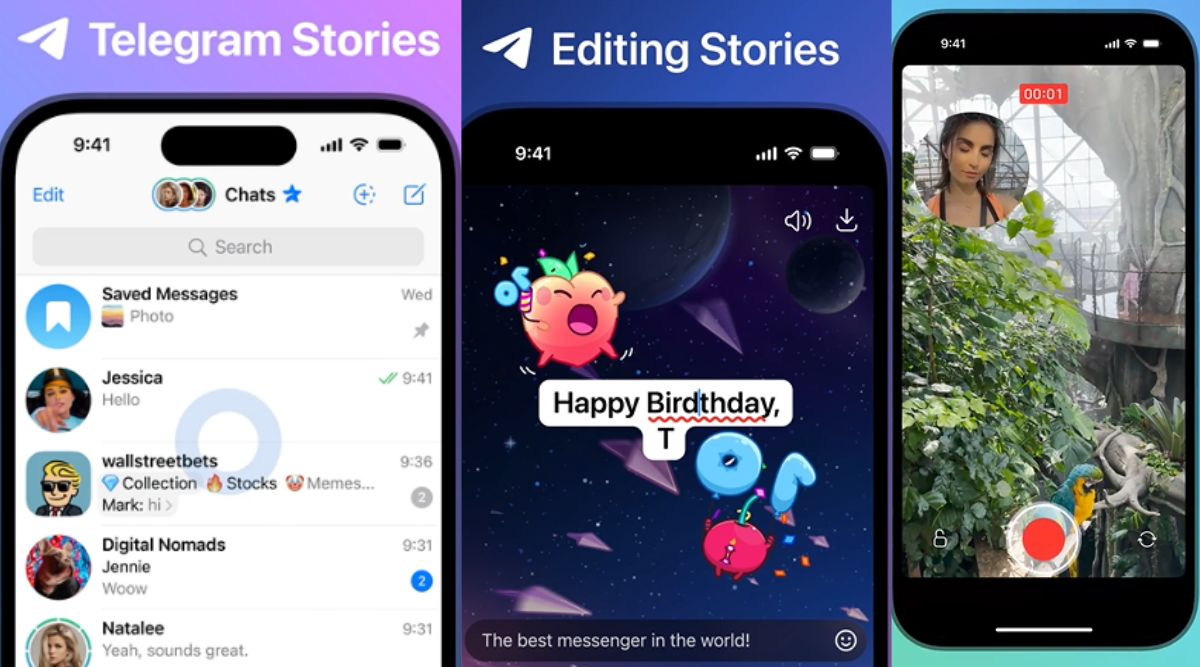 Telegram stories have some interesting features. (Telegram)
 The instant messaging app Telegram today announced that it has launched Stories with features including a dual camera mode, flexible duration options and more. Stories was earlier limited to premium subscribers.
Now, Stories will begin being displayed in an expandable section at the top of the Telegram app in a way that users can still see the full length of their chat lists and folders. When they view a story, users can tap to share, reply privately or react. You can tap for a quick “like” reaction or hold down for hundreds of reaction options.
Telegram stories have a feature where users can take photos or videos with both the front and rear camera of their devices, recording simultaneously while letting them choose which camera feed goes where. This is not too different from the BeReal app.
While posting a story, users can select from four privacy settings—Everyone, My Contacts, Close Friends and Selected Contacts. Each of these options can be customised to include or exclude viewers as the user likes.
Users will also be able to see who will never see their story. They can also disable screenshots to stop people from sharing stories to people who otherwise would not have been able to see them.
When creating stories, users can choose how long they last—6, 12, 24 or 48 hours. They are also given the choice to post them to their profile, where the stories will be part of a grid. Both old contacts and new connections see these stories, similar to story highlights on Instagram.
Unlike many other platforms, Telegram users can update any element of their story at any time. They can change its visibility, caption, on-screen text, stickers or aunt other part without having to delete it and start from scratch. All they need to do is Tap the ⋮ or ⋯ menu and click on “Edit Story.”