2 min read
© IE Online Media Services Pvt Ltd



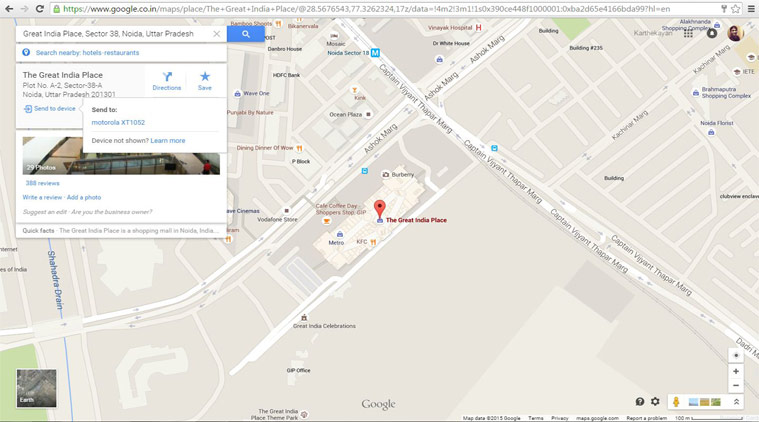 Send to device option on place card
Google has introduced a great new feature with latest version of Maps app for Android. With Android Maps 9.11.0, you can send places directly to your Android smartphone from the desktop site.
All you need to do is download the latest version of Google Maps on your Android smartphone, login with your Google Account. Now Sign-in to Google Maps on desktop browser using that same Google Account and search for a place. Right below the place card you will now see “Send to device” as a new option.
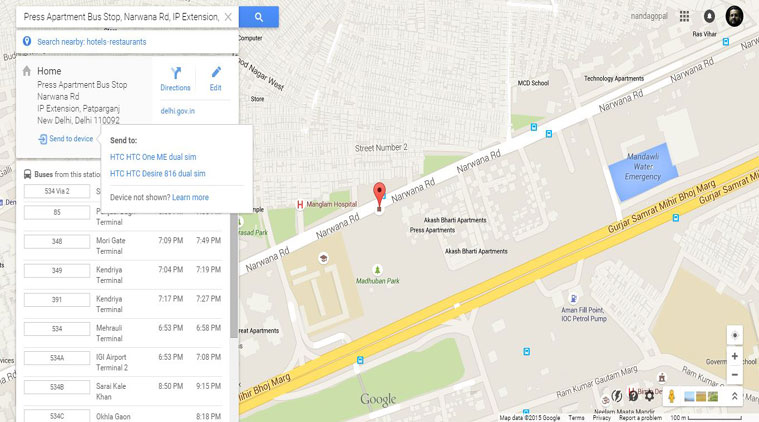 Send to device feature supports even multiple Android devices (Source: Nandagopal Rajan)
We tried using Google Maps on Chrome browser with Google Maps 9.11.0 installed on multiple devices. Google maps on browser was able to identify multiple devices we were signed into and you can send location to one or all devices.
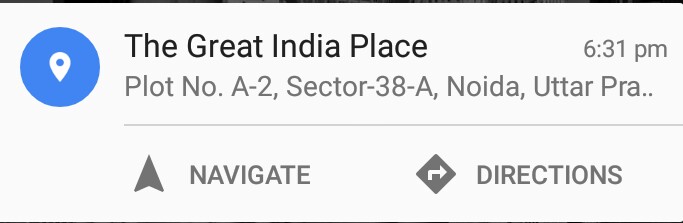 Place notification on your smartphone
This is how place notification looks on your Android smartphone and you can easily navigate to navigate to that place from your location or just see directions.