3 min read
© IE Online Media Services Pvt Ltd



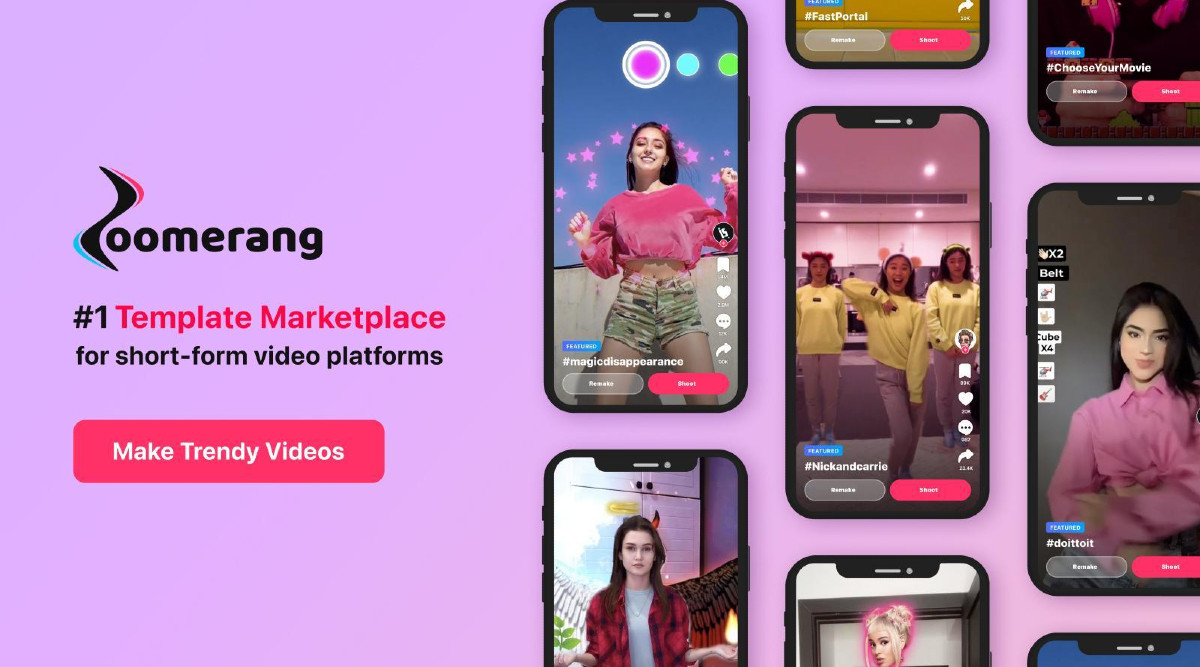 Zoomerang will offer 10 million video templates, designed for both individuals and small/medium-sized businesses (Image credits: Zoomerang)
 Last year in November, Instagram announced that it’s making it easier for creators to share Reels from their favourite apps. Supported apps started seeing a new option on the share menu letting creators post their creations directly to Instagram. One of these apps – Zoomerang – has announced the launch of the “biggest template marketplace” for short-form videos.
One of the biggest reasons behind so many people making more short-form videos is how little effort they require. As an example, Instagram Reels presents users with an array of templates they can use by simply replacing the featured clips with their own photos and videos.
Zoomerang will offer 10 million of such video templates, designed for both individuals and small/medium-sized businesses, presenting people with endless possibilities to create videos for TikTok, Instagram Reels, YouTube Shorts, and other platforms.
That number is likely to grow, though, thanks to a special “monetisation feature.” The idea is to reward creators for submitting new templates and other elements. These templates will then make the job easier for individuals and entrepreneurs.
Creators can either make their templates or assets available for free, or “lock” them, and earn money when users unlock/buy them with their coins.
“Through monetisation, we address two main concerns. First, we offer our creators a powerful way to market themselves and their resources to Zoomerang’s user base and earn money while doing so. Secondly, given the high demand for short-form videos, we have created a bridge between businesses and creators facilitating the process of content creation,” said the CEO, Co-Founder of Zoomerang, Davit Grigoryan.
“Available both on Android and iOS, Zoomerang offers unlimited video production resources (stock video/photo assets, fx music, fonts, video effects, filters, etc) allowing its users to take video edits to a whole new level, show creativity, inspire others, boost video engagement and make them go viral,” reads the press release about the feature launch.
1. Go to Profile, then tap + Template
2. Choose a video from your gallery for the sound, crop it if needed and press Next
3. Add items and make edits as you please using the Text Stickers, Effect, Filter, Overlays, Music, Adjust, Format, and Canvas items.
4. Press the Camera icon on the top of your screen to test the elements before shooting
5. Press Post button
1. Set the hashtag of your tutorial and write a small description
2. Set a price for your Template, or choose the Free option if you wish to post it for free
3. Choose a Category for the Template
4. Decide who can see your template by picking from Public, Friends, or Private
5. Tap on the Switch button and enable/disable video saving for the other users
6. Hit post from the bottom of the page