3 min read
© IE Online Media Services Pvt Ltd



 In a lot of the cases where a person receives too many messages, group chats are usually to blame. (Image credit: Pixabay)
With the proliferation of instant messaging services like WhatsApp, Facebook Messenger and Telegram, it is not hard to imagine that most smartphone users receive more messages on a daily basis that have to, want to, or indeed, can process. While this may seem like just an annoyance to most people, it could actually lead to information overload, where you get overwhelmed by information, affecting your overall functioning and wellbeing.
In a lot of the cases where a person receives too many messages, group chats are usually to blame. While just leaving group chats outright may seem like a simple enough solution, it is not always that simple. There are some groups that you cannot leave for a variety of reasons, personal or professional.
This means that there are often groups that you can’t quite leave because you need to remain updated about what is happening but at the same time, the sheer volume of messages could end up being a distraction.
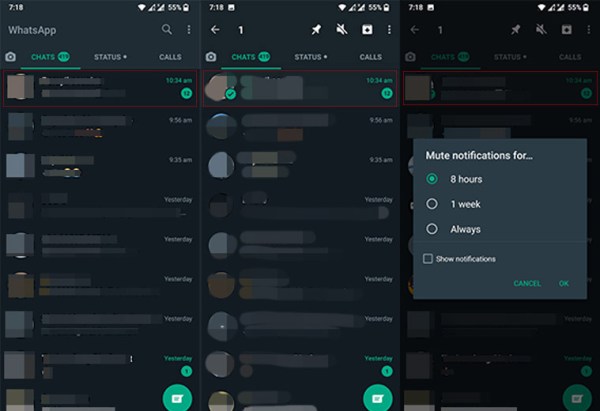
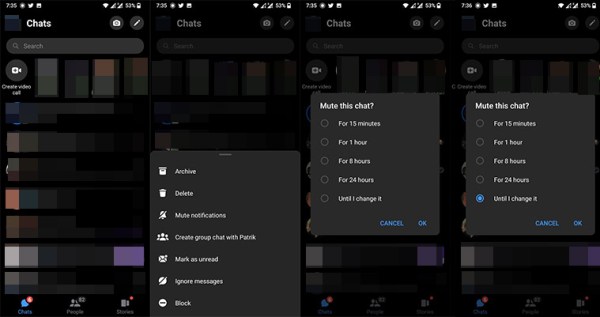
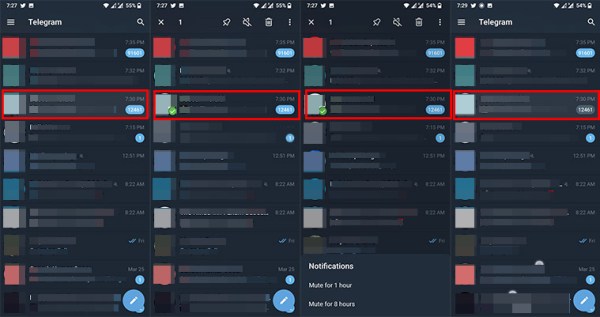
In such situations, muting a conversation is a happy middle ground between having to tolerate all those notifications and leaving conversations completely. In this short how-to guide, we will show you how you can mute the conversations that you don’t want to be notified about. Also, remember that muting a conversation is always reversible.