In a span of 24 hours, we open dozens of links, download apps, open emails, and receive files on WhatsApp on our smartphones. This is how we use our phones on a day-to-day basis. In the process, it is quite possible for malware to enter our smartphones – and it can happen to anyone. So stop blaming yourself.
Those behind malware, short for malicious software, intentionally design it to damage your phone, steal sensitive and confidential information stored on your device, install harmful software to spy on your online activities, or even hold your device hostage.

Honestly, nobody wants this to happen to their smartphone. However, in a hyperconnected world, this is also an age where one has to be aware of how malware spreads on a device and the many forms it takes.
There are ways to spot the signs of malware if your phone is affected and steps you can take to remove it safely.
What is malware and how it gets delivered?
You may have heard the term “malware” but don’t know what it means. Malware can spread to all kinds of electronic devices, not just smartphones. It spreads by duplicating itself and hiding within a phone’s data files, which means the device has to run that file for the malware to get going. Just remember, malware remains ineffective until the infected file is accessed. Once activated, it can spread to other files and programs across your device.
Malware can enter a smartphone through websites, emails, phone calls, and app or software downloads. In other words, malware can be injected into your phone through multiple sources. For example, cybercriminals often use phishing emails that appear to come from trusted sources. Malware can also enter your device when you visit fake websites, download pirated movies or songs, or click on pop-up ads that trick users into installing viruses. These days, many cybercriminals also use phone calls posing as tech support to scam people into granting remote access. Once they succeed, the malware infects the device and steals personal or confidential information.
Malware is a term for any type of “malicious software” designed to infiltrate your device and steal information or cause damage without your knowledge. (AI image created by Google Gemini)
The key thing to remember is that there are different types of malware – not all malware is the same. Viruses can spread through apps or programs, causing your phone to crash and potentially leading to data theft. Then there are Trojan horses, which disguise themselves as genuine software but can crash devices, delete files, or steal confidential information. One of the most common forms of malware is ransomware, which locks a device and its data and then demands payment for access.
Story continues below this ad
Other types include spyware, which secretly collects user information; adware, which displays unwanted advertisements and tracks browsing activity to generate income and scareware, which uses fear and trick users to install malware by creating fake warnings and alerts.
Is Android or iOS safe, or are both platforms a den for malware?
It depends. Google’s Android platform, being an open ecosystem, is more vulnerable to malware. However, over the years, Google has significantly improved Play Store security. As for Apple’s App Store, the iPhone is often considered safer due to its closed ecosystem, but no platform is completely immune to malware. In recent years, cybercriminals have increasingly targeted iPhone users as well. So yes, no platform is entirely safe. In the end, being an alert and informed user is your responsibility. There are always risks involved in downloading apps and files from unverified sources.
Signs that your phone is malware affected
There are many clear signs that indicate whether your phone has been hijacked by malware. Now, it’s time to spot them.
Slow performance: One of the most visible signs of an infected phone is slow performance. Malware consumes a substantial amount of RAM, leaving fewer resources for apps and other programs to function. This results in sluggish performance, with your phone suddenly taking longer than expected to open apps or browse the internet.
Story continues below this ad
Frequent pop-up ads: As mentioned earlier, adware is a form of malware that secretly hides in your browser or apps. Not only does it generate annoying pop-ups for the user, but it often comes with malware that hijacks your phone. . A quick fix for this issue is to download an ad blocker onto your phone’s browser or toolbar, which will block ads while you search the web.
Fast-draining battery: It’s true that smartphone batteries degrade over time. However, if you notice that your phone’s battery is draining faster than expected, it could be a sign of active malware. Malware running in the background can cause the battery to discharge quickly.
Unwanted apps: It’s possible that you may have downloaded an app, but a few hours later, additional apps appear automatically on your home screen. It’s likely that hackers have installed malicious applications on your phone to access your files. These apps may look perfectly fine, but avoid clicking on them – they may have carried malware with them.
Other ways to spot malware on your phone include receiving messages from unknown senders, unusually high data usage, and unauthorized purchases.
Story continues below this ad
Tip: If you suspect your phone has malware, immediately check your bank and credit card statements for unauthorized purchases. Even a small transaction can be a warning sign that a virus has infected your device. This indicates that cybercriminals have succeeded and may return later to steal larger amounts.
How to remove malware from your phone
If a virus has been injected on your phone, do these first without hesitation.
1) First, isolate the infected device by disabling its wireless connection and turning off Bluetooth to prevent other connected devices from becoming infected.
2) On Android phones, try using Safe Mode to troubleshoot malware. This disables third-party apps, allowing you to safely inspect and remove any suspicious apps. Once done, you can return to normal mode to see if the issue is resolved. On iPhones, you can use Lockdown Mode, which limits the device’s functionality if it is being targeted by malware or hackers.
Story continues below this ad
3) Next, install an antivirus program from trusted providers such as Norton or Avast and run a full scan.
4) If nothing works, perform a factory reset to wipe your phone clean and remove any malware in the process.
5) Once your phone is clean, it is important to change all passwords – not only for your device, but also for email, social media accounts, shopping sites, and banking apps.


 7 min read


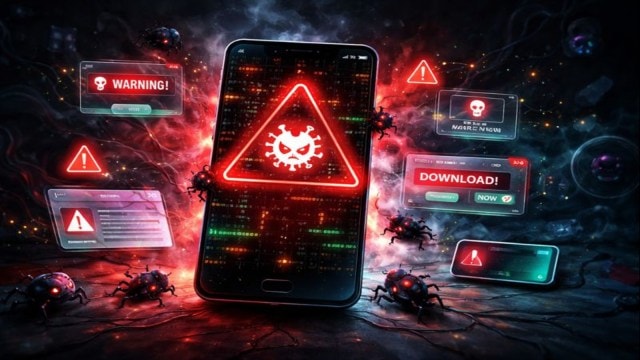

 Malware is a term for any type of “malicious software” designed to infiltrate your device and steal information or cause damage without your knowledge. (AI image created by Google Gemini)