2 min read
© IE Online Media Services Pvt Ltd



 Android Auto-archive is similar to Apple's Unused Apps feature. (Image Source: Android developer website)
 Google recently rolled out a new feature for Android users called ‘auto-archive’. Like Apple’s Unused Apps feature on iOS devices, auto-archive can help free up to 60 per cent of an app’s storage space without needing users to uninstall the app manually.
However, it requires users to opt-in. Once done, the new feature will remove parts of apps that have not been used in a while to save on storage space while preserving the user data and app icon. While the app will still appear on the home screen and app drawer, however, the icon will have a grey cloud overlay.
If you want to use the app again, just tap on it and Android will automatically re-download the archived parts from the Google Play Store and let users resume from where they left off.
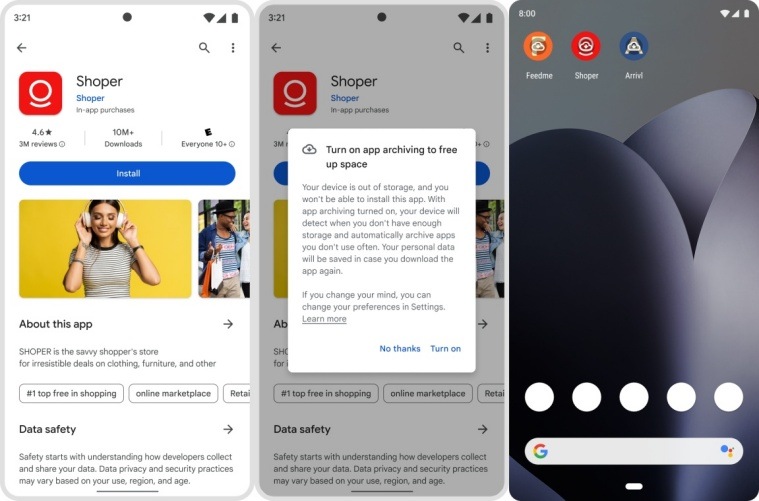 Here’s how the Android auto-archive feature pop up looks like. (Image Source: Android developer website)
The new feature is useful for people who end up installing several apps but many of them remain unused for a long time or devices that do not have much storage space.
A recent blog post on the Android website suggests that users will get a prompt to opt into auto-archive when they try to install a new app when the device is almost out of storage, with a pop-up window asking them if they want to enable the feature. When enabled, unused apps will be archived to create enough storage space for the new app to install.
One thing to note here is that the new feature is only available on apps that are published in the App Bundle format and that one can opt-out anytime from Google Play Store settings.