AI-backed highlight video feature is available for Android and iOS users (Image credit: Vivek Umashankar/The Indian Express)
Listen to this articleYour browser does not support the audio element.
Besides being a cloud photo and video manager, Google Photos encompasses several features, and it is also one of the best platforms to stylize and edit photos. Not only that, it also offers several AI-backed features, such as highlight videos, which allow users to generate short video clips using the photos and videos uploaded to the platform.
Highlight videos can be generated on smartphones running on Android or iOS or even from a web browser. For this demonstration, we will be generating videos on an Android device. If you are a Google Photos user, here is how you can generate highlight videos that can be shared with friends, family, and on social media platforms.
You’ve Read Your Free Stories For Now
Sign up and keep reading more stories that matter to you.
Procedure to generate highlight videos on Google Photos:
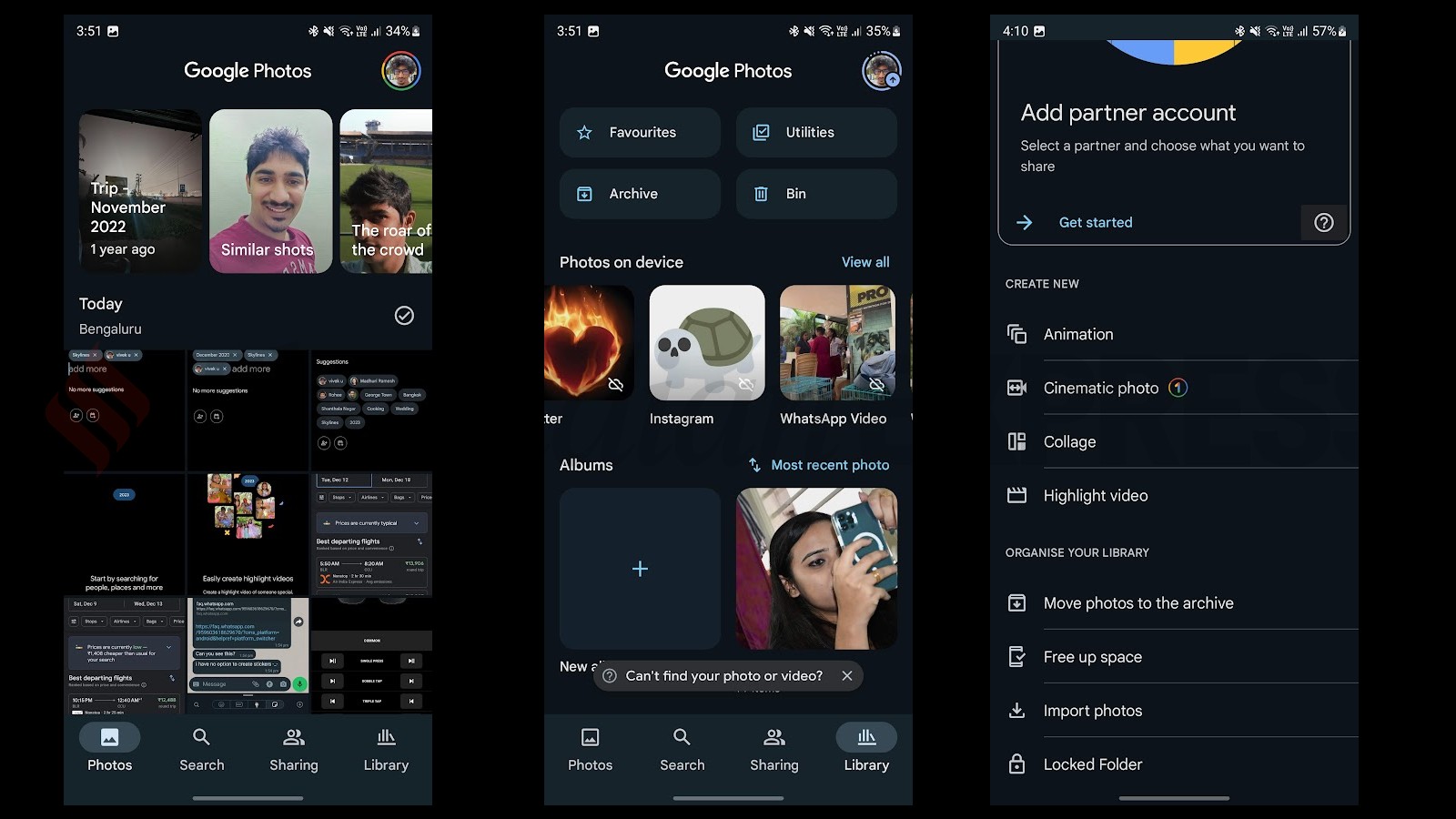
Highlight videos can be created from mobile or desktop (Image credit: Vivek Umashankar/The Indian Express)
Open Google Photos and click on the Library option in the bottom right corner. Then, select the Utilities option in the top right corner.
In the Utilities option, scroll down and click on ‘Highlight video.’
On the next page, you can add people from your Google Photos library or select pictures and videos from a specific date.
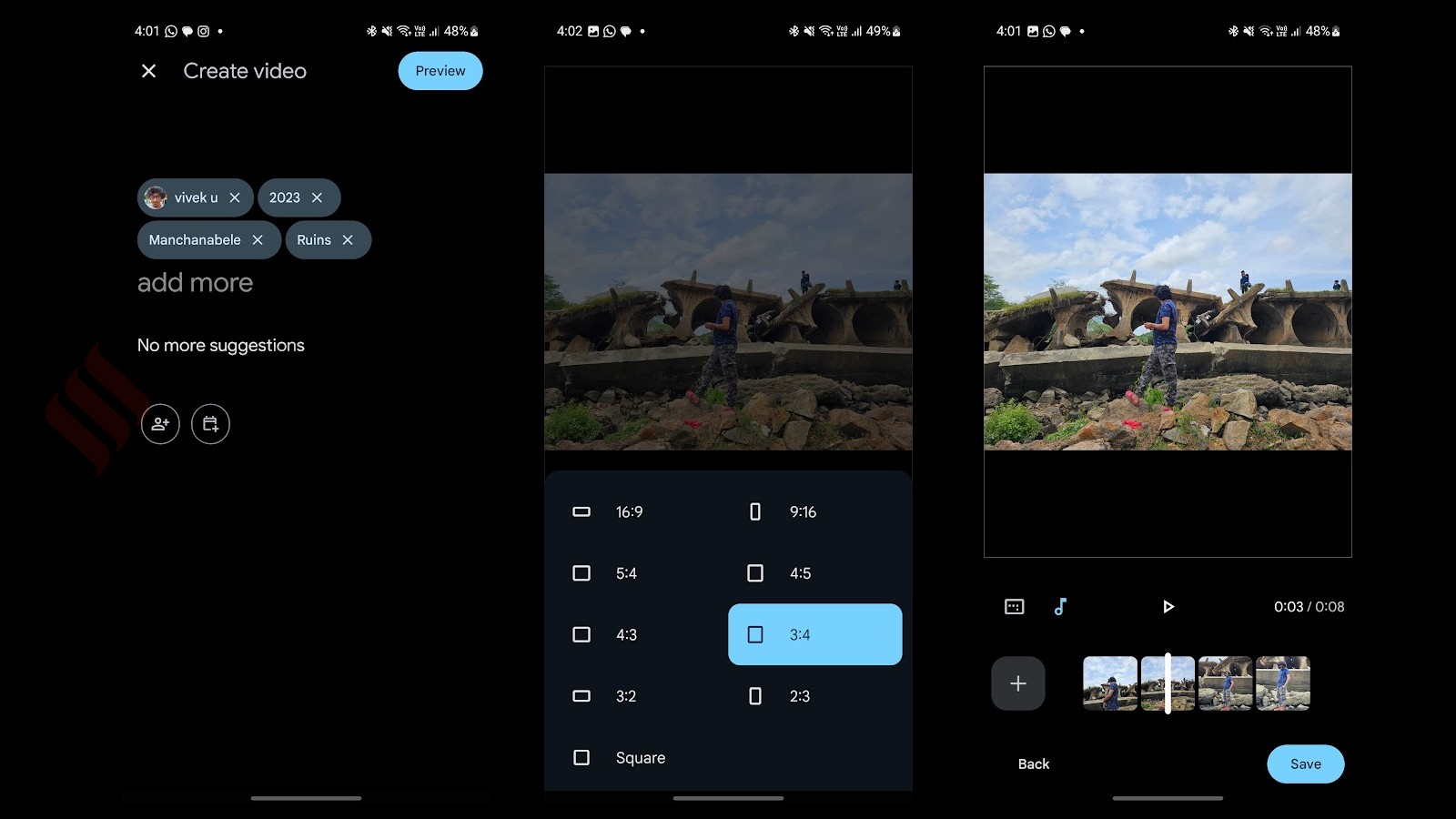
Next, click on ‘Preview,’ where you can add or remove additional images/videos. There is also an option to change the aspect ratio of the video.
Google Photos allows users to customise the aspect ratio (Image credit: Vivek Umashankar/The Indian Express)
If you plan to post these videos on platforms like YouTube Shorts or Instagram, choose the 9:16 or 2:3 aspect ratio. You can also add or remove the soundtrack.
Once you are satisfied with the output, click ‘Save,’ and the new AI-generated video will be available within the Google Photos app in just a few seconds.