2 min read
© IE Online Media Services Pvt Ltd



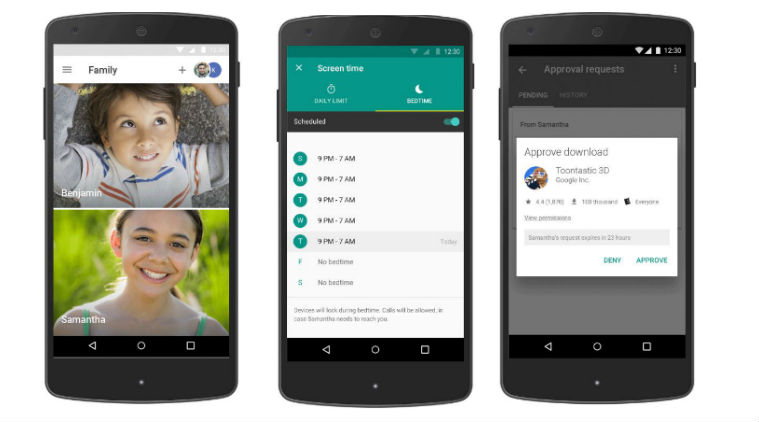 Using Google’s Family Link app, parents can set up their kid’s Android device by creating a Google account. If kids are under 13, Google will ask parents to give their consent.
Google has rolled out a new app in the US called Family Link that will help parents remotely control Android device that their kids are using. Google describes Family Link as a “solution for bringing kids and parents into Android ecosystem”. Family Link app is available for parents in the US without an invitation. Family Link is compatible with Android devices running Kit Kat (4.4) and higher as well as iPhones running iOS9 and higher.
Using Google’s Family Link app, parents can set up their kid’s Android device by creating a Google account. If kids are under 13, Google will ask parents to give their consent. Once a Google account is created, Family Link will be automatically downloaded to their kid’s device. Next, parents can choose the apps and settings that they want on their child’s Android device.
“Today, we’re happy to announce that Family Link, our solution for bringing kids and their parents into the Android ecosystem, is now available to parents in the United States without an invitation. Parents can also create a Google Account for their kid right from Android setup, and then manage their kid’s account and device with Family Link,” Saurabh Sharma, Product Manager, Kids and Families at Google said in a blog post.
Google’s Family Link lets parents approve or block apps that their kids download for the Play Store. It also shows the screen time from child’s Android device, and lets parents access monthly activity report as well as set daily screen time limits for their kid’s device. Other features include letting parents remotely lock their kid’s device.