2 min read
© IE Online Media Services Pvt Ltd



 The new Call Link button on WhatsApp is currently available to beta testers. (Express Photo)
WhatsApp, the most popular text, voice, and video calling platform in India, is testing a new feature that allows users to share call links quickly in group and individual chats. Similar to video conferencing solutions like Google Meet and Zoom, users can click on the link and press the ‘Join’ button to connect to the other person.
While the Meta-owned app already has the feature, it was not easy to use as users had to go through the lengthy process of heading over to the ‘Calls’ tab, find the option named “Create call link” and select “Call type” by tapping on the “Plus” button.
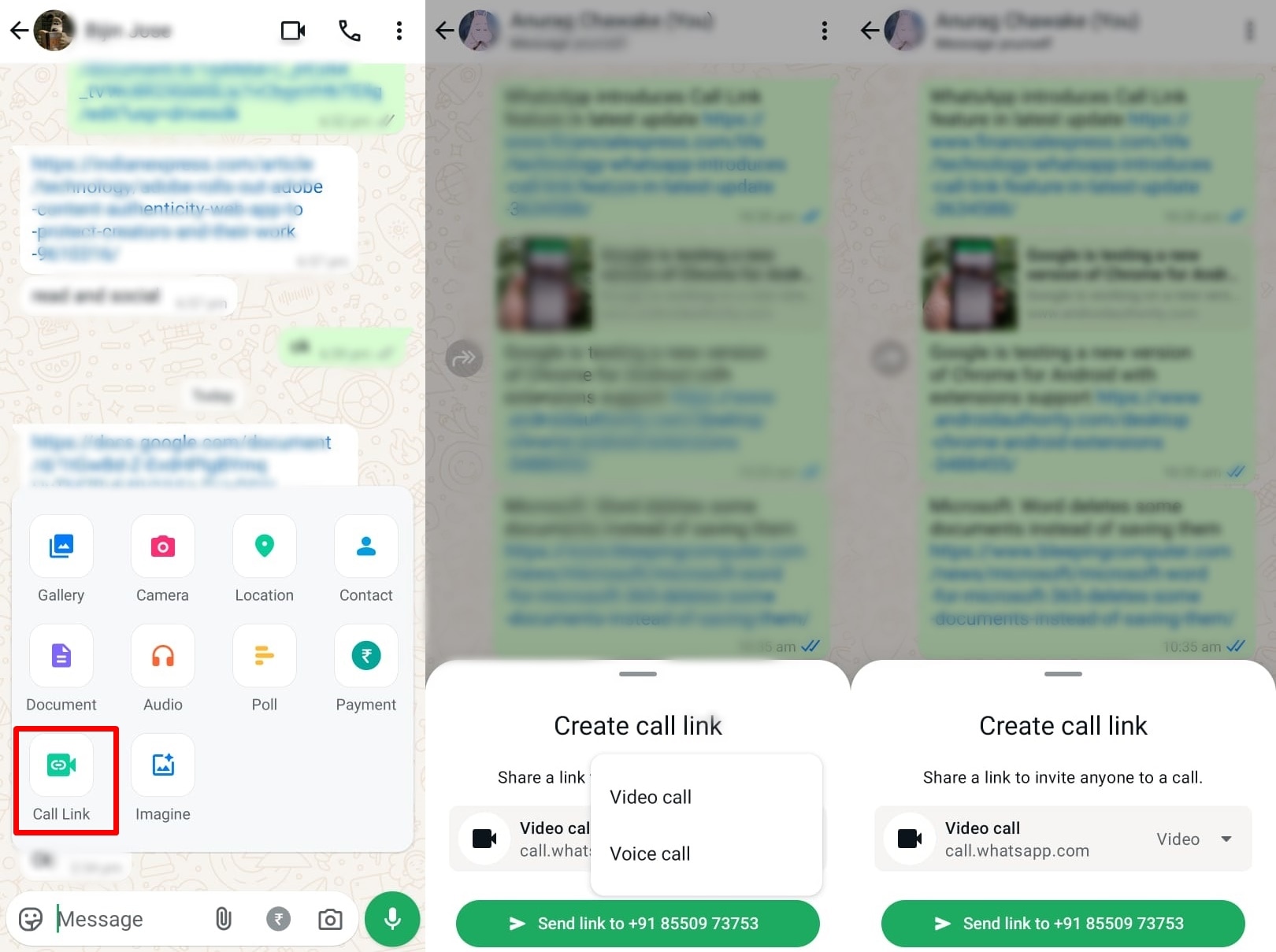 Here’s how to share call links the easy way. (Express Photo)
1. To share call links on WhatsApp, open the group or individual chat you want to connect with.
2. Now, press on the attachment icon from the bottom bar and tap on “Call Link”.
3. Here, you will get the option to select from video or voice call.
4. Once done, press on the green send link button below and you are good to go.
One thing to note here is that when you send a call link to the other person, both of you will have to press the “Join call” button to start the call. The same applies to group calls as well. The new Call Link button in the attachment menu should make the feature more popular amongst users as it is now more accessible and not buried deep inside the app. The button ais currently available to a select beta testers, but since the functionality works normally since the feature is already available to everyone.