


© IE Online Media Services Pvt Ltd
Tags:


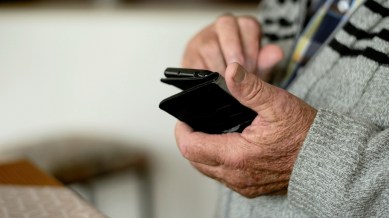
Android smartphones offer many useful features, but some older people might find them difficult to use. However, with a few tips and tricks, you can make these devices more senior-friendly. From increasing text size to using navigation buttons, here are some tips to make Android phones easier for seniors to use.
Many senior citizens struggle to read text on smartphones. To help, you can increase the text size and enlarge UI elements like buttons. On an Android phone, open the Settings app, go to ‘Display,’ then tap ‘Display size and text.’

For those who still find it hard to see what’s on the screen, you can try making everything bold or enable high contrast mode, which makes text clearer.
Senior citizens are often overwhelmed by the number of icons, widgets and other elements on the home screen.
To simplify things for them, you can consider third-party launchers like BIG Launcher or Elder Launcher, which offer a tile-based interface for easy navigation. Alternatively, you can also try minimalistic launchers, which are not designed for the elderly but make it easy for users to find and use the apps they want.
Google’s gesture-based navigation might be intuitive, but many seniors find it hard to swipe through their smartphone to perform tasks like going to the home screen, opening the recent app screen or using the back gesture.
To help, try switching to the old-fashioned button-based navigation. To do this, open the ‘Settings’ app on your phone and head over to ‘System’. Now, tap on ‘Gestures’ and choose the ‘3-button navigation’ option. On some phones, you can also use ‘2-button navigation’.
Another effective way to make Android phones easier for senior citizens is by enlarging the keyboard buttons. This not only helps them press the correct buttons but can also help reduce eye strain for those with vision difficulties.
Most Android devices use Gboard as the default keyboard app. To resize the keyboard, open it and tap the four-dot button on the left side of the top bar. Then, tap on ‘Resize’ and adjust the height of the keyboard to a comfortable size. Tap the tick button to save the changes.
If your grandparents find it difficult to search for contacts on Android, you can simplify calling by setting up the Direct dial widget. This widget allows them to call someone with just one press.
To set it up, long press on the home screen and select ‘Widgets’. Search for ‘contacts’ or scroll down to find the Direct dial widget. Hold and drag it to the home screen. Choose the contact you want to create a shortcut for when prompted. Place the widget on a part of the screen less prone to accidental touches.
One thing to note here is that tapping on the shortcut will directly call the number without any warning, so make sure you place it on a part of the screen that is less susceptible to accidental touches.


