2 min read
© IE Online Media Services Pvt Ltd



 (Express Photo)
With millions of users worldwide, YouTube Music is one of the most popular music streaming platforms on the internet. The Spotify alternative not only has a large library of music and podcasts but works with Android, and iPhones and can also be accessed from a web browser. If you are looking for a way to make collaborative playlists on YouTube Music that you and your friends can add songs to, here’s how to do it.
 Here’s how you can create a new playlist in seconds. (Express Photo)
1. Open the YouTube Music app on your phone and tap on the ‘Library’ button on the bottom bar.
2. Now, tap on the ‘+New’ option and choose the option named ‘Playlist’.
3. Give your playlist a name and type in the description if you want to.
4. Once done, tap on ‘Create’ and you are good to go.
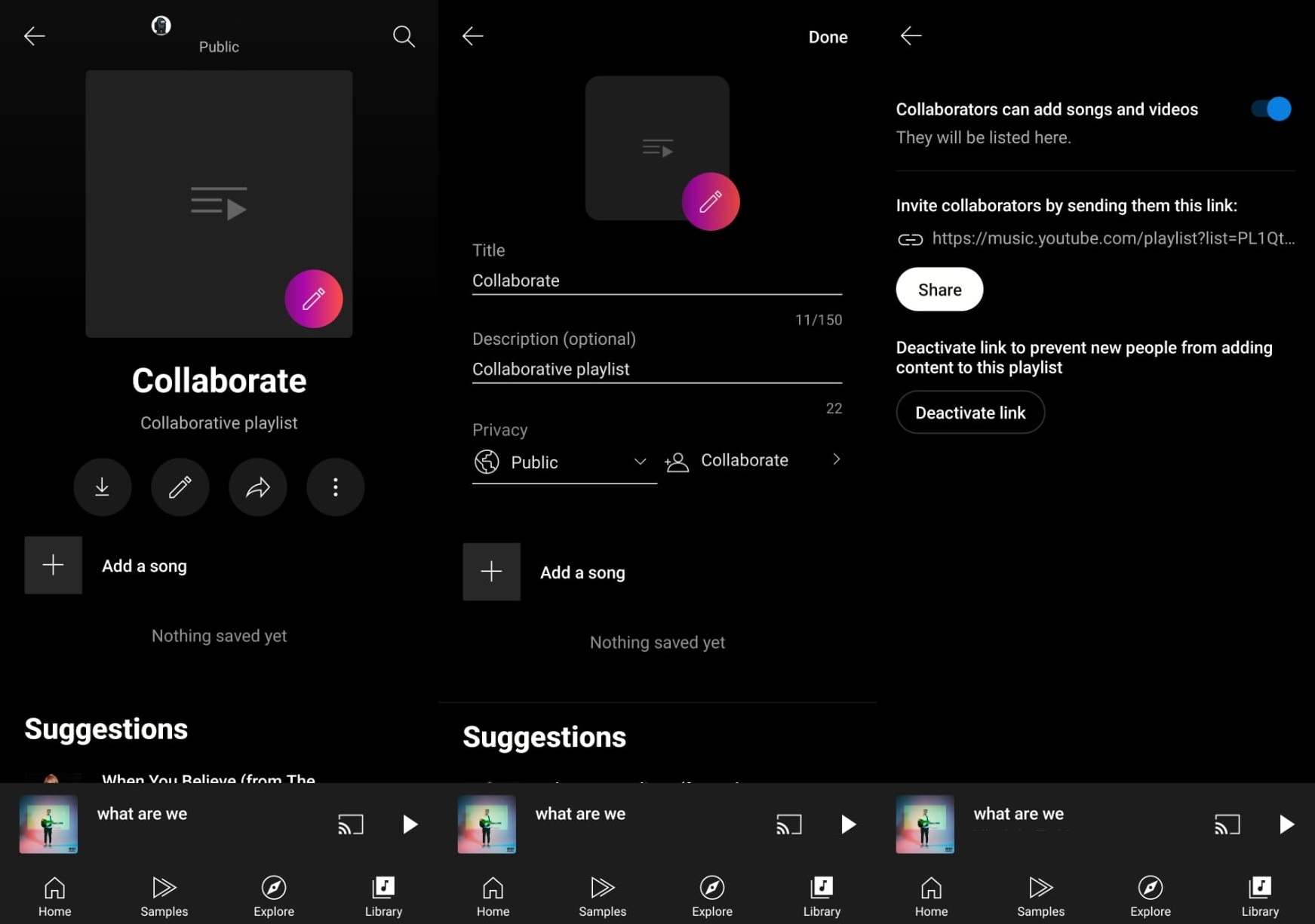 Collaborative playlists can come in handy when going on a trip with friends or family. (Express Photo)
1. Launch YouTube Music and go the Library section.
2. Choose an existing playlist or the one you just created on tap on it.
3. Now, tap on the Pencil icon and tap on the ‘Collaborate’ button. If it is greyed out, change the ‘Privacy’ setting to ‘Public’.
4. On the screen that appears, enable the ‘Collaborators can add songs and videos’.
You can now invite your friends by simply sharing the link, which will allow them to add music and videos.