A user in front of a laptop (Image credit: Pixabay)
Listen to this articleYour browser does not support the audio element.
Going through an article to find information could feel a bit overwhelming, especially when there are a lot of images and ads on the page. By enabling reading mode on your web browser, you can seamlessly go through the content without any interference from various aspects of the website.
Do note that this is an experimental feature, and it could break some of the core functionalities of the web browser. Google even suggests that enabling any experimental feature could also lead to losing browser data and compromising user security and privacy.
While enabling reading mode on a Firefox or Safari web browser is a fairly straightforward process, enabling the same on the world’s most popular web browser—Google Chrome—does require a bit of a workaround. If you are a Chrome user, here is how you can enable reading mode on your web browser.
You’ve Read Your Free Stories For Now
Sign up and keep reading more stories that matter to you.
First and foremost, make sure that you are running the latest version of Google Chrome and then follow the below-mentioned procedure to add reading mode to your Chrome web browser.
Open Google Chrome.
Reading mode is also available for other Chromium-based browser (Express Photo)
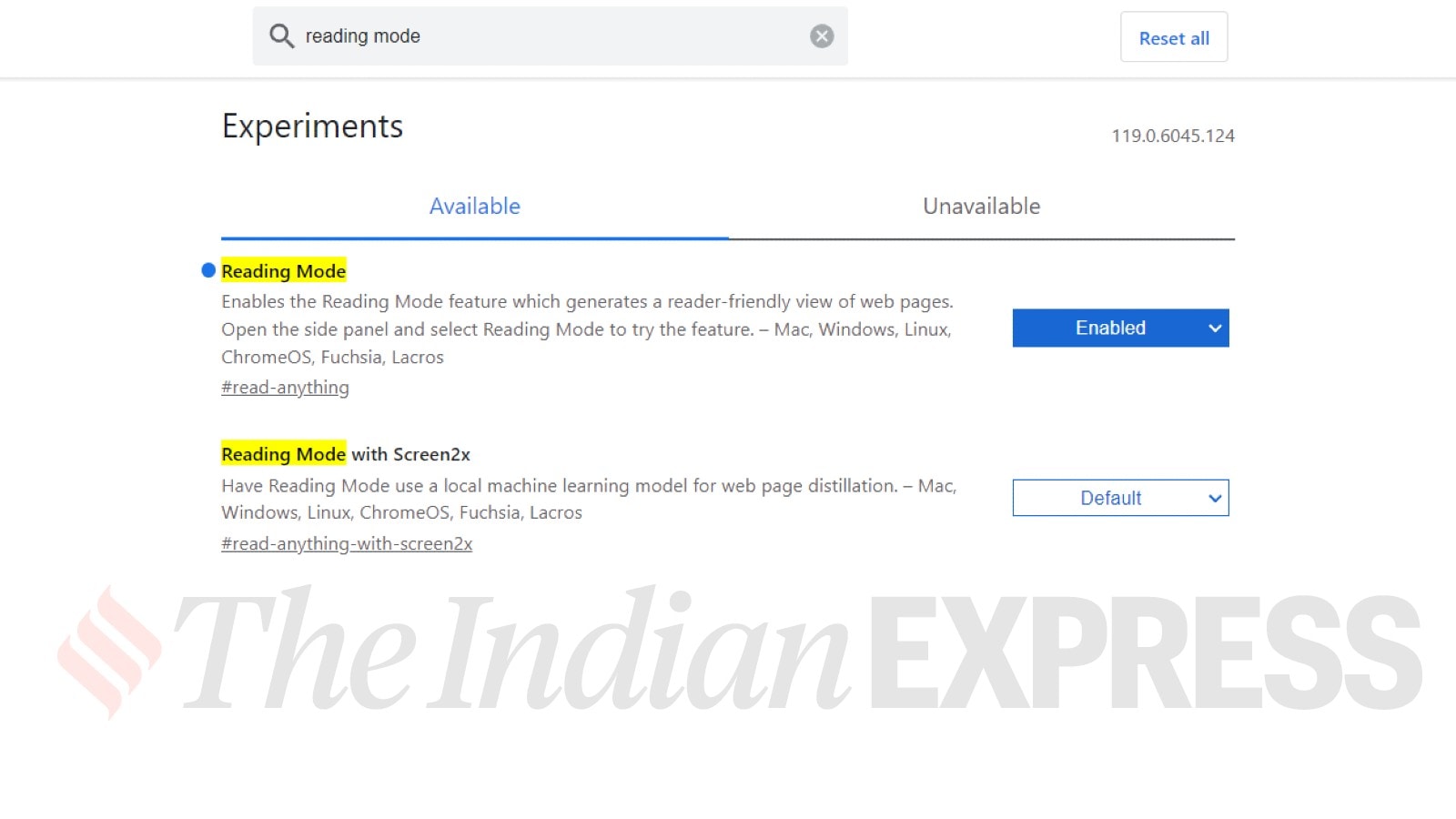
Open a new window and type chrome://flags and press enter.
Now, you will enter the Google Chrome experimental features menu.
Within the menu, search for Reading mode and enable it, which also requires you to relaunch your web browser by clicking on the “relaunch” option in the bottom right corner.
Enable and relaunch the web browser (Express Photo)
Once the browser reopens, click on the side panel located in the top right corner and select reading mode.
Now, open any website and select the text, which will automatically appear within the reading mode, located on the right side of the web browser.
Reading mode on Google Chrome in action (Express Photo)
You can also close the reading mode with just a single click. Depending on the requirement, you can also resize the reading mode window.