If you are in the market for a smart TV, chances are you will end up buying a TV running on Google’s Android TV platform. From Xiaomi, TCL to VU all of the major TV manufacturers, with the exception of Samsung and LG, use a version of Google’s Android mobile operating system that has been specially designed for TVs.
Like Google, Amazon too wants to have a significant presence in the smart TV segment in India and what better way to bring FireTV OS and Alexa to millions of users than by teaming with a local TV manufacturer. For the first time, Amazon has partnered with Onida, to launch a 32-inch Fire TV Edition TV, which retails for Rs 12,999.

Given its accessible price and HD-ready LED display, the Onida Fire TV Edition is aimed at the mass market, rather than a premium segment. Let’s take a look at both the pros and cons of the 32-inch Onida Fire TV Edition in our review below.
Onida 32-inch HD Ready Smart IPS LED TV price in India: Rs 12,999
Onida Fire TV Edition review: Design and build
The design of the Onida Fire TV Edition is quite simple with a chassis made of plastic. That build quality does feel cheap, though its nothing to worry about. It certainly won’t break, trust me.
Its thick frame is on the chunkier side, but the overall look of the TV isn’t bad. In the center of the bottom bezel is an Onida logo. The TV can be hung on a wall mount which comes inside the box or you can use the included black leg stands, which are fairly sturdy.
Its thick frame is on the chunkier side, but the overall look of the TV isn’t bad. (Image credit: Anuj Bhatia/Indian Express)
The 32-inch TV measures 73.1 x 8.2 x 43.5 cm and weighs 4.5kg. The back of the TV is simple and has a few connectivity ports and a power socket.
Onida Fire TV Edition review: Ports and Remote
You get a decent selection of connections on this TV. There are composite A/V jacks, three HDMI ports, one USB port, a headphone jack, and an optical output. On the back, you will also find a screw-on coaxial connector for antenna and cable and the LAN port to connect the TV over a wired Ethernet connection. The TV, as usual, supports Wi-Fi.
Story continues below this ad
Also Read: How Amazon is now seeing a clear picture of smart TV growth in India
The remote is similar to what you get with the Amazon Fire TV, but there are a few changes. At the top of the remote is a microphone button used for Alexa for voice controls. I found it useful because it eliminates the need to enter text with the on-screen keyboard.
There are four dedicated buttons at the bottom of the remote. Each button is specific to an app. (Image credit: Anuj Bhatia/Indian Express)
The remote has a glossy ring that functions as a four-way directional pad, flanked by dedicated buttons for home, back, menu and media playback controls. There’s a button to switch to live TV, while an up and down button for adjusting volume and another button lets you mute the sound. Then there are four dedicated buttons at the bottom of the remote. Each button is specific to an app. These are Prime Video, Netflix, Zee5 and SonyLive.
Onida Fire TV Edition review: Performance and audio
I tested the Onida Fire TV Edition over a week. In my tests, the TV performance was reasonably fine and, surprisingly, it offered excellent details. Colour accuracy isn’t good, something every budget smart TV suffers from in this price range.
Story continues below this ad
Look, you can’t expect much from a budget TV. The TV does get bright, but it maxes at 720p. It neither supports Dolby Vision nor standard HDR content. You get what you pay for.
The user interface is simple and jumping from one menu to another is easy. (Image credit: Anuj Bhatia/Indian Express)
But for most viewers, the Onida Fire TV Edition should be fine. Whether it’s streamed content on Amazon Prime Video, YouTube or playing games.
The TV uses a pair of 16-watt speakers with DTS sound. The sound quality isn’t great, but the volume can be loud. You would want to invest in a soundbar, but only if you watch a lot of movies. Otherwise, if your interests seem to be limited to watching the news, the TV’s built-in speakers should just be fine.
Onida Fire TV Edition review: FireTV OS and Alexa
If you have used the Fire TV Stick or the Fire tablet, you know how the Fire OS functions. The user interface is simple and jumping from one menu to another is easy. The interface is slick, but be ready for a lot of content recommendations and advertising banners for Amazon Prime shows. Though Amazon does give you an option to disable ads.
Story continues below this ad
I liked the Alexa voice control integration and it is really easy to search for movies by actor, title or other details. All you need to do is hold down the microphone button at the top of the remote and say what you are searching for. By default, you can ask Alexa to show you through the top news or update the latest weather.
The good thing about the Fire TV OS is the strong app ecosystem. There are, of course, plenty of popular apps, including Netflix, Amazon Prime, Spotify, NDTV, Hotstar, YouTube, and Amazon Music, among others. Apps are spread across different categories, including Music, Games, entertainment, News, and Sports. The total number of apps should be in the thousands. Apple TV+ is missing from the catalogue, though the same app is available on the Fire TV Stick.
The TV can be hung on a wall mount which comes inside the box or you can use the included black leg stands, which are fairly sturdy. (Image credit: Anuj Bhatia/Indian Express)
Onida Fire TV Edition review: Verdict
If you are looking for a 32-inch TV for a guest room or even for the bedroom, the Onida Fire TV Edition should be good enough. But before you click on the buy button, there are a few things to consider like resolution, size and connectivity.
I am not going to stop you from buying Onida Fire TV Edition. But, look at the competition at least once. There are 32-inch TVs from Xiaomi, VU, and Kodak that can be purchased for even less. Or if you are not keen on buying a new TV, then get a Fire TV Stick for Rs 3999. It can convert any dumb TV into a smart TV.


 7 min read


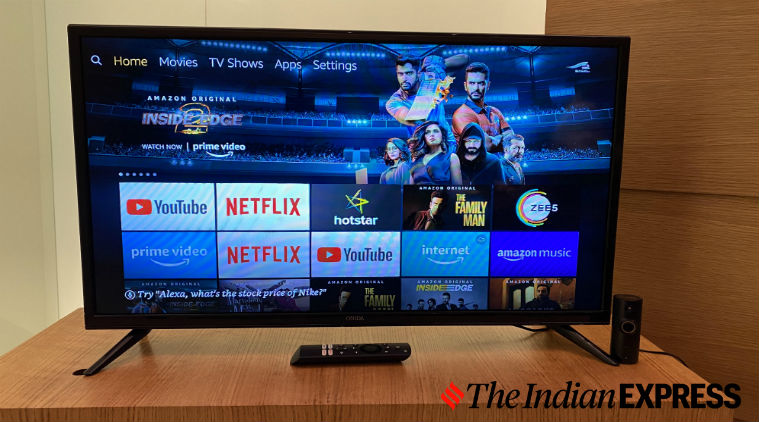 For the first time, Amazon has partnered with Onida, to launch a 32-inch Fire TV Edition TV, which retails for Rs 12,999. (Image credit: Anuj Bhatia/Indian Express)
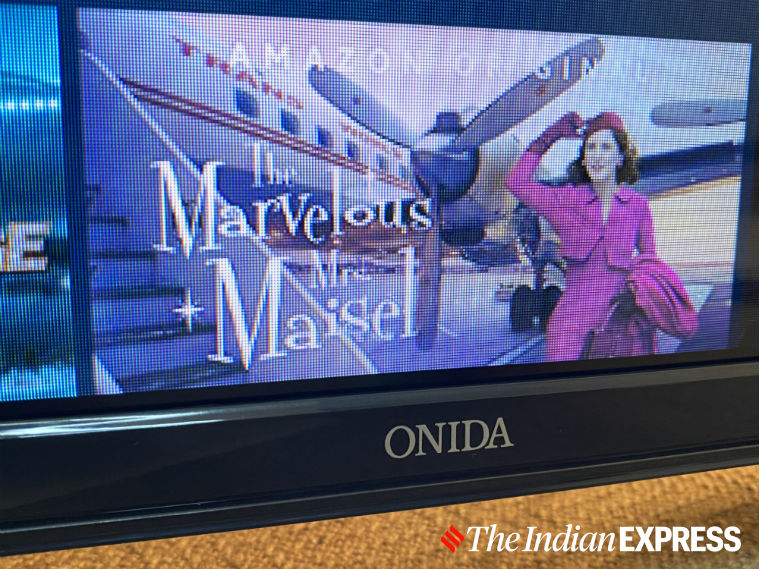 Its thick frame is on the chunkier side, but the overall look of the TV isn’t bad. (Image credit: Anuj Bhatia/Indian Express)
 There are four dedicated buttons at the bottom of the remote. Each button is specific to an app. (Image credit: Anuj Bhatia/
 The user interface is simple and jumping from one menu to another is easy. (Image credit: Anuj Bhatia/Indian Express)
 Just hold down the microphone button at the top of the remote and say what you are searching for. (Image credit: Anuj Bhatia/Indian Express)
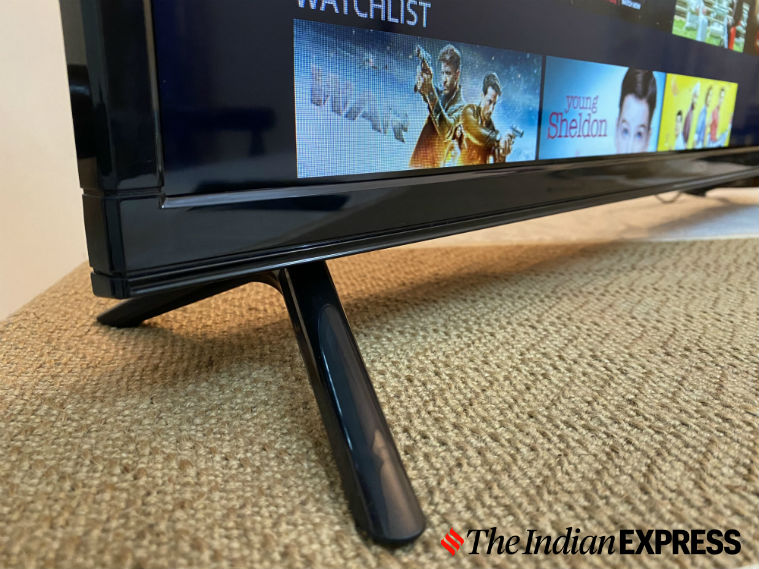 The TV can be hung on a wall mount which comes inside the box or you can use the included black leg stands, which are fairly sturdy. (Image credit: Anuj Bhatia/Indian Express)