3 min read
© IE Online Media Services Pvt Ltd



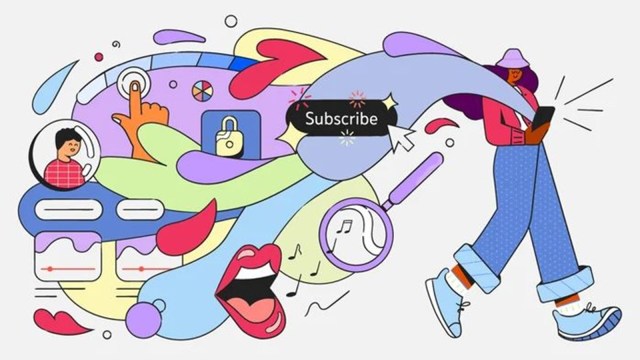 YouTube has merged the account page and 'Library' tab in a new 'You' tab. (Image Source: YouTube)
 YouTube is adding several new features to its mobile app that were previously limited to Premium users. The video-sharing platform also introduced a new ‘You’ tab that combines the existing ‘Library’ tab and account page.
In a recent blog post, YouTube said that the decision to merge the account page and Library tab was made to make it easy for users to find all their stuff in one place. The new ‘You’ tab replaces the ‘Library’ tab that resides in the right corner of the bottom navigation bar. YouTube also made some changes to the ‘Like’ and ‘Subscribe’ buttons, which now glow and have a fancy sparkle animation when you tap on them.
As for the new features, YouTube users will now be able to avoid accidental taps with the new lock screen feature. Available on both mobile and tablets, it can be used to prevent unintentional taps and swipes during video playback.
To lock the screen, go to the video you want to watch, press the gear icon on the top right and tap on ‘Screen lock’. Unlocking is fairly easy as the lock icon can be made visible by tapping anywhere on the screen. However, Google notes that some in-app notifications or ads might temporarily disable the feature.
YouTube will now let users search for a song by singing, humming or playing. The recently introduced functionality makes use of AI to match the sound of the original recording. It will be rolling out to everyone in the next few weeks and will be available exclusively on Android for now.
As the name suggests, the ‘stable volume’ feature helps users by automatically balancing the sound in a video. This is really helpful if a video has a huge difference in volume. Google says it will be enabled by default but it might take some time to appear on your phone.
YouTube also seems to be improving the video player experience, with users now able to long press anywhere on the player to change the video playback speed to 2x speed. The preview thumbnails are also bigger now, and you can now cancel scrubbing by moving your finger back to the part where you started.