3 min read
© IE Online Media Services Pvt Ltd



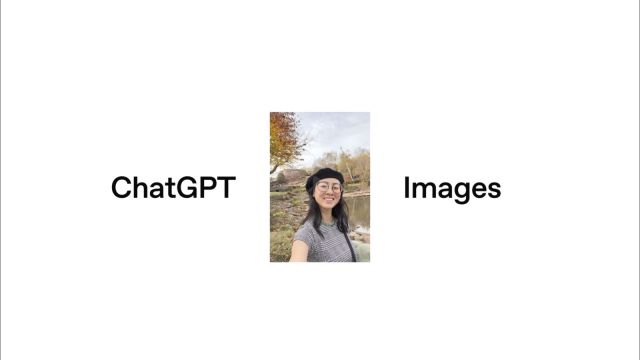 The model supports a variety of editing actions, enabling users to add, remove, blend, combine, and transpose elements within images. (Image: OpenAI)
OpenAI’s ChatGPT has introduced an update to its image generation features with the launch of the new version of ChatGPT Images, which incorporates the latest advancements in its image model. This upgrade enhances the image creation and editing experience by offering faster output speeds, improved instruction-following capabilities, and accurate edits that maintain the original image’s essential details. Users can expect results that align more closely with their creative intents, whether they are generating images from scratch or refining existing photos.
Central to this update is a new image model that enables image generation up to four times faster than previous versions. This improvement facilitates smoother creative iterations. The model’s reliability for image editing has also seen enhancements; it can now make specific changes to uploaded images while preserving critical aspects such as lighting, composition, and facial features. This precision is particularly beneficial for tasks involving photo touch-ups, experimenting with clothing or hairstyles, and implementing stylistic transformations without compromising realism.
The model supports a variety of editing actions, enabling users to add, remove, blend, combine, and transpose elements within images. This extensive flexibility caters to both subtle modifications and bold creative ventures, ensuring the distinctive qualities of original images are preserved. Additionally, the system excels at creative transformations, redesigning images into posters, advertisements, illustrations, or unique visual styles, all while retaining crucial details.
Another key advancement in the new model is its enhanced ability to follow complex, multi-step instructions accurately. It effectively maintains vital relationships among objects, text, and layout, handling denser and smaller text with improved clarity. The model can also create structured layouts, markdown-style content, and detailed infographics, thereby expanding visual communication and design opportunities.
To facilitate easier access to image creation, ChatGPT has introduced a dedicated Images experience within the app. Located in the sidebar, this new feature encourages user exploration and creativity, presenting preset styles, trending prompts, and visual suggestions that do not require detailed prompts. Users can upload an image once for consistency across future projects, promoting easier visual storytelling.
Also Read: Adobe launches Photoshop, Express, and Acrobat inside ChatGPT: Here’s what you can do
The new ChatGPT Images model is being rolled out globally for all users, available through the Application Programming Interface (API) known as GPT Image 1.5. In the near future, Business and Enterprise users will also gain access to the comprehensive Images experience. Developers utilising the API will enjoy the same enhancements in image quality, preservation, and editing, along with reduced costs compared to previous versions, simplifying the process of generating and iterating images at scale.
Despite these advancements in realism, speed, and usability, the company notes that image generation is still an evolving field, with ongoing limitations especially concerning complex styles, multiple faces, and multilingual text. Nevertheless, this latest update marks a substantial step forward, positioning ChatGPT Images as a more robust creative tool for tasks ranging from simple edits to extensive visual reimagining.