4 min read
© IE Online Media Services Pvt Ltd



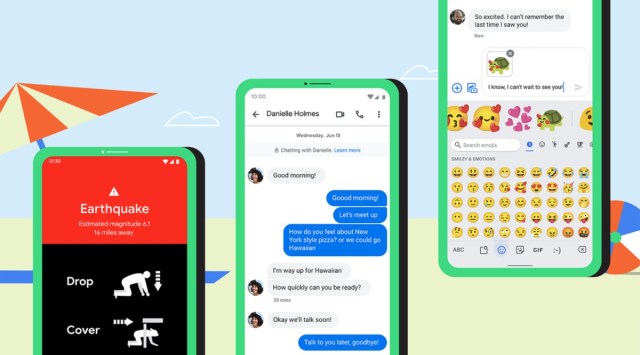 Google announces new features for Android: All you need to know (Photo credit: Google)
Google has announced new features for Android to improve user experience. The search giant says the new updates are focused on safety as well. Google has released end-to-end encryption and Starred messages features for its Messages app. One can now open Android apps using your voice. It has also added new features to Android Auto. Read on to know more about the latest features.
Google is now releasing an end-to-end encryption feature for everyone who has access to RCS. The security feature was previously available for only beta users. When a message is encrypted, users will notice a lock icon on the send button.
Both the sender and receiver need to have Chat features enabled and have an active internet connection. One can send messages via SMS/MMS, but those won’t be end-to-end encrypted. Google says the end-to-end encryption is available for one-on-one conversations. There is no word on when it will be available for group chats.
Google is now introducing the Android Earthquake Alerts System in more countries like Turkey, the Philippines, Kazakhstan, Kyrgyz Republic, Tajikistan, Turkmenistan and Uzbekistan. The alert system was first launched in 2020 to help people in affected areas get alerts seconds before an earthquake hits. The Android Earthquake Alerts System was recently launched in New Zealand and Greece.
“We are prioritising launching Earthquake Alerts in countries with higher earthquake risks, and hope to launch in more and more countries over the coming year,” Google said.
Google is finally adding the ability to “star” important conversations. Users can now bookmark specific messages and can quickly refer back to them later. All you need to do is tap and hold the message, then star it. If you want to revisit a message, like your friend’s address or the photo from your family reunion, you just need to tap on the starred category. Google says the starred messages feature will be rolling out to the Messages app “over the coming weeks.”
Gboard users will now see contextual suggestions in Emoji Kitchen once they type a message. In simpler terms, Google’s keyboard will suggest your custom emoji creations based on your message. However, the Contextual Emoji Kitchen suggestions are currently only available for Gboard beta users. Google has confirmed that the feature will be coming to all Gboard users this summer for messages written in English, Spanish and Portuguese on devices running Android 6.0 and above.
You can now ask Google to open or search your favourite apps using your voice. For example, you can say things like, “Hey Google, pay my Capital One bill” to jump right into the app and complete the task, or “Hey Google, check my miles on Strava” to quickly see your weekly progress right on the lock screen.
Android Auto users can now personalise their launcher screen directly from the phone and manually set dark mode. The search giant has also added new app experiences to help enhance your drive. EV charging, parking and navigation apps are now available to use in Android Auto. You can now quickly scroll to the top of a list. Additionally, the scroll bar is also getting an A to Z button.
In a blog post, the company asserted that it has improved the messaging experience for apps like Messages and WhatsApp to make it easier to send or read messages. “These Android Auto features are available on phones running Android 6.0 or above, and when connected to your compatible car,” Google said.