


© IE Online Media Services Pvt Ltd
Tags:


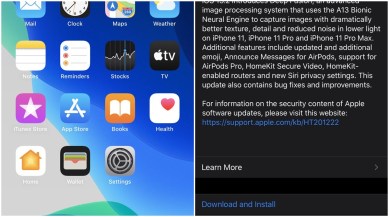
Apple has released iOS 13.2. If you use a new iPhone 11 or iPhone 11 Pro, you should download this update, as it brings Apple’s new Deep Fusion image processing technology. iOS 13.2 update also introduces new emojis, as well as support for the recently launched AirPods Pro.
The update works with compatible iPhones. To download the update on the iPhone, go to Settings>General>Software Update. iOS 13.2 is free to download and takes 574.8MB of space on your iPhone.


iOS 13.2 also brings a new set of emojis as part of the Unicode 12 standard, which Apple originally previewed at WWDC 2019. The update also includes new Siri privacy settings that basically allow you to opt-in or opt-out of sharing Siri recordings with Apple. As 9to5Mac notes, users will notice a new splash screen for the first time when they boot into iOS 13.2 asking for preference.
Also read| Apple introduces AirPods Pro with noise cancellation for Rs 24,900
Apple is also adding “Announce Messages with Siri” with iOS 13.2. To use the feature, you need to have an iPhone with iOS 13.2 and the second-generation AirPods. When connected to a pair of AirPods, you will be able to hear and respond to text messages on your iPhone. The interesting part is that Siri automatically transcribes the messages so you won’t need to look at the text on the iPhone or Apple Watch.
In case you own a HomePod smart speaker, Apple is adding the ability to support multiple users with iOS 13.2. Last but not least, iOS 13.2 is adding support for the AirPods Pro, which recently made their debut. As usual, this update also contains bug fixes and security improvements.


