6 min read
© IE Online Media Services Pvt Ltd



 Here are some of the new features that Apple has introduced on iPhone with the iOS 16 update (Image credit: Vivek Umashankar / Indian Express)
 The contacts app is one of the quintessential parts of a modern smartphone. Everyone uses this app almost every day and a lot of people still do not understand all the features that are available on the contacts app on an iPhone, especially after iOS 16 update.
Here are the ten most worth-exploring features of the contacts app on an iPhone running on the latest iOS 16 update.
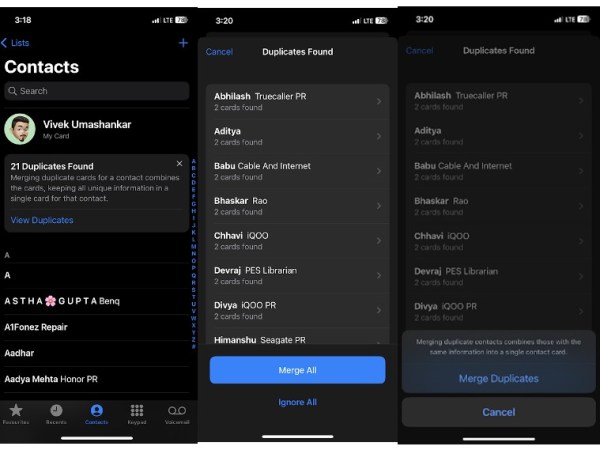 You can now easily merge duplicate contacts on an iPhone running on iOS 16.
If you have imported contacts from multiple sources (iCloud, Google, and more) then there is a high possibility that the contact app might have duplicate contacts. You can now merge contacts on an iPhone running the latest version of iOS 16 with just a single click.
Apple will automatically detect duplicate contacts and will let you merge them with a single click on the home page of the contact app. You can either merge all or even ignore them, depending on the contents of the specific contact.
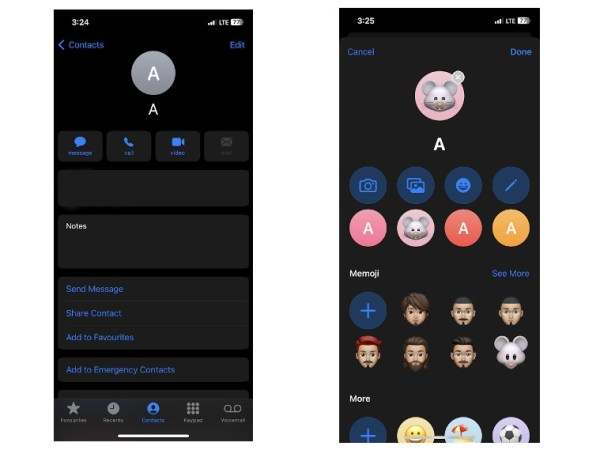 You can now assign customised emojis on iPhone with iOS 16.
You can now assign distinct memojis to individual contacts straight from the contacts app on your iPhone. Select the contact and click on the edit button. From the next menu, select the memoji and customise it as per the requirement and save. This is a good feature to save contacts of new people with visual identification.
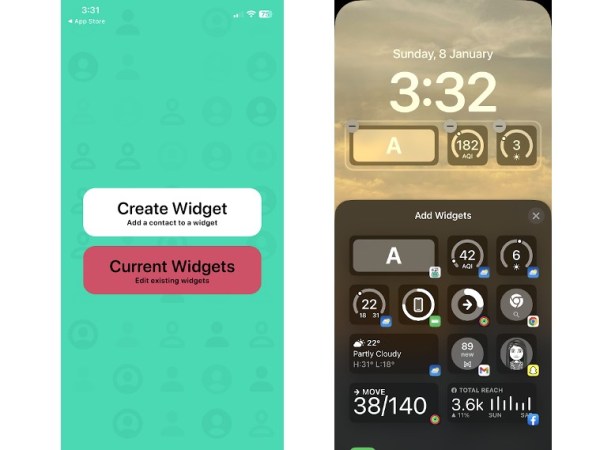 Adding contacts to the lock screen will enable quick calling and texting.
To do this, you need to install a third-party app like Lock Screen Contact Widget, which is available for free on App Store. Once you are done with downloading, you can create a widget and add the same to the lock screen. Using this widget, you can call or send a message to that person with a single click.
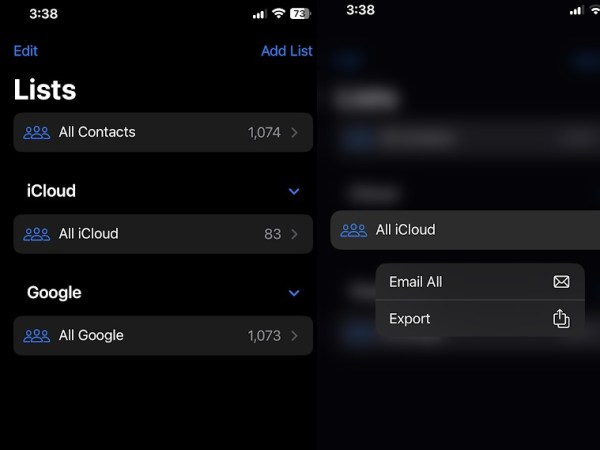 Send a mail or message to your entire contact list with just a click.
With just a few steps, you can now send mail to all the people in your contacts app via the mail app. Click on the Lists option in the top left corner, long press on one of the lists and select Email all. Do note that, this feature only works on the Apple Mail app, not via any third-party mail apps. Similarly, you can also message all the contacts at once in the same manner.
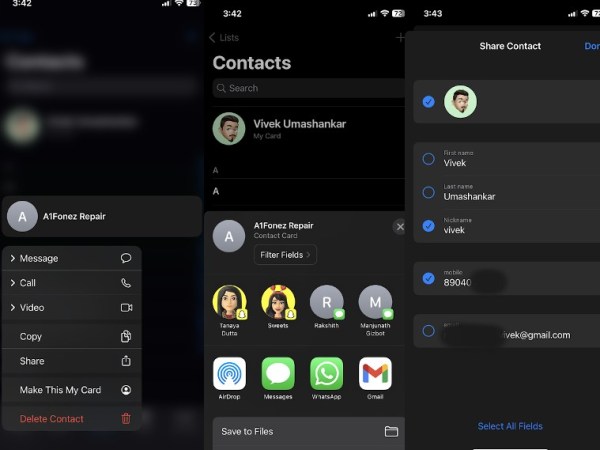 You can now share select details from a contact on an iPhone with iOS 16.
With the iOS 16 update, you can now filter the information inside a contact and share it with a friend, colleague, or family member. This feature enables users to share only specific information about the contact. To do so, click on the shared contact, and next select Filter Fields and uncheck the fields that you don’t want to share.
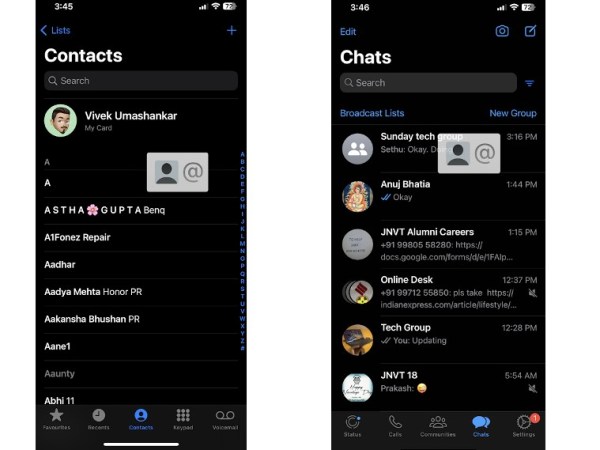 Sharing contacts between apps made it easy.
iOS 16 also enabled the drag-and-drop contact feature on an iPhone. Click on the contact that you want to share with another app or service, access the home page using the gesture and drop the contact icon on a new app and service to add those contact details with ease.
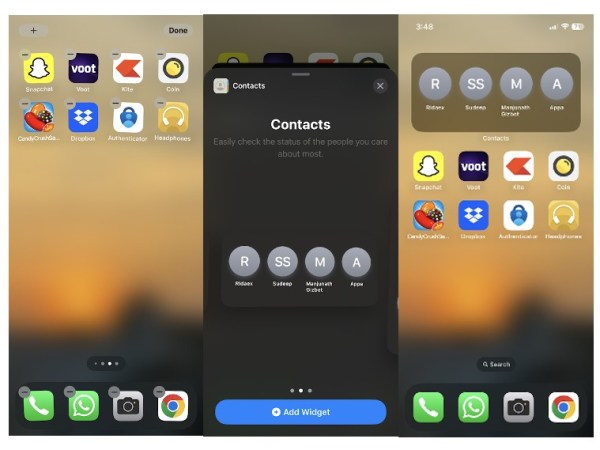 Easy way to get an update regarding notification from a specific contact.
You can now add a contacts widget to the home screen. Whenever you have a message or a missed call from that specific contact, there will be a red icon, notifying you there is an update from the same. You can either add a widget with a single contact or a large widget with up to four contacts.
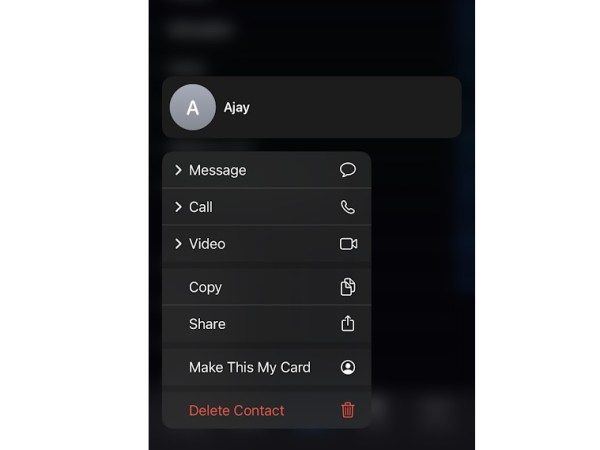 Long pressing on a contact app will now get you quick actions.
When you long press on a contact, you can now message, call, and initiate a video call from third-party apps like Telegram and WhatsApp. If that contact has a mail address, this feature can also be used to send mail directly from the contact app.
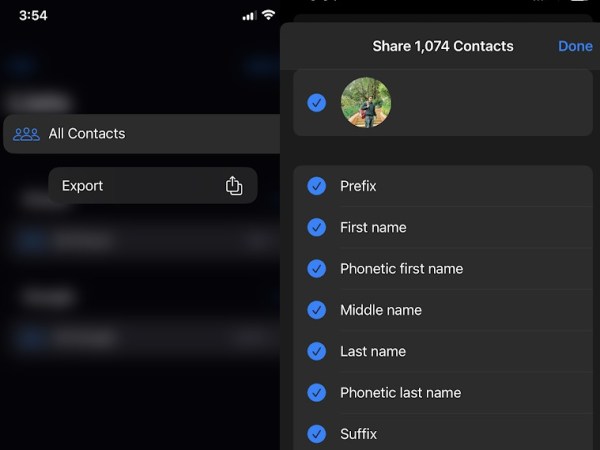 You can now export contacts with filtered information.
You can now export your entire contacts with filtered information. If you only want to share the name and number of your entire contact list, this can be done on an iPhone running iOS 16. This makes sharing contacts easy and simple.
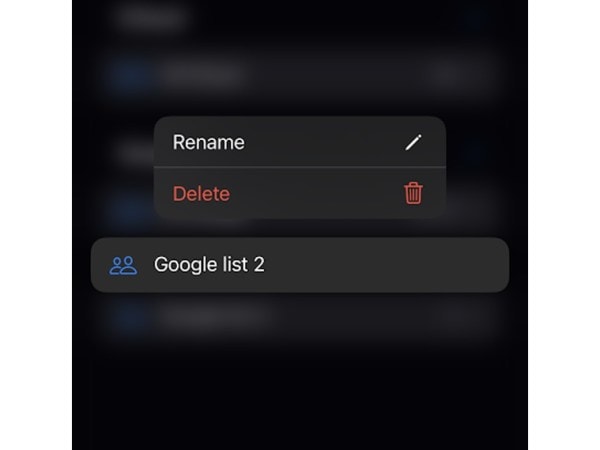 You can create or erase a contact list directly on the iPhone.
Until last year, this feature was limited to the contacts app on the macOS and iCloud, and it is now available for iPhones and iPads. With the iOS 16 update, you can now manage contact lists directly on an iPhone, which allows users to create a new contact list or delete an already existing one.