2 min read
© IE Online Media Services Pvt Ltd



 AKTU UPSEE 2017: The link to the AKTU UPSEE 2017 admit card was originally meant to be opened on April 7, 2017, which has been delayed.
AKTU UPSEE 2017: Dr APJ Abdul Kalam Technical University (AKTU) has released the admit cards for the Uttar Pradesh State Entrance Examination (UPSEE) on April 11, 2017. Candidates who have been waiting for the admit cards to be available can download them from the official website – upsee.
The link to the AKTU UPSEE 2017 admit card was originally meant to be opened on April 7, 2017, according to the information brochure for the examination. This, however, has been delayed. The UPSEE 2017 is scheduled to be held on April 16, 22 and 23.
Read | AKTU UPSEE 2017 exam: Things you need to know
In case students find difficult to download UPSEE 2017 admit card, they can call toll free help desk number — 1800-180-0161 (10 am to 5 pm)
E-Mail : helpdeskupsee17@gmail.com
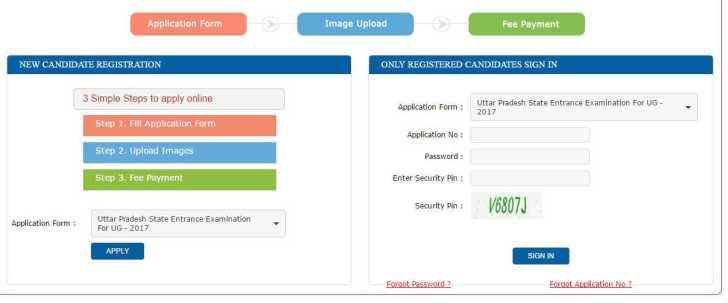 UPSEE 2017 admit card can be downloaded by logging with your registered number
Exam schedule:
BTech, BArch, BPharmacy (OMR test; Papers 1, 2, 3 and 4)- April 16
BHMCT, BFAD, BFA, BTech second year direct entry, BPharma (Computer-based; papers 5, 6, 7 and 8)- April 22
MBA, MCA, Direct entry second year MCA (computer based; papers 9, 10 and 11)- April 23
Steps to download the admit card for AKTU UPSEE 2017:
– Log on to the official website for AKTU (aktu.ac.in).
– Click on the link displaying “UP State Entrance Examination (UPSEE) – 2017”
Read | 10 tips and tricks to prepare for entrance exams
– Click on the link to the UPSEE admit card (when it is available) in the new page.
– Enter application number and password and click on “Submit”
– Sign in to the site when required.
– Save your admit card, take a print out and remember to carry it in the exam hall.