


© IE Online Media Services Pvt Ltd
Tags:


WhatsApp is finally rolling out multiple chat themes and background options for both Android and iOS users. Dubbed “Chat theme”, the new functionality brings 22 pre-set themes alongside 30 new wallpapers. The new feature was initially spotted on a beta version of the app last year.
In a blog post, WhatsApp said that users can choose to apply a theme to all of your chats or choose a theme for a specific conversation. These themes are only visible to the user and can be applied to Channels as well.


In case you don’t like a pre-set theme or the bundled wallpapers, WhatsApp will also let you the background of your choice from your gallery or camera roll.
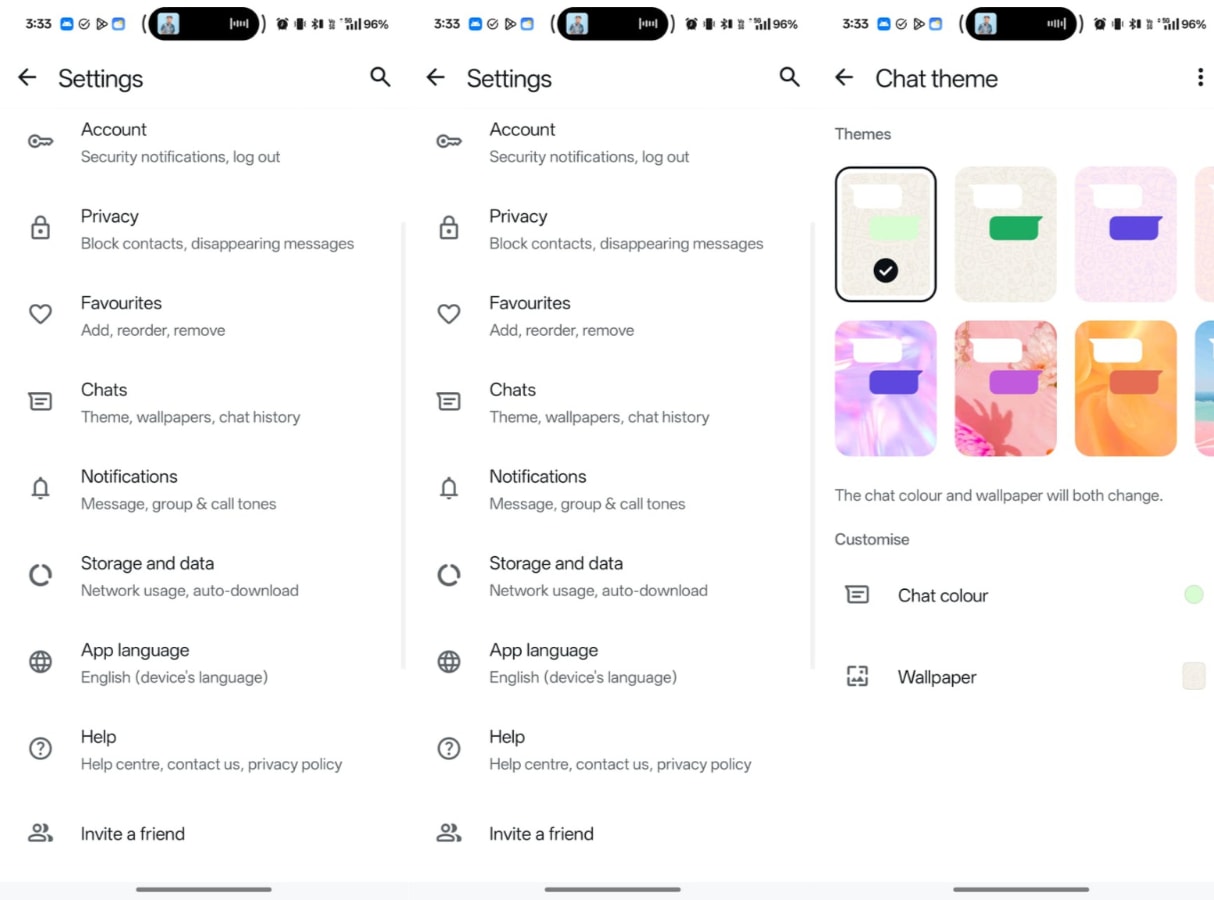
1. To find the new Chat theme option, simply open WhatsApp on your device and click on the three-dot menu that appears on the top right of the app.
2. From the drop down menu, tap on Settings, and on the page that appears, find and click on “Chats”.
3. Now, click on “Default chat theme” and you will get the option to select from a pre-set theme and change the chat colour and wallpaper.
Since WhatsApp is still rolling out chat themes, the new feature may take anywhere between a few days to weeks before it is available on your device. Also, make sure that the app is updated to the latest version.


