2 min read
© IE Online Media Services Pvt Ltd



 Sometimes, the IP68 rating alone isn't enough. (Image: Carlos Santiago/Unsplash)
 June is almost over, and the monsoon season is sweeping across the continent, bringing rains of all kinds, from gentle sprinkles to fierce storms. Our devices, which already endured the scorching summer heat, now face another challenge: the threat of water damage.
All iPhones have IP68 ratings, which means they can survive some splashes and spills. But sometimes, accidents happen. Maybe you got caught in a heavy shower with your iPhone, or maybe you dropped it in a puddle. Either way, there’s a chance that some water got into the speakers, making them sound muffled. Usually, the water evaporates on its own without harming the speakers, thanks to the IP68 rating.
But if there’s retention or if you simply wish to speed up the drying process, then there’s an easy fix.
We are going to use a Shortcut called Water Eject for this. With it, you’ll not just be able to get rid of any water in your speaker but also look rather cool doing so. Just follow the steps below to get started.
1. Search for the Water Eject shortcut on Google and download it from the Shortcuts Gallery website.
2. Once downloaded, launch it and tap the “Add shortcut” button.
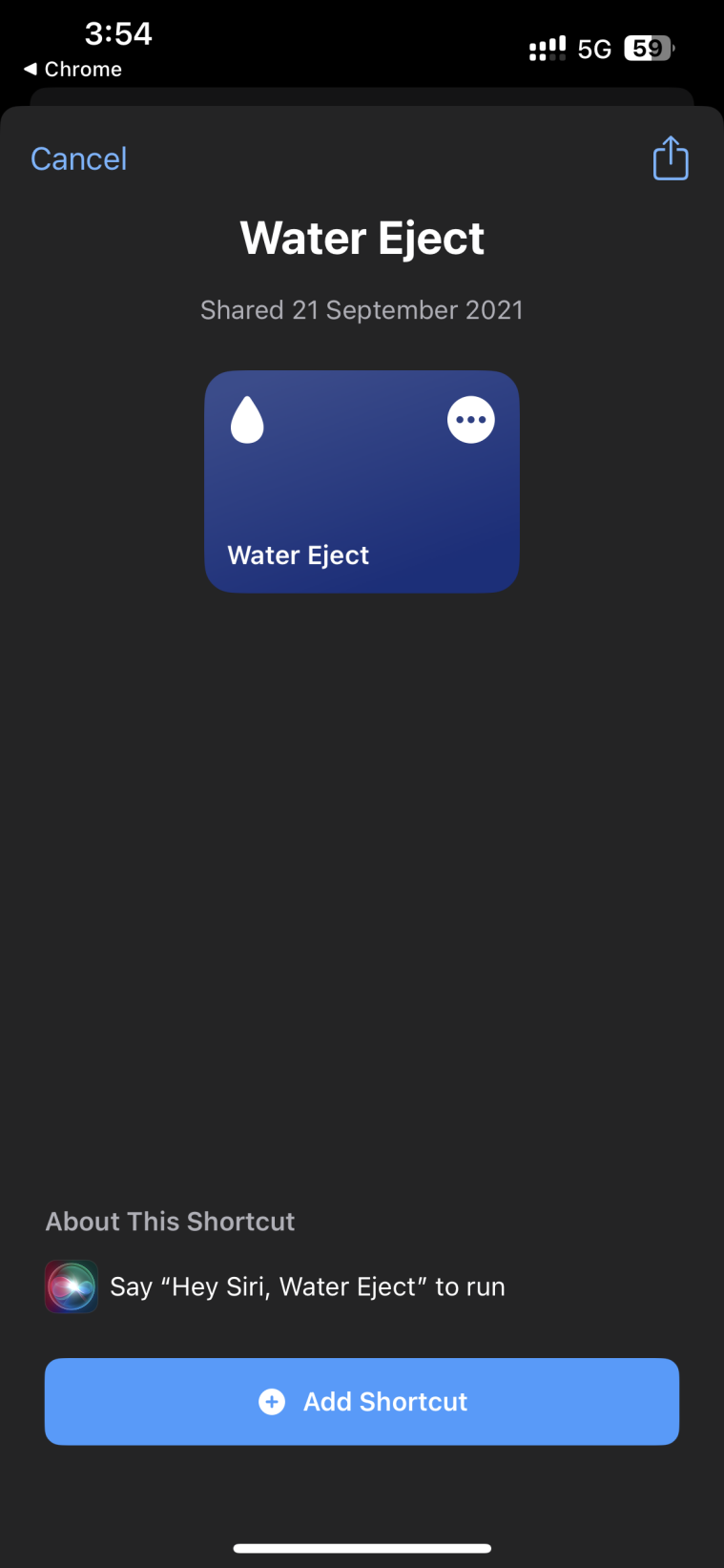 Adding the Water Eject shortcut. (Express image)
3. Run Water Eject by either saying “Hey Siri, Water Eject” or by tapping the shortcut in the Shortcut app.
4. Performing either of these actions will activate the Shortcut and bring up a pop-up menu. Tap on Start to proceed.
You can adjust the intensity of the process by selecting a level from 1 to 3. The higher the level, the more times the process will run. Once you do that, the shortcut will produce a sound from the speaker.
This sound is powerful enough to create strong air vibrations that you can feel if you place your fingers near the speaker outlet. Just make sure you haven’t got your AirPods in when you utter the hotword because the sound can get piercingly loud.