2 min read
© IE Online Media Services Pvt Ltd



 Copilot is also available on Windows 10 and Windows 11. (Image Source: Microsoft)
Microsoft Copilot, formerly known as Bing Chat is getting a new plugin that allows users to generate songs in seconds. The tech giant said the feature makes use of Suno, an AI-powered music-creation tool that can create a song based on a text prompt.
According to Microsoft, the functionality is available as a plug-in for Copilot, and enables users to create songs with “lyrics, instrumentals, and singing voice- from a single sentence.” These songs are typically one or two minutes in length, with Copilot also generating a transcript of the lyrics.
One thing to note here is that Suno retains the ownership of these AI-generated songs and users cannot monetise them on popular music platforms like Spotify and YouTube. However, these songs can be shared on social media platforms and used for non-commercial purposes.
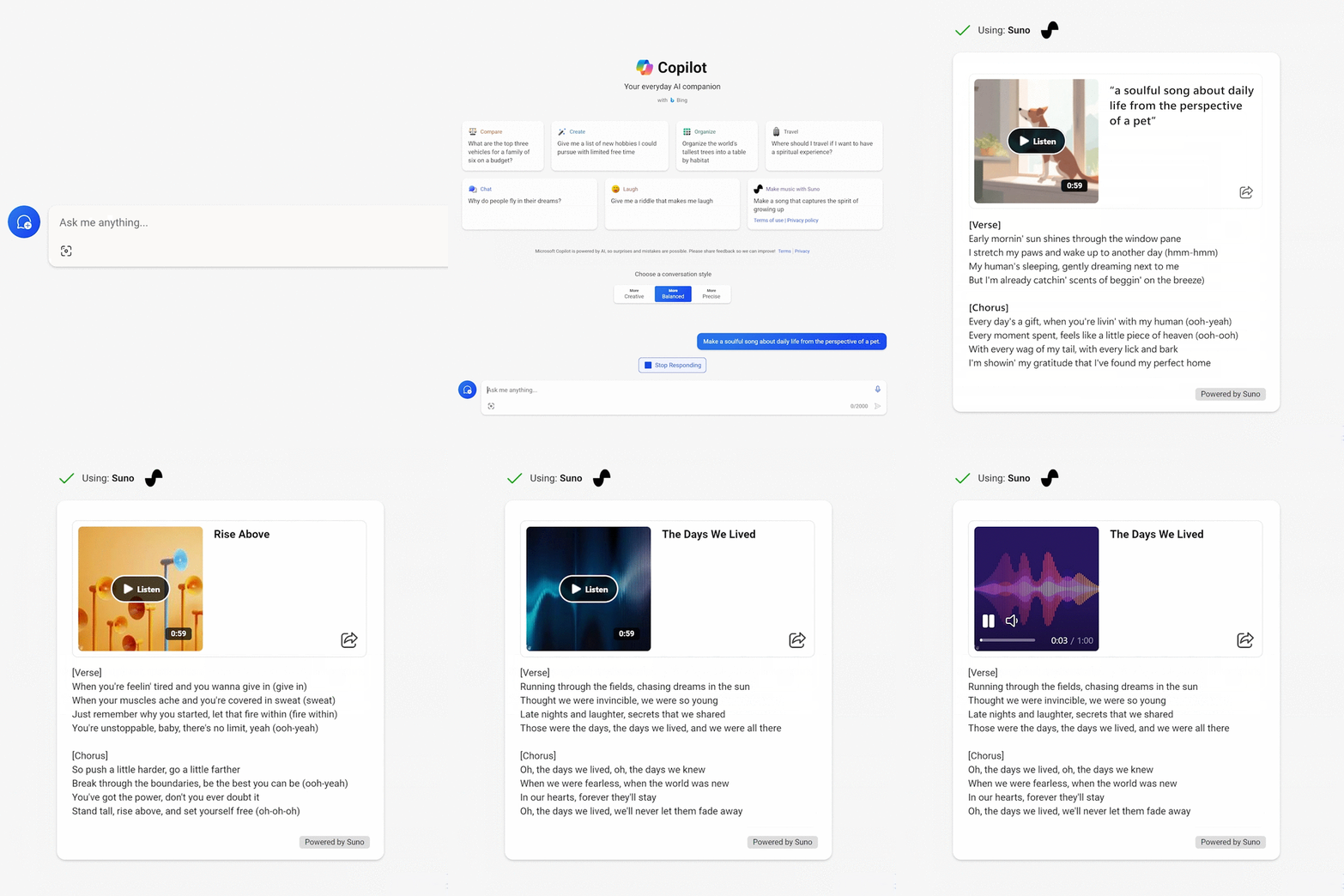 Copilot also shows the complete lyrics. (Image Source: Microsoft)
1. Open your internet browser and head over to the Microsoft Copilot website.
2. Once you sign in using your Microsoft account, enable the Suno plugin either from the plug-in panel or click on the “Make music with Suno” button.
3. In the text field that appears at the bottom of the window, describe the type of song you want to generate and hit enter.
Microsoft Copilot will then generate a song that you can listen to and also show the lyrics. However, you won’t be able to download the AI-generated music as Suno owns the rights. Last week, the tech giant announced Copilot Notebook, a new feature that lets users type prompts on the left and get results on the right.