


© IE Online Media Services Pvt Ltd
Tags:


Gmail’s new design overhaul brings in some extra features and integrations across different services like Keep, Calendar and more to help users boost their productivity. But before you get access to the new features, you will first need to activate the new Gmail
It’s very simple to do this. If you want to enable new Gmail for yourself, just log into Gmail and click the gear icon on the right side. You will see a ‘Try the new Gmail’ option right at the top. Click that and you will see the new interface. In case you don’t like it and want to roll back to the old design, click the gear icon and choose ‘Go back to classic Gmail’ option.

In case you are wondering about what’s new inside the revamped Gmail, read on.
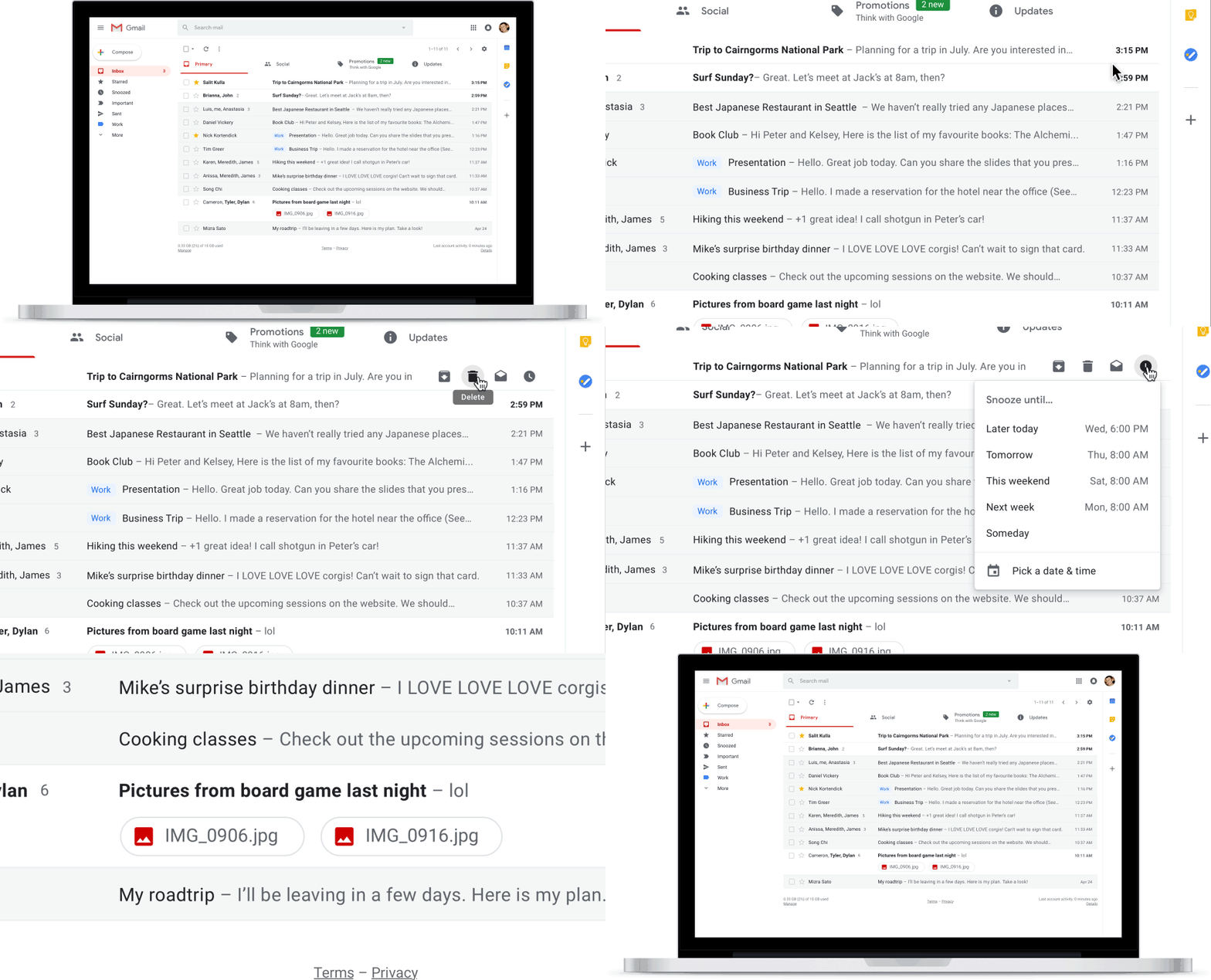
Revamped Gmail allows users to take some quick actions on emails like archive, delete, mark as read / unread and snooze without even opening them. All users have to do is hover their mouse cursor onto an email. It will get users all these quick options to choose from.
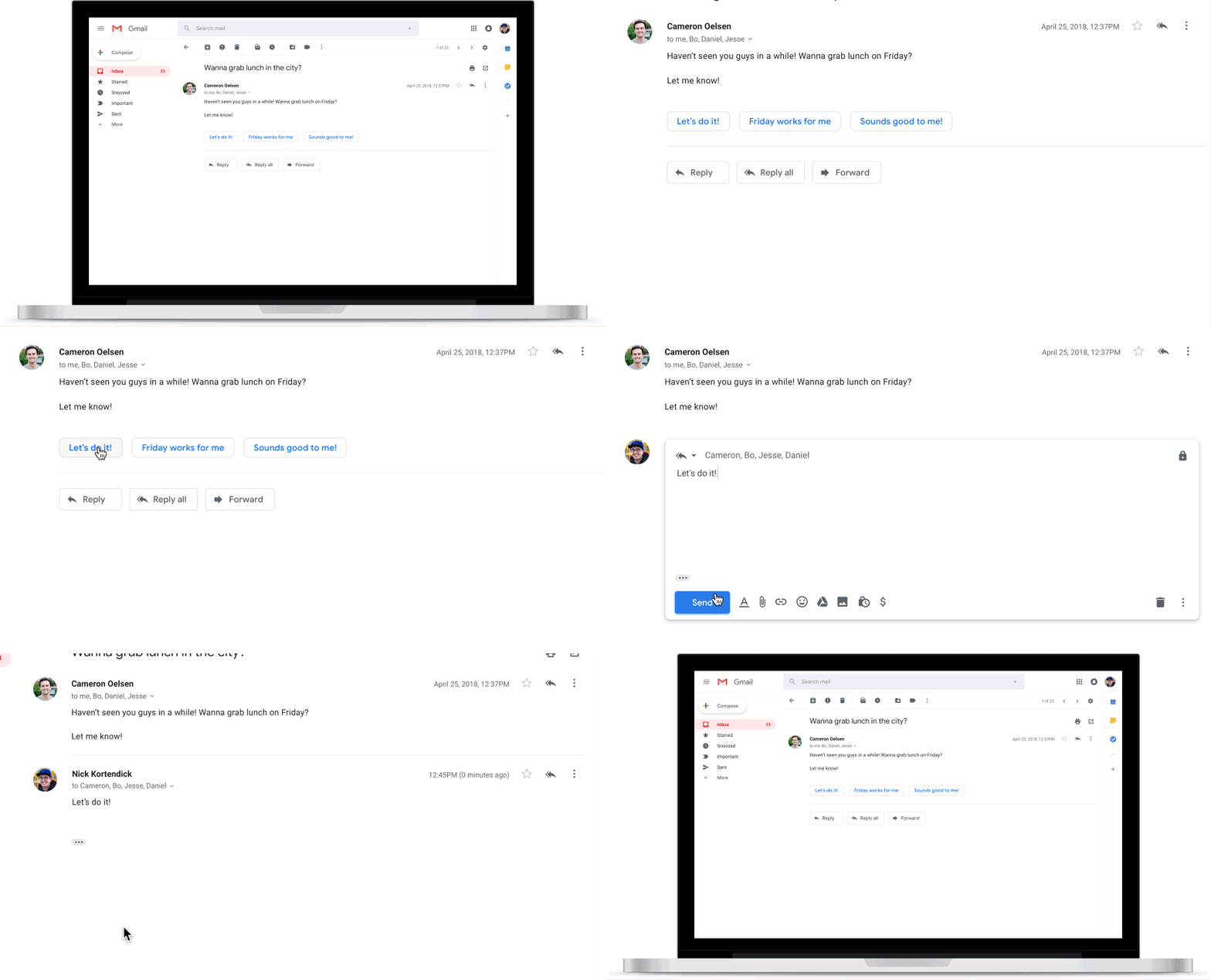
Users can now reply to emails using quick / recommended phrases. Suggestions are based on the message you receive in your inbox. For example, when I received a story pitch over email, I was recommended a few phrases like “I am not interested,” “No, I didn’t get it” and “Yes, I am interested.” This feature has already been a part of Gmail app for Android and iOS.

New Gmail allows users to customise their inbox view. So if users want, they can decide if they want to expand or shrink their inbox. All you have to do is click on the gear icon > Display density. Users can also expand the preview window by clicking on the hamburger menu located at the top left corner.
Gmail now integrates other services like Calendar and Keep. So you can view your Calendar events, edit existing ones or create new ones without leaving Gmail. It provides users an option to create checklists and take notes using Google Keep.


