New Delhi | Updated: November 27, 2018 07:36 AM IST
5 min read
Whatsapp
twitter
Facebook
Reddit
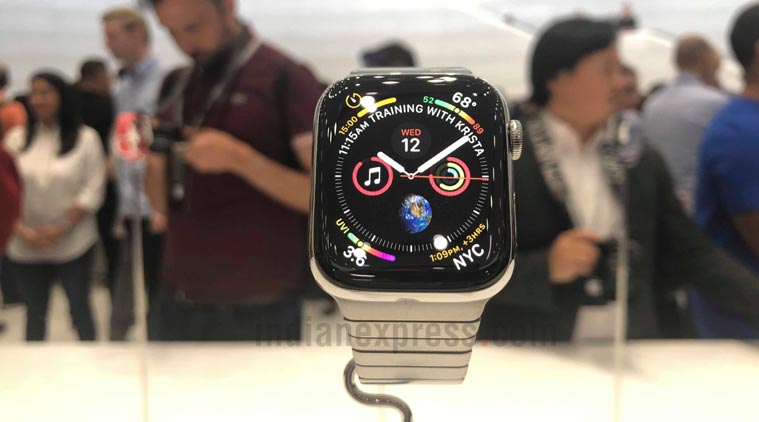
Here’s our selection of top five free apps to install on your Apple Watch.
Even though the App store is flooded with thousands of apps for Apple Watch, not all of them are free to download. Also, the discovery of these apps is still hard the way Apple maintains the store in the Watch app. So we have handpicked some of the best apps to try out on your new Apple Watch, whether you are a social media addict or a global traveller. Check them out:
Top apps for Apple Watch: Chirp
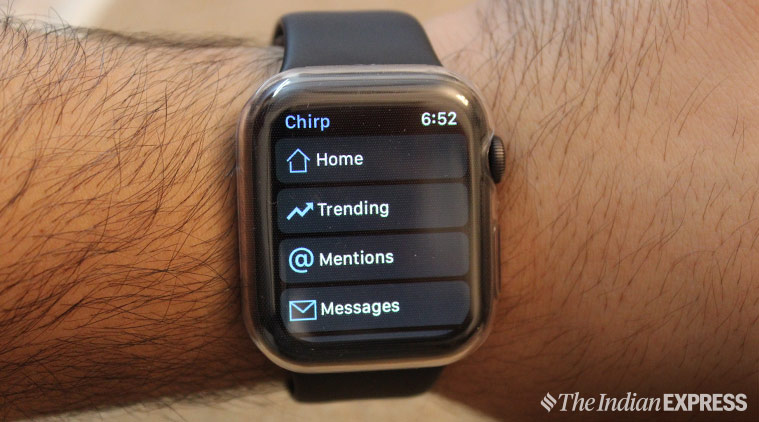
There are been many remarkable apps for Apple Watch in the App store, and Chirp is one of them. The goal of Chirp is simple and straightforward: an app that brings full Twitter support to Apple Watch. Sure, the Twitter app for Apple Watch does exist, but is dull at best. Chirp on the other hand, has a simple interface that lets you scan your timeline, go through your mentions, and keep you abreast with the latest trends.
The goal of Chirp is simple and straightforward: an app that brings full Twitter support to Apple Watch.
Scrolling can be done either through touch or using the digital crown. Images load fast and there is no lag while browsing your timeline. For heavy users though, a paid pro version is also available with extra features like direct posting and DMs.
Top apps for Apple Watch: Find Near Me
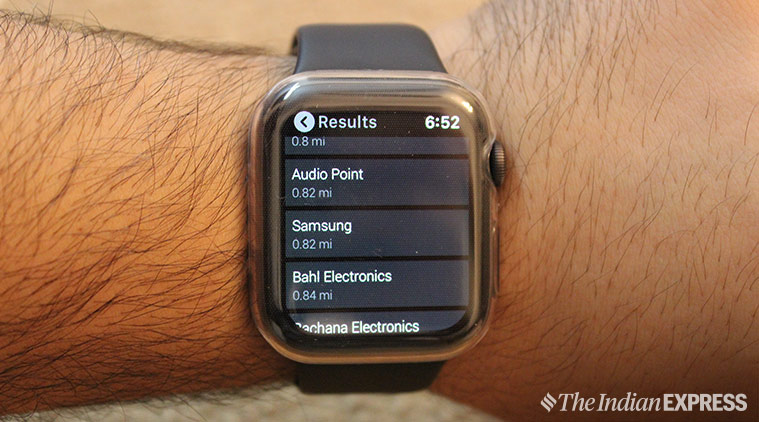
If you are in a new city the Find Near Me app can help you find an ATM machine or Starbucks nearby. This app is designed to help you quickly find restaurants, Cafés, ATMs, banks, Bars, beauty salons, bookshops, car repair, dental clinics, electronic stores, etc.
Find Near Me is designed to help you quickly find restaurants, Cafés, ATMs, banks, etc. All on your watch.
The best part of the app is that you can search for everything from the gym to grocery shops all on your wrist. All you need to do is tap on a category (say, a hotel), and get a list of hotels nearby. Once you choose a hotel of choice, simply tap further to get directions, exact address, contact info, and hotel reviews.
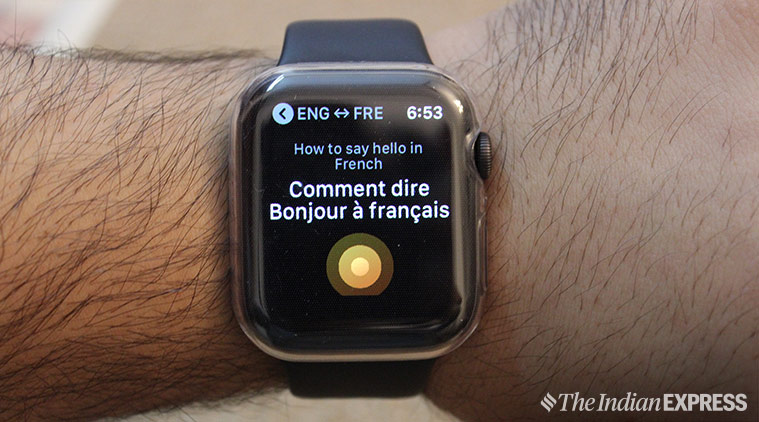
If you are planning a trip to Paris anytime soon, iTranslate could be your personal language translator. With iTranslate, you can translate words in one of 38 languages from Apple Watch. Fire up the app on the Apple Watch, set the language to translate to, simply say what you want to translate, and see the magic happen on your wrist.
With iTranslate, you can translate words in one of 38 languages from Apple Watch.
The best part is that you can hear the translation through Apple Watch’s built-in speakers. The app is easy to use and the interface is optimised for Apple Watch. Keep in mind that iTranslate is free to download, but a subscription is needed to use the app beyond a trial period which is only limited to seven days.
Want to keep yourself fit? Try Runkeeper. The easy to use app lets you set goals and keep a tab on the progress to stay motivated. The app tracks your workout in real-time and gives you updates about total mileage, total calories count, pace and speed.
The easy to use app lets you set goals and keep a tab on the progress to stay motivated.
What I like about the Runkeeper app is that you can set your personalised goals and track the progress over time. Runkeeper is not perfect though, and that is okay.
Top apps for Apple Watch: App in the Air
The most annoying part of travelling is to keep track of flight details. Having a flight tracker app comes handy, especially when you are covering a longer distance. Think App in the Air as your ‘personalised flying tracker’. The app tracks your flight, notifies gate and security wait times, book lounges, scan boarding passes, track your loyalty programs, etc.
Think App in the Air as your ‘personalised flying tracker’.
In addition, the app packs additional features like watch face complications that show detailed information about your departure gates or even baggage claim area. The app is free, but offers a subscription service for travel updates.
Anuj Bhatia is a seasoned personal technology writer at indianexpress.com with a career spanning over a decade. Active in the domain since 2011, he has established himself as a distinct voice in tech journalism, specializing in long-form narratives that bridge the gap between complex innovation and consumer lifestyle.
Experience & Career: Anuj has been a key contributor to The Indian Express since late 2016. Prior to his current tenure, he served as a Senior Tech Writer at My Mobile magazine and held a role as a reviewer and tech writer at Gizbot. His professional trajectory reflects a rigorous commitment to technology reporting, backed by a postgraduate degree from Banaras Hindu University.
Expertise & Focus Areas: Anuj’s reporting covers the spectrum of personal technology, characterized by a unique blend of modern analysis and historical context. His key focus areas include:
Core Technology: Comprehensive coverage of smartphones, personal computers, apps, and lifestyle tech.
Deep-Dive Narratives: Specializes in composing longer-form feature articles and explainers that explore the intersection of history, technology, and popular culture.
Global & Local Scope: Reports extensively on major international product launches from industry titans like Apple and Google, while simultaneously covering the ecosystem of indie and home-grown tech startups.
Niche Interests: A dedicated focus on vintage technology and retro gaming, offering readers a nostalgic yet analytical perspective on the evolution of tech.
Authoritativeness & Trust
Anuj is a trusted voice in the industry, recognized for his ability to de-jargonize trending topics and provide context to rapid technological advancements. His authority is reinforced by his on-ground presence at major international tech conferences and his nuanced approach to product reviews. By balancing coverage of the world's most valuable tech brands with emerging startups, he offers a holistic and objective view of the global technology landscape.
Find all stories by Anuj Bhatia here.
You can find Anuj on Linkedin. ... Read More


 5 min read


 Here’s our selection of top five free apps to install on your Apple Watch.
 The goal of Chirp is simple and straightforward: an app that brings full Twitter support to Apple Watch.
 Find Near Me is designed to help you quickly find restaurants, Cafés, ATMs, banks, etc. All on your watch.
 With iTranslate, you can translate words in one of 38 languages from Apple Watch.
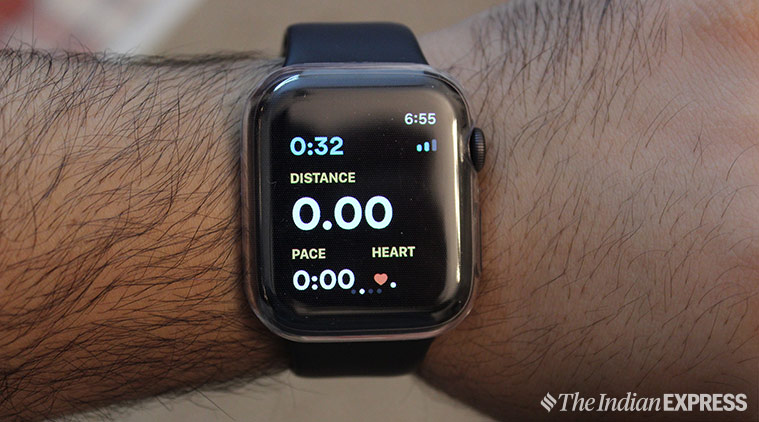 The easy to use app lets you set goals and keep a tab on the progress to stay motivated.
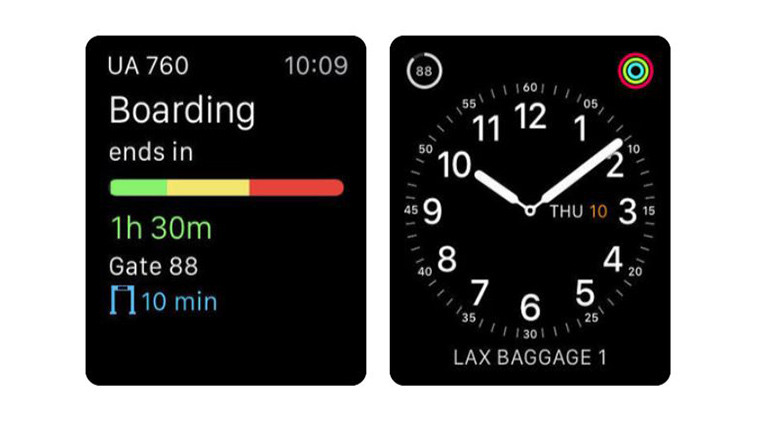 Think App in the Air as your ‘personalised flying tracker’.