2 min read
© IE Online Media Services Pvt Ltd



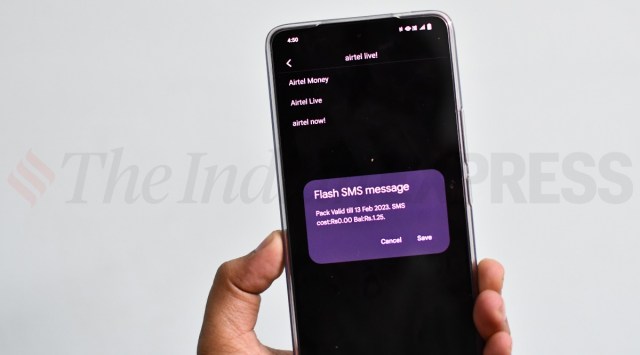 Flash messages can be disabled on Airtel, Vi, and BSNL (Image credit: Vivek Umashankar / Indian Express)
 If you are annoyed by the flash messages that you get from Airtel and Vodafone every time you use the internet or take a call, then here is a quick way to completely disable flash messages on your Airtel and Vodafone SIM. This can be done on any Android device with just a few easy steps.
Brands like Airtel and Vodafone send flash messages to inform about the data usage and remaining data limit. Similarly, these flash messages also appear when you make a new voice call, where, the flash message will contain details like call duration, available voice call limit and more.
To disable flash messages on an Airtel SIM card, locate the Airtel services app on your smartphone.
Click on Airtel now > start/stop > click on stop and you should get a notification that says Airtel Now! has been stopped.
Flash messages on Vi can be disabled in two ways. If you are a postpaid user, then send a message “CAN FLASH” to 199 to cancel flash messages. Similarly, one can also send a message “CAN FLASH” to 144 to disable flash messages on Vi.
Users can also open Vi/Vodafone services app on the phone and then click on flash > disable to deactivate flash messages.
To disable flash messages on BSNL, open the BSNL SIM Toolkit app on your phone, which could be in the name of BSNL Mobile and tap on the BSNL Buzz Service and click on activate. Then, click on deactivate to disable flash messages on your BSNL SIM card.