3 min read
© IE Online Media Services Pvt Ltd



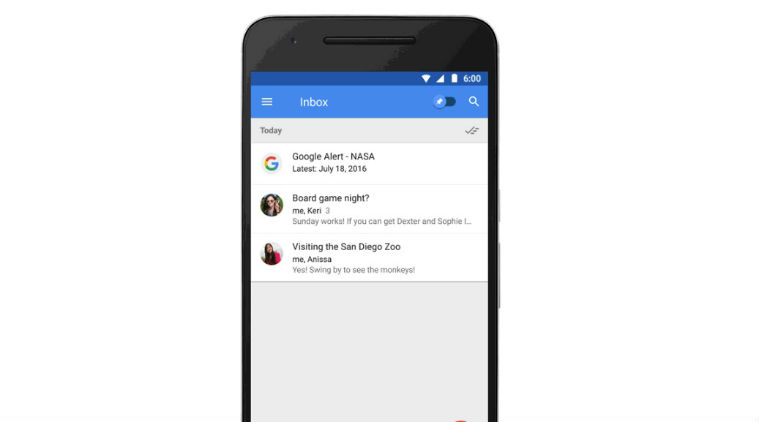 Google Alerts will now be featured in the form of a newsletter and will be summarised right inside the inbox
Google’s Inbox, which converts emails into a to-list format and shows information in cards similar to the one on Google Now, has added new features and integrations to make it more powerful than before. We know Google has been pushing the Inbox over traditional Gmail mailbox, and a lot of users were redirected to Inbox, which has been made as the default option.
Now Inbox gets integration with Google Alerts previews, as well as GitHub and Trello project updates. Google Inbox will now show organised Trello and GitHub project updates. The Google Inbox team has worked with people from Trello and GitHub in a bid to improve email notifications.
Trello users will now get a summary of what’s new with their Trello projects, thus giving them alerts on the latest updates. GitHub users will get a summary of code changes and file issues for each repository that they maintain.
Google Alerts will now be featured in the form of a newsletter, and will be summarised right inside the Inbox, helping a user get access to all the latest articles around a topic. For instance, if you have alerts set for NASA, it will come as one card format; just like emails from news websites or Quora appear. A user can simply read more by clicking on a link in the card.
Also read: Google’s Inbox app will show automated replies to email written by AI
Google is also bringing features that were requested via feedback. Users can now insert Drive links into emails, check and fix the permissions for the links, and be able to save email attachments to the Google Drive. It is now also possible to drag-and-drop contacts between the options to, cc, and bcc while composing an email. It has also become easier to delete emails right from the Inbox.
The new features bring more integration between Inbox and other core Google products like Drive. Inbox also supports smart, automated replies for emails which are written by an AI-program, that figures out the best response for an incoming mail.