2 min read
© IE Online Media Services Pvt Ltd



 The issue surfaced after installing the August 2 optional Windows update. (Image Source: Microsoft)
 A new Windows update seems to be causing problems for some Intel-powered machines. After installing an optional preview update, many say they are getting a blue screen of death (BSOD) with a stop code that says ‘Unsupported_Processor’.
While some users were able to boot into their systems after multiple reboots, many still seem to be stuck in a boot loop. The tech giant acknowledged the issue and said the issue is affecting those on Windows 11 22H2, Windows 10 21H2 and Windows 10 22H2 after installing updates released on August 2.
However, upon investigating reports, the Redmond-based tech giant said the problem was not because of the update and is limited to machines powered by Intel’s 12th and 13th Gen processors. Now, it has come to light that the error message seems to be affecting those with MSI’s 600/700 series motherboards. According to a recent report by Neowin, MSI’s Z690 and XZ790 motherboards were the hardest hit. The problem seems to be surfacing after installing the Windows 11 KB5029351 and Windows 10 KB5029331 optional update.
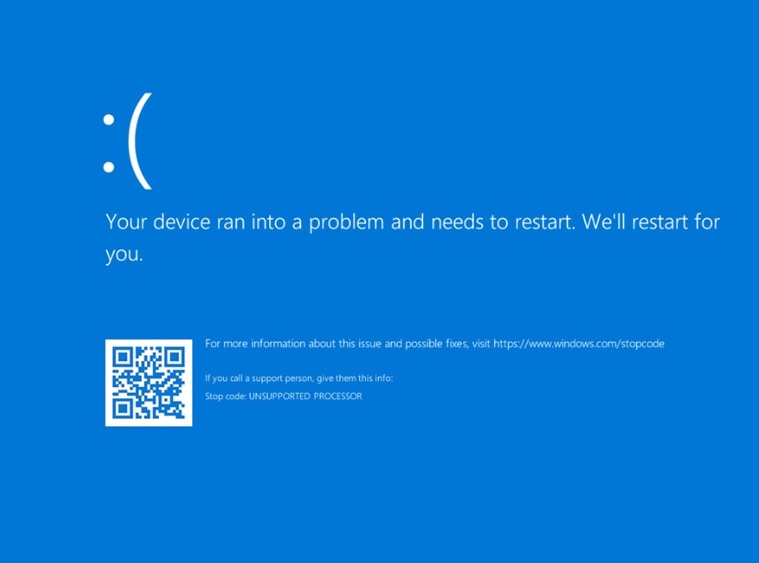 Here’s what the blue screen of death looks like. (Image Source: MSI)
In a blog post, MSI also shared a temporary workaround in case affected users cannot boot normally and Windows is unable to uninstall the update. It involves downgrading the motherboard BIOS to an older version, which can be downloaded from the MSI website and uninstall the update afterwards.
Right now, both Microsoft and MSI are unsure what is triggering the BSOD error message. The Taiwan-based PC manufacturer also advised users against installing the August Preview updates until it finds out the root cause of the issue.
Last week, researchers learned of a new severe vulnerability dubbed ‘Downfall’ in Intel’s chip design, which can enable hackers to steal passwords and other sensitive information from both mainstream and server-class processors.