3 min read
© IE Online Media Services Pvt Ltd



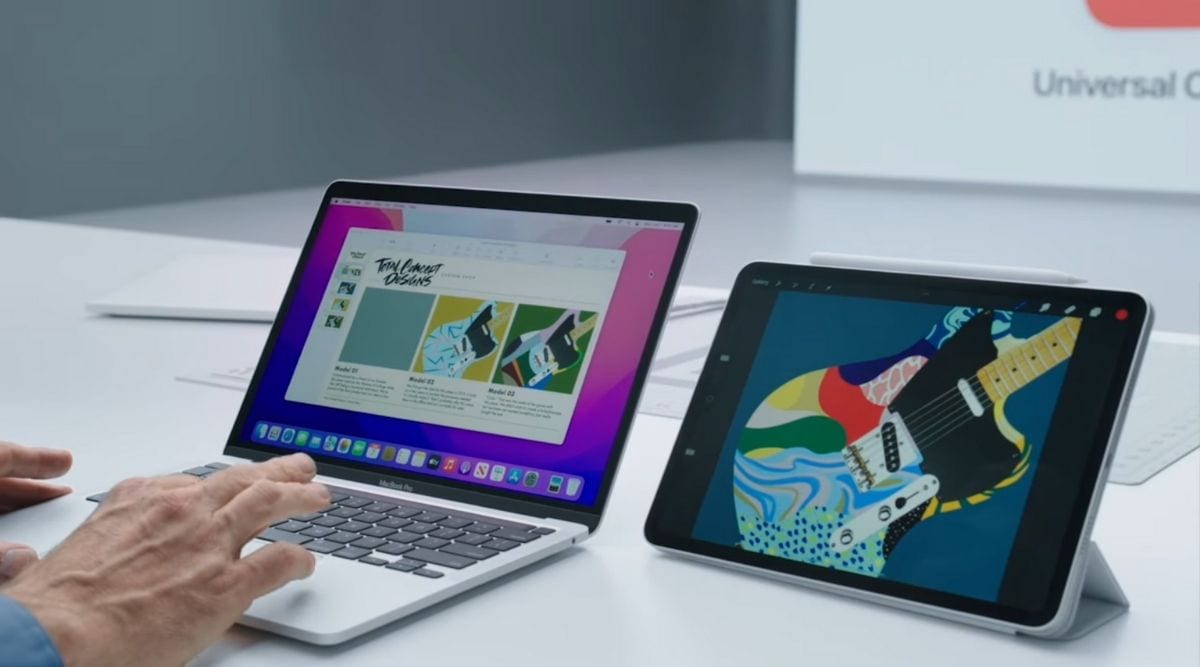 Apple Universal Control: How does it work? (Image creit: Apple)
Apple has launched its much-awaited Universal Control feature to beta testers. The functionality is available as part of the macOS Monterey 12.3 and iPad OS 15.4 developer betas and aims to bridge the gap between the two devices.
The Universal Control feature was first announced at WWDC last year and lets one use a single keyboard, mouse, and trackpad across multiple Macs and iPad. One could easily transfer their files between tablets and computers via drag and drop while eliminating the need for AirDrop, cloud uploads, or data cable transfers.
The feature is enabled by default on both versions and simply requires the user to log in to the same iCloud account. The way it functions is similar to a dual-monitor configuration, whereupon pushing the mouse cursor to the edge of the screen, it moves over to the next display – or in this case, the next device.
Once set up, the devices remain connected unless put to sleep or taken out of range – 10 meters (30 feet). The company also notes that both devices should not be sharing a cellular and internet connection. One can also set multiple devices to reconnect automatically for the next time or easily turn it off via Settings.
Craig Federeighi’s presentation in 2021 also noted how the trackpad on the MacBook served gesture functions, similar to the ones you would see on an iPhone or iPad. Using just a flick, he was able to close the Procreate document on the iPad. Swiping between pages and typing also works seamlessly across devices.
Professional users can also add an iMac into the mix, and use its external Magic keyboard and mouse to navigate between panels with no hindrance from the trackpad. The beta update is currently only out for the Mac and the iPad operating systems, though one for the iPhone devices could also be expected in the future.
Currently, the feature is only available as part of the beta update and is supported on the following Macs: MacBook Pro and MacBook (2016-release and later), MacBook Air (2018 and later), iMac introduced in 2017, iMac (Retina 5K, 27-inch, Late 2015), iMac Pro, Mac mini launched in 2018 or later, and Mac Pro from 2019.
As for the iPad compatibility, the update should be out on the iPad Pro, iPad Air (3rd generation or later), iPad (6th gen or later), and the 5th generation iPad mini and later.
Both devices in connection must be running the latest macOS 12.3 and iPadOS 15.4 betas, which are available to both public and developers alike.