


© IE Online Media Services Pvt Ltd
Tags:



Gmail is one of the most popular email services in the world. While the platform is widely used by people from around the globe, there may be some features and tricks that users may not be familiar with. Gmail boasts of some extremely useful features which can improve your your workflow and your experience. Here is everything you should know.
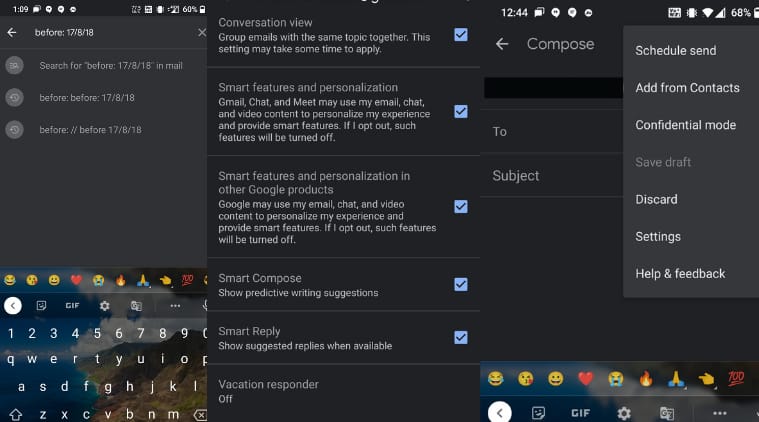
The Smart Compose feature predicts what the user is going to type and allows them to insert predicted words or entire phrases. This is done by pressing the tab key on a computer or by tapping the space at the end of the predicted phrase on a smartphone. You can enable the same on the General tab in your Gmail settings by scrolling down to “Smart Compose” and clicking the button next to “Writing suggestions on.”


Gmail boasts of an advanced tab option which allows you the ditch the typical procedure. It takes you to the next or the previous email in your list as soon as you archive or delete a conversation in favour of the typical procedure. You can access the option in Gmail’s desktop version and on android. It is important to note that the option is not available on iOS.
This particular Gmail setting will allow you to get rid of repetitive clicking to read more mails. To achieve this you will need to change the option for Maximum page size in the Gmail website’s general tab settings. By doing this, you will be able to view 100 mails per page compared to 50, which is the default.
If you wish to find an old Email which may have got lost in the shuffle you can add the date while searching. By adding something like before: 5/5/2020 or after: 6/15/2018 to your search will help you narrow down the time frame, and speed up your searches.


