The 55-inch TV mounted on my wall is already smart and works well overall. However, it has one major downside: the voice interface is broken and barely works. I have been using this 4K TV since the pandemic, but I have no intention of replacing it, at least not now, since I have budgeted for other priorities.
This left me with only one option: to get a streaming device, but with two conditions: a) it must offer a centralised TV app that unifies the TV experience with an interface designed for over-the-top (OTT) services, and b) it must provide easy content search using my voice.

While I was searching for the right streaming device, Amazon approached me to review the latest Fire TV Stick 4K Select. It’s an update to the popular Fire TV Stick line, designed to be discreetly added to your television and elevate the streaming experience.
The new model differs slightly from previous versions thanks to its operating system, VegaOS, which is based on Linux and replaces the Android-based Fire OS used in earlier Fire TV devices.
It’s a budget 4K streamer through and through, and while it has its strengths and weaknesses, its goal still remains the same as any Fire TV stick.
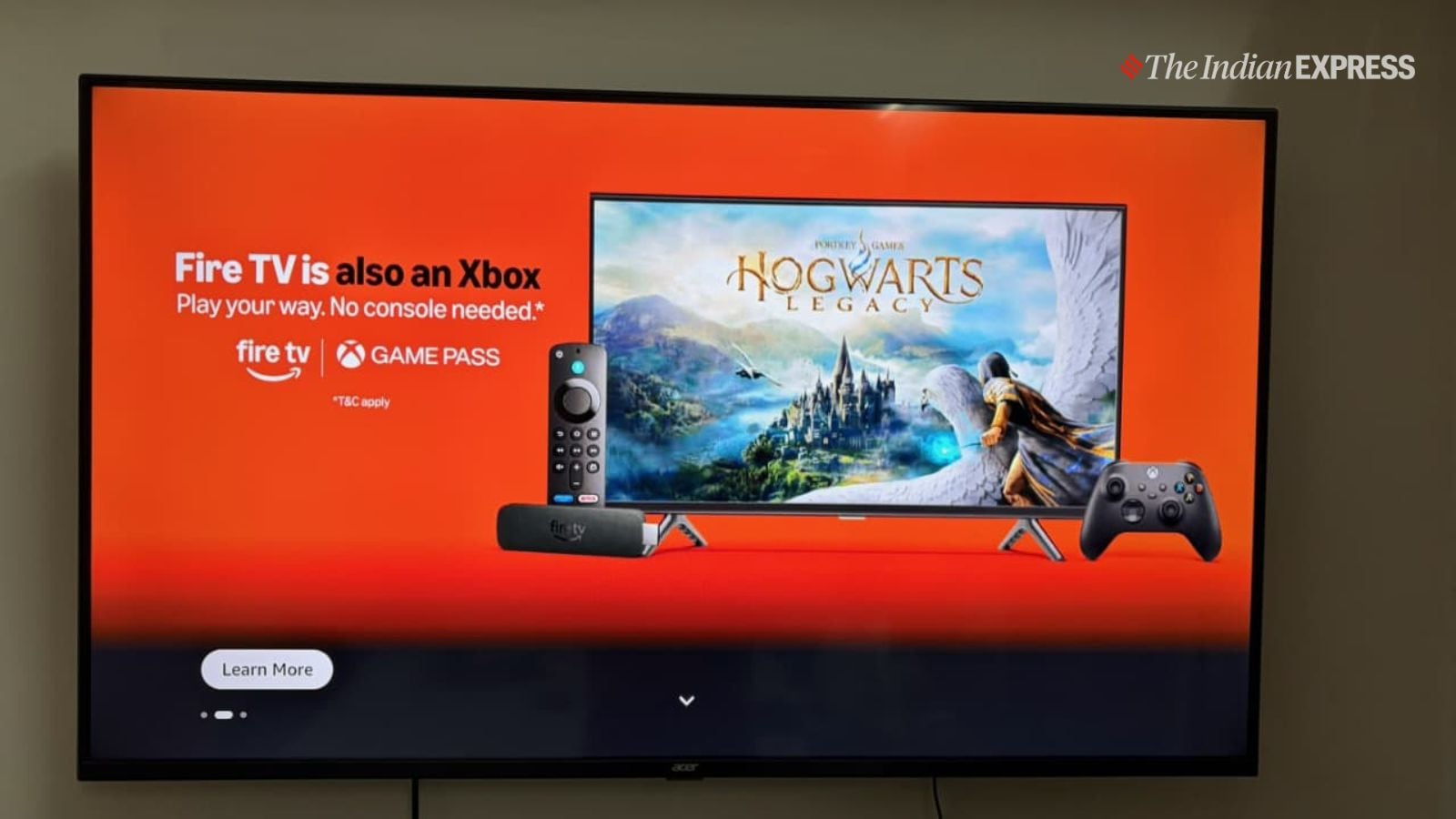
You can even turn the Fire TV Stick into an Xbox game console. (Image: The Indian Express/ Anuj Bhatia)
Here’s my review on how the new Fire TV Stick 4K Select fares, and should you buy Amazon’s most affordable 4K streaming device, or consider one of the higher-end options within the Fire TV Stick family.
What: Amazon Fire TV Stick 4K Select | Price: Rs 3999 via Amazon.in (at the time of filing the review)
Story continues below this ad
Specifics
Form factor: Stick
Video:4K with HDcR10, HDR10+, and HLG
Connectivity: HDMI with extender, WiFi 5, Bluetooth
Remote: Alexa Voice Remote
Easy setup and fantastic remote
Setting up the Fire TV Stick 4K Select is as easy and breezy as setting up a smartphone for the first time. It won’t take more than 15 minutes to completely set up the Fire TV Stick and get it working.
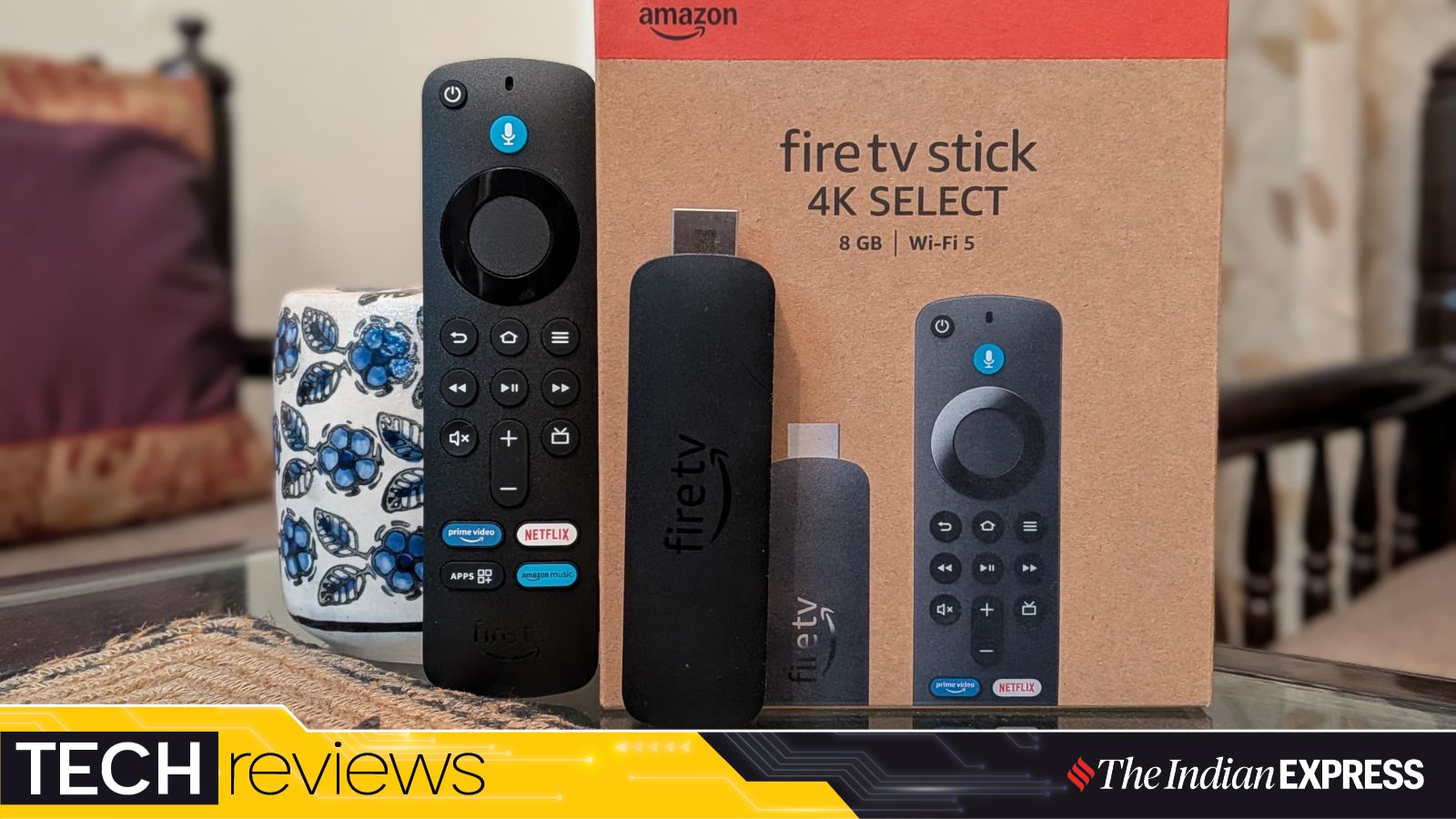
First up, the retail box includes the stick, power adapter, Micro-USB power cable, and an HDMI extender. I would say it’s hard to plug in if the TV is wall-mounted, and the remote, along with its batteries. And to my surprise, the Fire TV Stick still uses the obsolete Micro-USB port instead of the more common and universal USB-C. It’s not a major problem, and you are unlikely to lose the included cable, but I still feel that skipping USB-C compatibility is most likely a cost-saving decision and nothing more.
Once you plug the Fire TV Stick into the back of the TV, it’s time to turn on the included remote, which is the standard Alexa Voice remote and includes three app shortcut buttons and TV volume controls. The remote has the prominent blue Alexa button, letting you use Amazon’s voice assistant to search for content, ask questions, or control your smart home devices. There’s also a dedicated Live TV button that opens the live TV section on the Fire TV. If somehow the remote breaks or doesn’t work, there’s always the Fire TV smartphone app as a replacement.
Story continues below this ad
Once you sync it with your TV (by selecting your TV model in the settings), you can control the volume on your TV or soundbar directly from the Fire TV remote. When you first turn on the Fire TV Stick, you will need to connect it to the internet via Wi-Fi. The stick supports Wi-Fi 5, an older and slower wireless standard compared to the newer Wi-Fi 6 found on the slightly pricier Fire TV Stick models. This isn’t a major issue, and most people likely won’t notice the difference, but if you have many devices competing for Wi-Fi bandwidth, a streamer with faster Wi-Fi 6 or Wi-Fi 6E support will always be better.
The next immediate step is to log in to your Amazon account. You don’t have to be an Amazon Prime subscriber to use the Fire TV Stick, but you do need an Amazon account. After the setup is done, you will immediately notice the home screen and the interface.
Limited apps but excellent voice search capabilities
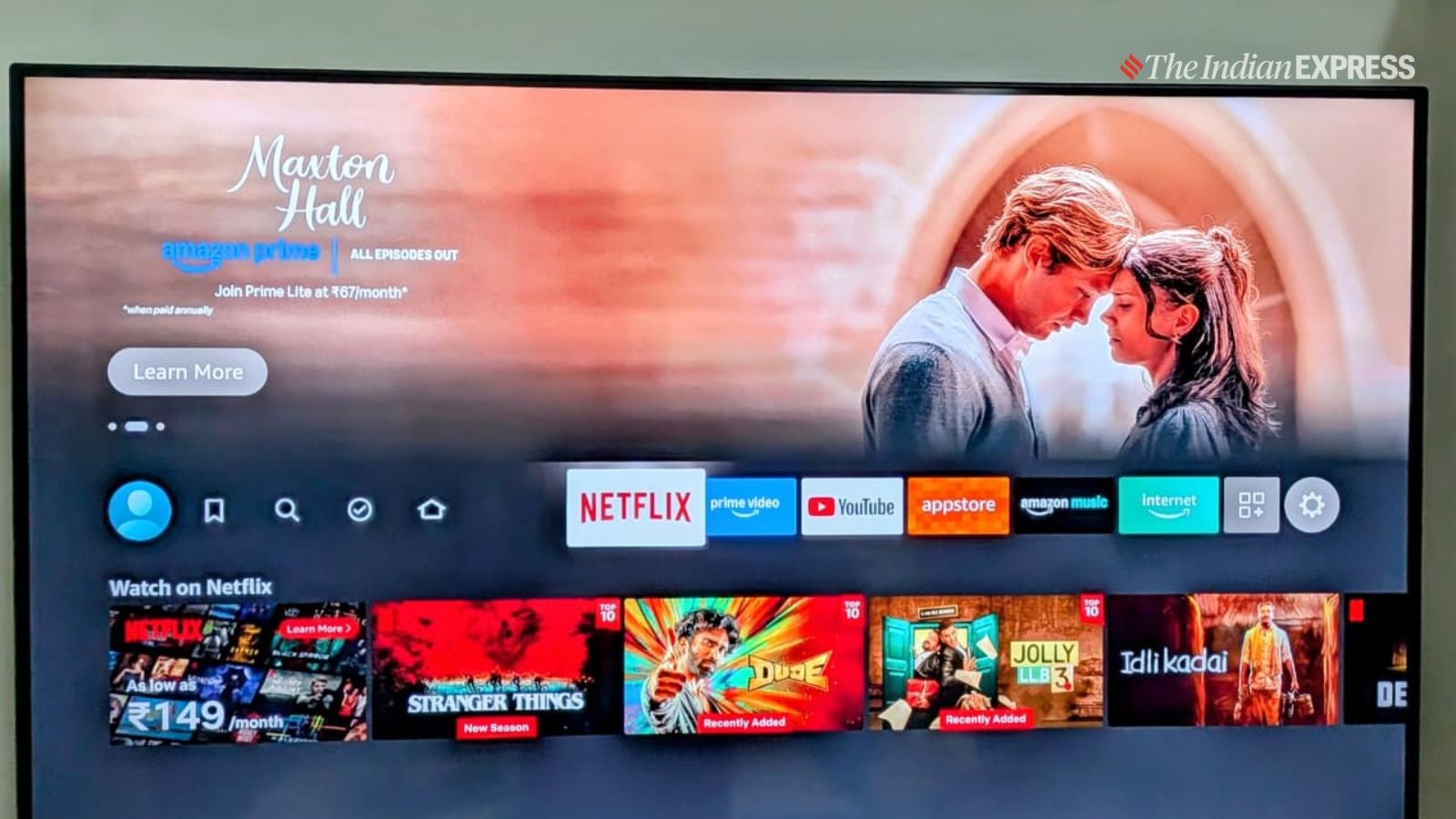
If you have ever used a Fire TV Stick, the interface will already feel familiar, and the same applies to the Fire TV Stick 4K Select. The interface has a dock-like appearance at the centre of the screen, with a strip that includes configurable shortcuts to popular streaming services, as well as an icon that opens the app drawer.
Sure, the interface feels a bit busier than what you get on an Apple TV set-top box or Google-powered Android TVs, but I like it primarily because it covers all major streaming services, including Netflix, and integrates suggested content from various sources into the interface (while still prominently highlighting Prime Video more than anything else).
Story continues below this ad
However, unlike other Fire TV Sticks that Amazon offers, this one is a bit different. Even though the interface looks virtually identical to what you would see on other Fire TV devices, the Fire TV Stick 4K Select runs the new VegaOS, a Linux-based operating system Amazon recently introduced. Other Fire TV Sticks and Fire TV–powered televisions still run on the Android-based Fire OS.
You won’t notice which operating system the Fire TV Stick is running on, and as a consumer, you probably shouldn’t have to care. But as a reviewer, it’s my job to dig deeper into what powers the device and how it affects the overall experience.
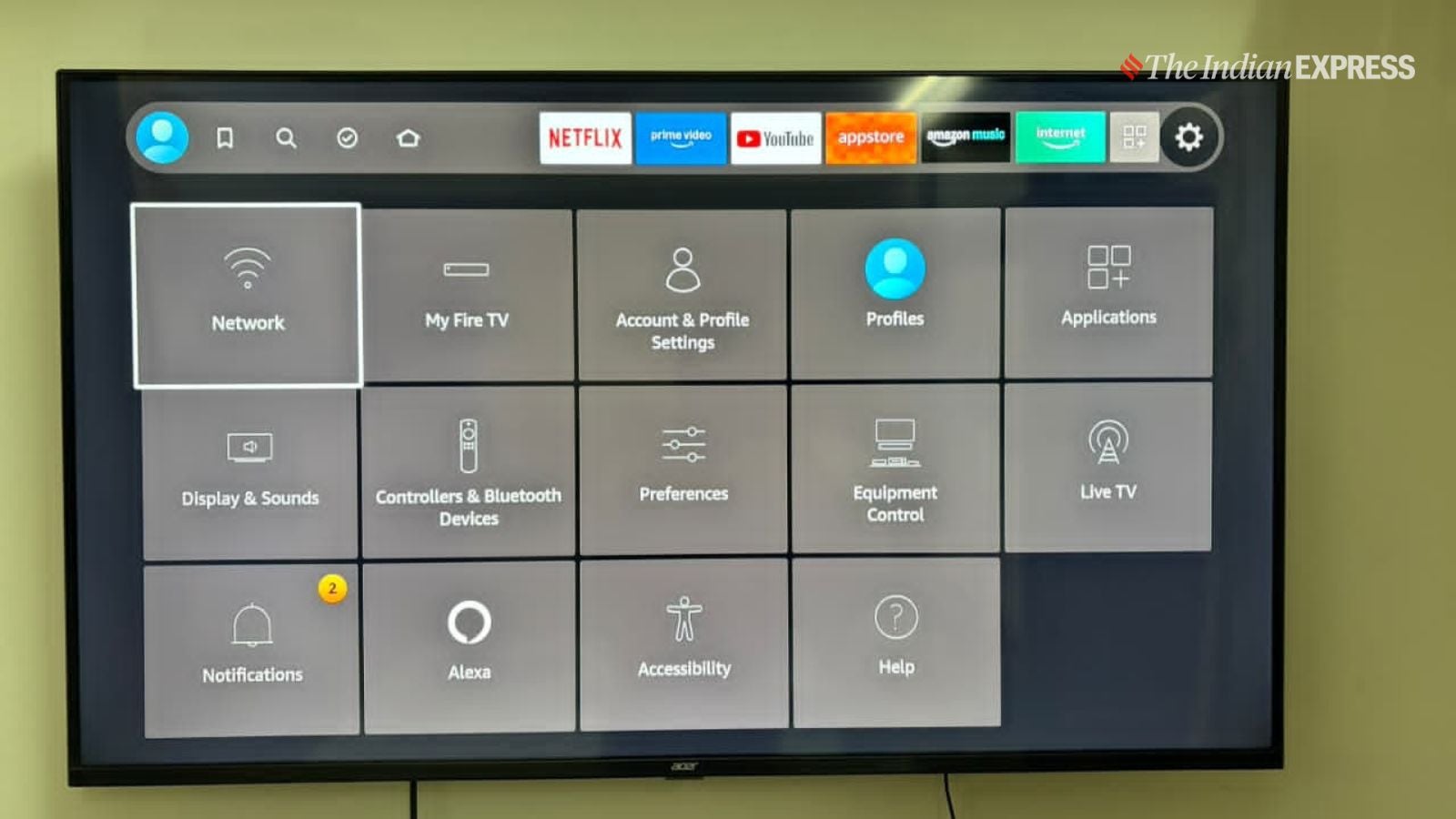
The Select supports HDR playback with support for the HDR10, HDR10+, and HLG formats. (Image: The Indian Express/ Anuj Bhatia)
As I mentioned before, the interface can feel overwhelming to some, but it works for me. There’s a familiarity to it; the layout remains the same, with the same rows of tiles. There’s also a new “Free” tab on the main menu, which shows everything you can watch for free with your existing services. The interface supports user profiles as well, so if you have multiple members in your home, each person can personalise their own interface, complete with recommendations, watchlists, and viewing history.
That being said, there are a few major differences between VegaOS and FireOS. For instance, the Fire TV Stick 4K Select doesn’t support side-loading, which means you can’t install apps from outside Amazon’s official Appstore. On FireOS-powered devices, you can side-load apps, but in practice, it’s not a dealbreaker, especially on a budget 4K streamer like this.
Story continues below this ad
Then there’s the App Store itself, which offers fewer apps than the thousands available on Android-based Fire TV devices. Sure, the 30,000 apps on Android-based FireOS may sound impressive, but many of them are junk anyway. Still, it matters if you are into casual gaming, because VegaOS currently has no native games.
Thankfully, the Fire TV Stick 4K Select does support Xbox Cloud Gaming. You will need to connect a Bluetooth controller and a subscription, but once you do, you can play Xbox games on your TV without owning a console, a great perk if you are into gaming. However, this feature would have benefited even more from faster connectivity and more powerful hardware, neither of which this Fire TV Stick offers.
The Fire TV Stick 4K Select’s performance is fairly good, but it’s not exceptionally fast or powerful. Apps don’t crash, and overall performance is smooth; at times, the experience can feel slightly slow, but it’s not a dealbreaker. Keep in mind that the Fire TV Stick 4K Select has only 8GB of built-in storage, which is not enough to store many apps or delete them.
I was impressed with the image quality of 4K content on the Fire TV Stick, but you don’t get Dolby Vision or Dolby Atmos, even if your TV supports them. That’s fair enough – asking for Dolby Vision on a budget Fire TV Stick would be too much, but I wanted to flag it in case you own a premium TV setup and accidentally choose the Fire TV Stick 4K Select. However, the device supports the more common HDR standards, such as HDR10, HDR10+, and HLG.
Story continues below this ad
To my surprise, the Fire TV Stick 4K Select supports the Ambient Experience feature, which had been limited to the Fire TV Stick 4K Max until now. It lets you display wallpaper, artwork, and useful information like weather and calendar events when the TV is in an idle state. It’s a nice touch, though not a must-have feature.
Perhaps the feature that keeps bringing me back to the Fire TV family of devices is Alexa, Amazon’s voice assistant. I think this is the best implementation of a voice assistant on a large-screen TV. The remote lets you talk to Alexa to search for content or open the channels and services you like.
There’s no need to scroll through the interface or type, as you can simply tell Alexa to “search for Shahrukh Khan movies,” and all the movies starring the actor will appear across various streaming platforms. I even asked Alexa to play the Kal Ho Naa Ho song on YouTube, and the video appeared within seconds. What really sells the Fire TV Stick 4K Select was the impressive search strikes, and the useful voice-based interface – and Alexa makes it simple.
Should you buy the Fire TV Stick 4K Select?
Considering a device like the Fire TV Stick 4K Select usually comes into play when the TV you own lacks smart features or the experience feels underwhelming. Not everyone needs a new streaming device, but if you are on a tight budget, the Fire TV Stick 4K Select offers a much better interface and support for a wide range of streaming services. There are things I didn’t like about the 4K streamer, but this is a budget device after all.
Story continues below this ad
You still have the option to choose Amazon’s higher-end Fire TV Sticks, including the Fire TV Stick 4K Plus (available for Rs 6,499), which is slightly faster, supports Wi-Fi 6, offers Dolby Vision and Dolby Atmos, and runs FireOS with access to thousands of apps.


 11 min read



 You can even turn the Fire TV Stick into an Xbox game console. (Image: The Indian Express/ Anuj Bhatia)
 The Select delivers a sharper, more detailed image when watching 4K videos on a 4K TV. (Image: The
  The Select supports HDR playback with support for the HDR10, HDR10+, and HLG formats. (Image: The Indian Express/ Anuj Bhatia)
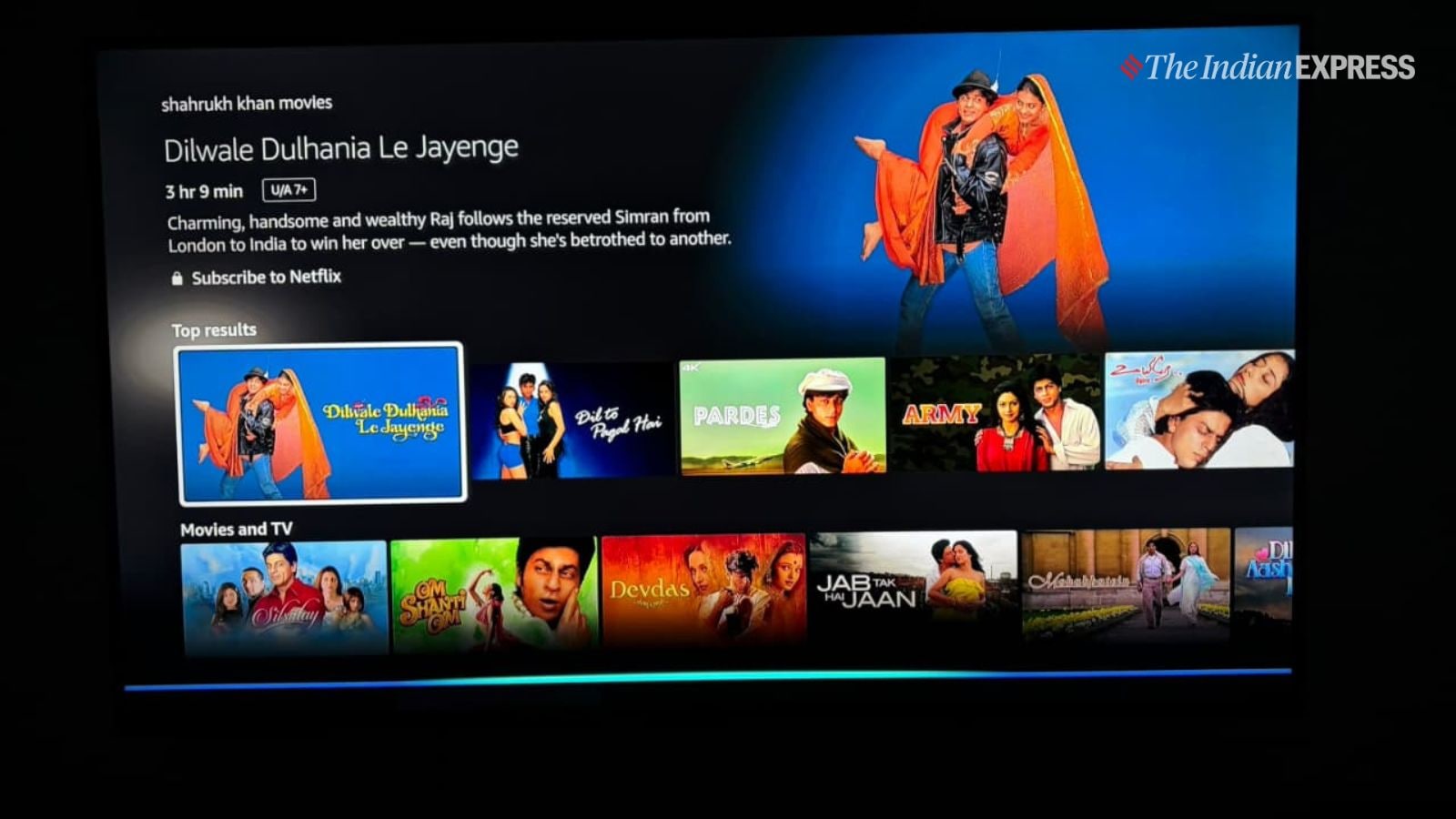 I really liked how easy it is to find content with your voice.(Image: The Indian Express/ Anuj Bhatia)