If you are lucky enough to grab an iPhone 13 or iPhone 13 Pro this holiday season, congrats and welcome to the world of Apple. Obviously, you have been patiently waiting to buy an iPhone, but with so much to explore, you may wonder where to start. To make the most of your new iPhone 13, there are a few Apple iPhone tips and tricks you are going to want to do immediately after you are done with the unboxing. If you want to know more about the iPhone 13, here’s exactly what’s new.
These are the first things to do when you get an iPhone 13, along with some tips and tricks.

Setup the iPhone and create an Apple account
If you are new to the Apple ecosystem, the first step is to create an Apple account. With an Apple ID, you can sync your data across iCloud for contacts, calendars, email as well as download and purchase apps, games, music, movies, etc. When you turn on the iPhone, you will be asked to create your Apple ID. Just type your email address and follow the instructions to create an Apple ID. If you already have an iOS device and Apple ID, you may want to start syncing it with iCloud, so that all the data and apps stored on the existing device get automatically transferred to the new one.
Here’s how to automatically setup your iPhone
#Select your language on your new iPhone with your new and current devices nearby.
#Tap Continue on your iPhone on the popup that appears asking you to set up your new iPhone with your Apple ID.
#Use your current iPhone to scan the image that appears on your new iPhone.
#Enter your current iPhone’s passcode on your new iPhone
Story continues below this ad
#Set up Touch ID or Face ID on your new iPhone.
#Choose whether or not to restore your new iPhone from your most recent compatible backup.
#Choose to restore your new device from an iCloud or iTunes backup, set it up as a new iPhone, or transfer data from an Android device.
#Agree to the terms and conditions.
#Tap Continue under Express Settings to use the settings for Siri, Find My iPhone, Location, and usage analytics.
Story continues below this ad
Customise your iPhone’s home or lock screen
Although the iPhone isn’t as customisable as any Android smartphone, you can still personalise the device based on your style. Changing the wallpaper is the first thing you should customise for the iPhone home screen. Find the wallpaper settings by going to Settings -> Wallpaper -> Choose a New Wallpaper. You can also put apps into folders or change the default ringtone. Changing the default ring tone is simple. Simply go to Settings -> Sounds -> Ringtone. In fact, there’s a lot you can do to customise your iPhone. Tweak Control Center, install your favorite keyboard, or change Safari’s default search engine.
Put on a screen protector
Even though the iPhone 13’s screen is more durable than the last few iPhones, you still need to keep the phone’s screen protected. There are a couple of reasons why the iPhone needs a protector so badly. The first is that the more you use your iPhone scratching up your screen when you take the device in and out. Let’s not forget fixing up the iPhone 13’s screen is damn expensive, so it’s always better to put a screen protector when you get an iPhone.
Apple offers both leather and silicon case options for the iPhone 13 series. (Image credit: Apple)
Get some accessories
You really don’t need anything else beyond what the iPhone 13 or iPhone Pro ships with, but there are quite a few first and third-party accessories that will make your experience a lot more enjoyable. That includes cables, charging adapters, MagSafe, power banks, and earbuds. We highly recommend getting the AirPods Pro, Apple’s truly wireless earbuds that come with solid noise cancellation, quality audio performance, and a far better in-ear fit. Sure, they are cost more than the new AirPods 3 but justify the extra cost. We also recommend getting a leather case for the iPhone 13 or iPhone 13 Pro. You can get a high-quality leather case for less than Rs1500 on Amazon. Going with Apple leather cases is another option, though get ready to pay at least Rs 5500 for an official case.


 5 min read


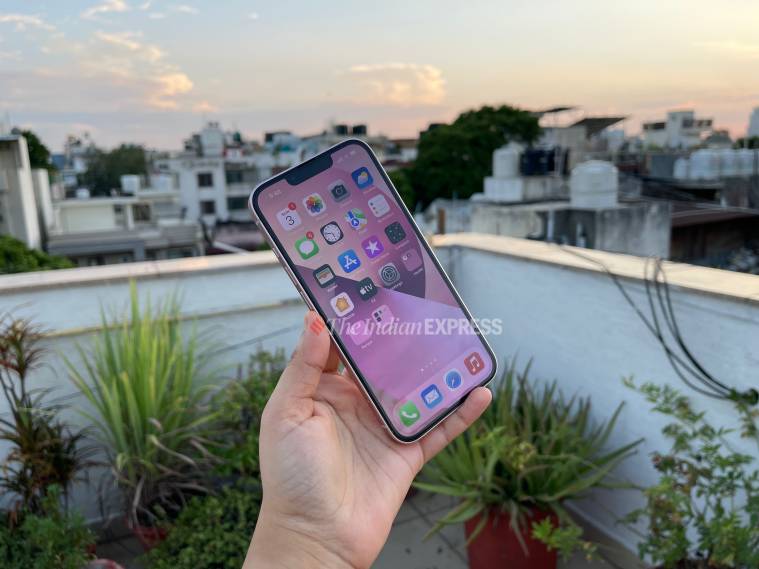 Get familiarised with the iPhone’s settings and pre-loaded apps such as iMessage and Photos. (Image credit: Shruti Dhapola/Indian Express)
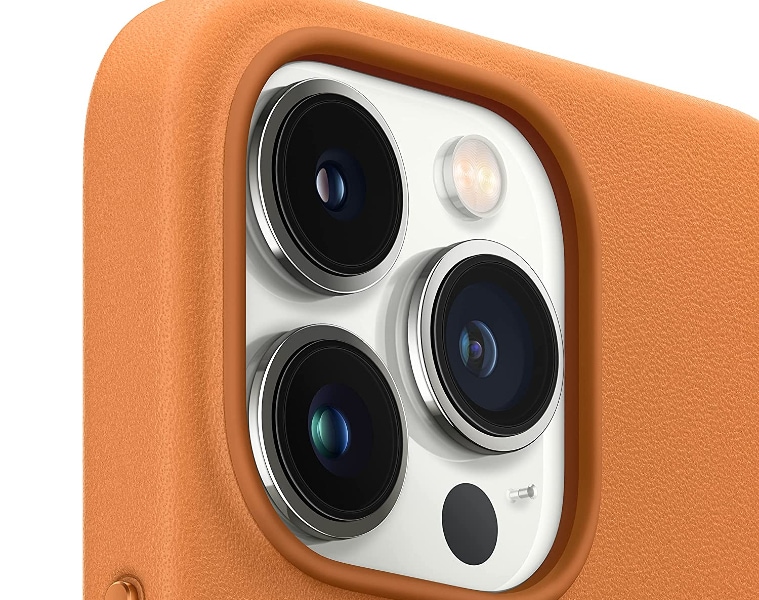 Apple offers both leather and silicon case options for the iPhone 13 series. (Image credit: Apple)