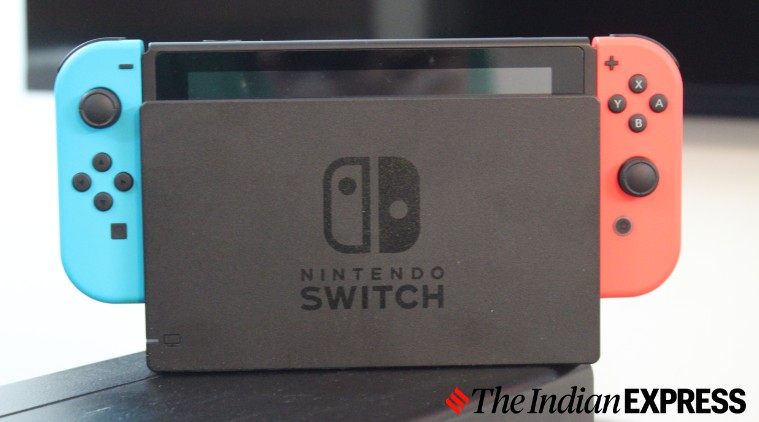
Here are some of the best things you can do with the Nintendo Switch that you weren’t aware of. (Image credit: Anuj Bhatia/Indian Express)
Nintendo Switch needs no introduction. It’s the only console in the market that can transform from a handheld to a home console. Because of the Switch’s unique positioning, the console proved a massive success for Nintendo. The Switch has many games that aren’t available on rival consoles from Sony and Microsoft. “Super Mario Odyssey”, “The Legend of Zelda” and “Animal Crossing: New Horizons” and “Pokémon Sword and Shield” define what Nintendo’s hybrid console is capable of.
Even though fans use the Switch all day every day, there are still a handful of features that are relatively unknown. Here are six things the Nintendo Switch can do that you may not know about.
Use a USB keyboard
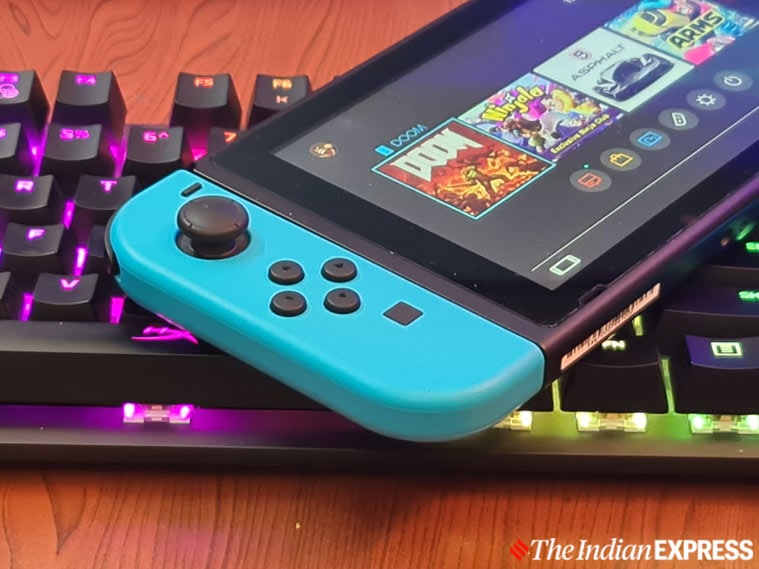
Typing on the Switch’s on-screen keyboard is mostly fine but it can be pretty daunting at times. No worries. You can use a USB keyboard with the Switch. When the Switch is in dock mode, you can plug a keyboard into the USB port on the back of the dock and it should be absolutely fine.
You can attach a USB keyboard on the Switch dock. (Image credit: Anuj Bhatia/Indian Express)
Play region-restricted games
The good thing about the Switch is that it is “region-free”, meaning you can play games from other countries. For example, Japanese games are hard to find as they don’t see a release outside of the country. You can easily change your region in Settings>System >Region. That’s it! Now you can download Japanese games on your Switch.
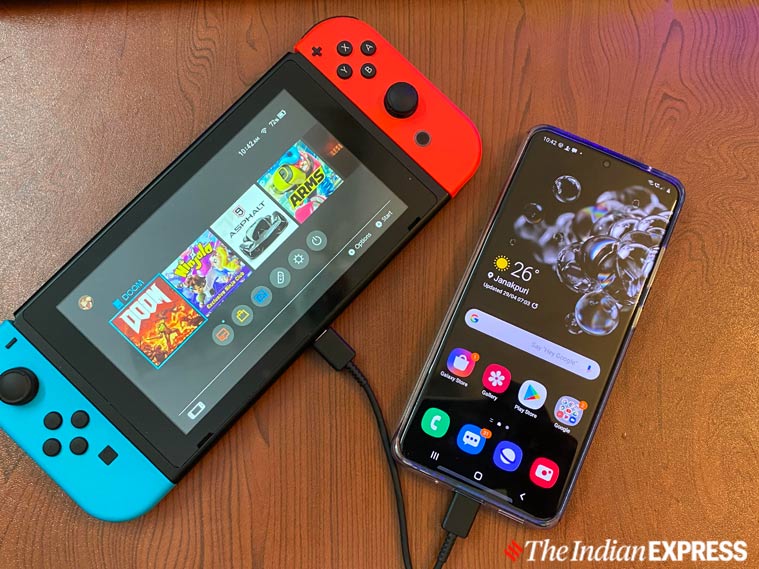
The Switch can be used to charge your smartphone via USB-C. (Image credit: Anuj Bhatia/Indian Express)
Use your Switch to charge your phone
Imagine you are travelling and your phone runs out of battery. Think of the situation when you don’t have a power bank. This may sound bizarre but the Switch can charge your smartphone. Just connect your smartphone to the Nintendo Switch’s USB-C port and you are good to go. In my case, I tried to connect the Galaxy S20 Ultra to the Switch via USB-C and the phone started charging. Keep in mind you need a USB-C to USB-C cable to connect your phone to the Switch’s USB-C port to make this work. And if you happen to be an iPhone user, a Lightning-to-USB-C cable is what you need to plug your device with the Switch.
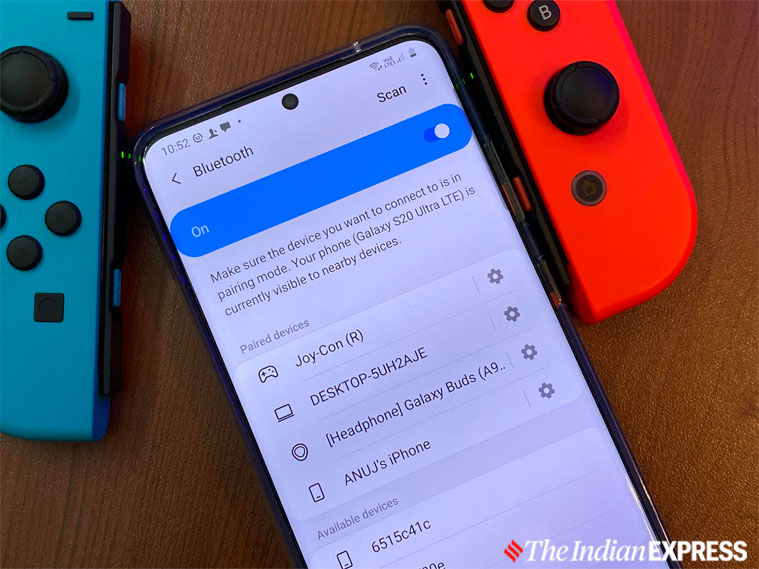
Joy-Cons work perfectly with Windows PCs, Macs, and even smartphones. (Image credit: Anuj Bhatia/Indian Express)
Use Joy-Cons with PCs, Android phones
The Nintendo Switch Joy-Con controllers can be easily paired with Windows PCs, Android phones as well as Macs that support Bluetooth connectivity. Just press the small sync button on the Joy-Con controller to get it to work with your device. I paired the right-hand sided Joy-Con controller to a Galaxy S20 Ultra, and found that it works without any glitch. But the Joy-Con controller isn’t perfect to play games on a smartphone.
Lost Joy-Cons? There’s a way to find them. (Image credit: Anuj Bhatia/Indian express)
Find lost Joy-Con controllers
If you’ve lost Joy-Con controllers around the house, they can be pretty easy to find. Well, the Switch has a clever haptic feedback system to find lost Joy-Con controllers. Go to the “Controllers” section of your home screen, choose the new “Find Controllers” option, and select the Joy-Con that you lost. Hold down the shoulder button on the Joy-Con, and the misplaced Joy-Con controller will vibrate.
Story continues below this ad
You can link up to eight Nintendo Accounts to one Switch. (Image credit: Anuj Bhatia/Indian Express)
Add multiple profiles on Switch
Whether you live alone or live with your family, Nintendo has made it easy to create multiple profiles on the Switch. Simply go to “System Settings” on the Switch home screen, scroll down to “Users”, and select “Add User.” Once you have created different profiles, you’ll have the option of selecting between any of them. You can link each one to its own Nintendo Account if you want to buy games that will be linked to that particular user.
Anuj Bhatia is a seasoned personal technology writer at indianexpress.com with a career spanning over a decade. Active in the domain since 2011, he has established himself as a distinct voice in tech journalism, specializing in long-form narratives that bridge the gap between complex innovation and consumer lifestyle.
Experience & Career: Anuj has been a key contributor to The Indian Express since late 2016. Prior to his current tenure, he served as a Senior Tech Writer at My Mobile magazine and held a role as a reviewer and tech writer at Gizbot. His professional trajectory reflects a rigorous commitment to technology reporting, backed by a postgraduate degree from Banaras Hindu University.
Expertise & Focus Areas: Anuj’s reporting covers the spectrum of personal technology, characterized by a unique blend of modern analysis and historical context. His key focus areas include:
Core Technology: Comprehensive coverage of smartphones, personal computers, apps, and lifestyle tech.
Deep-Dive Narratives: Specializes in composing longer-form feature articles and explainers that explore the intersection of history, technology, and popular culture.
Global & Local Scope: Reports extensively on major international product launches from industry titans like Apple and Google, while simultaneously covering the ecosystem of indie and home-grown tech startups.
Niche Interests: A dedicated focus on vintage technology and retro gaming, offering readers a nostalgic yet analytical perspective on the evolution of tech.
Authoritativeness & Trust
Anuj is a trusted voice in the industry, recognized for his ability to de-jargonize trending topics and provide context to rapid technological advancements. His authority is reinforced by his on-ground presence at major international tech conferences and his nuanced approach to product reviews. By balancing coverage of the world's most valuable tech brands with emerging startups, he offers a holistic and objective view of the global technology landscape.
Find all stories by Anuj Bhatia here.
You can find Anuj on Linkedin. ... Read More


 5 min read


 Here are some of the best things you can do with the Nintendo Switch that you weren’t aware of. (Image credit: Anuj Bhatia/Indian Express)
 You can attach a USB keyboard on the Switch dock. (Image credit: Anuj Bhatia/Indian Express)
 The Switch can be used to charge your smartphone via USB-C. (Image credit: Anuj Bhatia/
 Joy-Cons work perfectly with Windows PCs, Macs, and even smartphones. (Image credit: Anuj Bhatia/Indian Express)
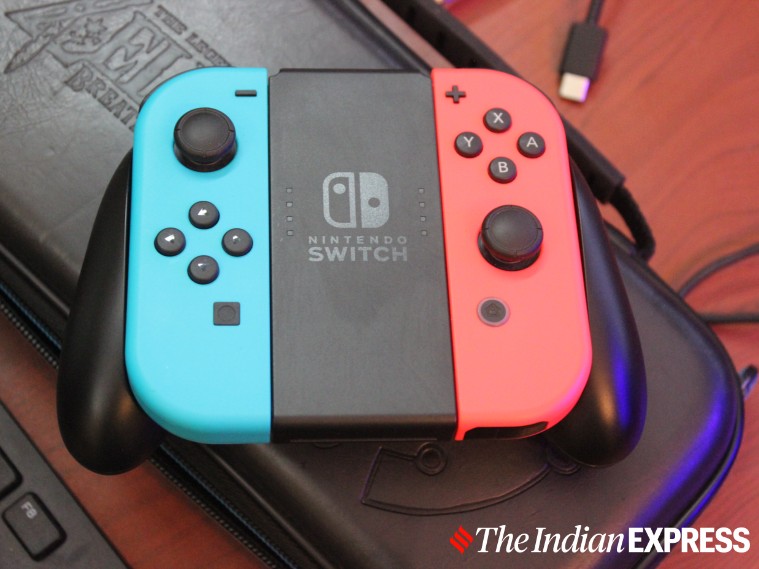 Lost Joy-Cons? There’s a way to find them. (Image credit: Anuj Bhatia/Indian express)
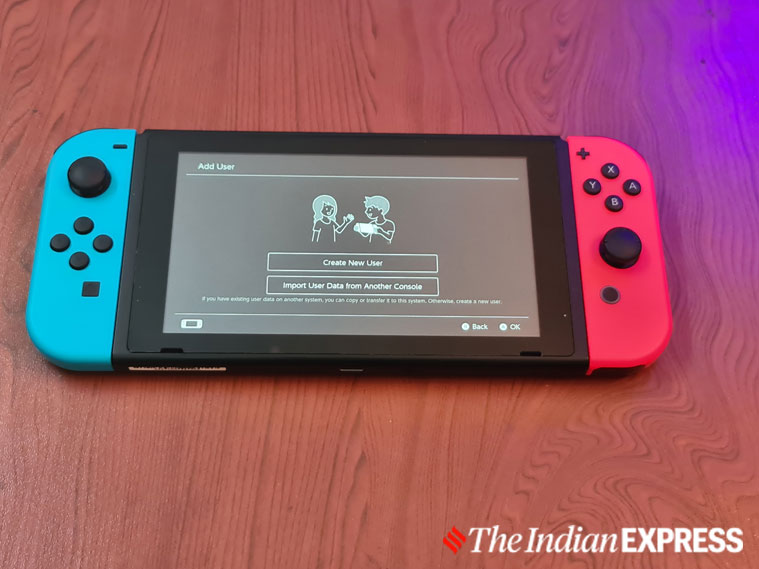 You can link up to eight Nintendo Accounts to one Switch. (Image credit: Anuj Bhatia/Indian Express)