3 min read
© IE Online Media Services Pvt Ltd



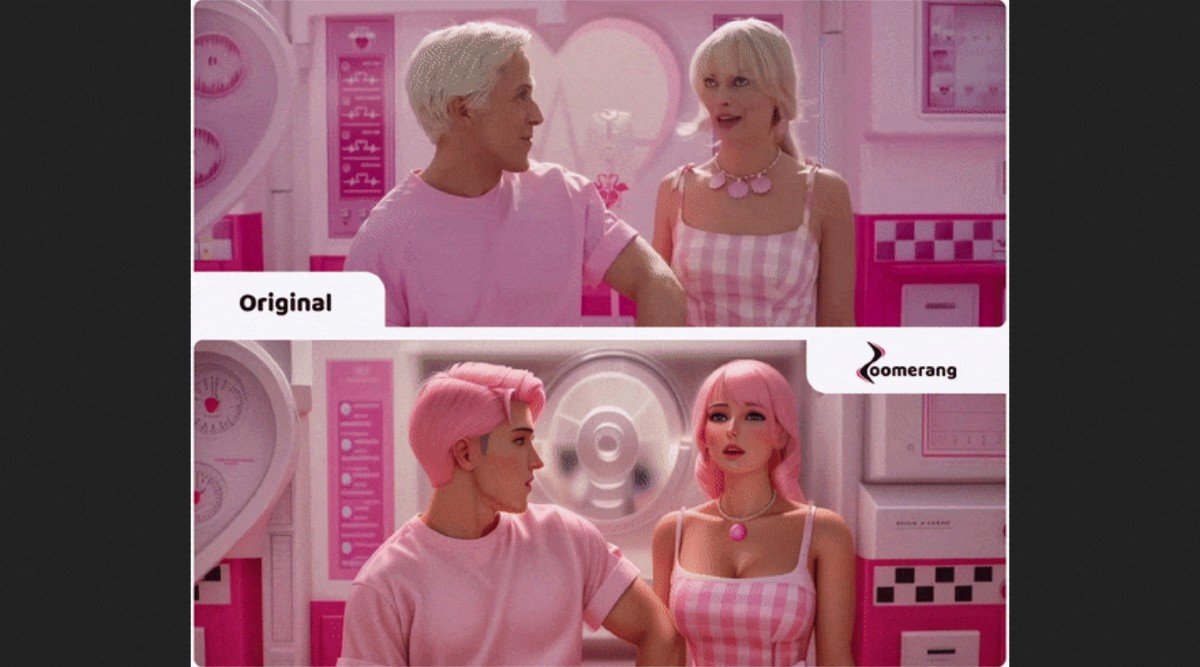 Restyle applies a chosen style to a video, altering its appearance but keeping its content intact. (Image: Zoomerang)
 Zoomerang, a mobile app for making videos, has introduced two AI features that enable stunning transformations on the go: Deform and Restyle, powered by Stable Diffusion. Deform creates mesmerising animations by generating a sequence of images from a single one. Restyle applies a chosen style to a video, altering its appearance but keeping its content intact.
Zoomerang says that these tools bring unique artistic visions to life without the constraints of limited template libraries. To understand what these tools do and how they work, perhaps it’s better to watch some examples in action.
First take a look at Restyle, which utilises Image-to-Image Batch Processing technology powered by Stable Diffusion. By taking the first frame of a video and diffusing it as an image input with fixed skip steps, Restyle applies the style from the heavily stylised first frame to subsequent frames while preserving the content.
To showcase Restyle’s abilities, Zoomerang has shared a short video where a clip from the upcoming Barbie movie has been edited using generative AI to stylise Ken and Barbie into anime characters.
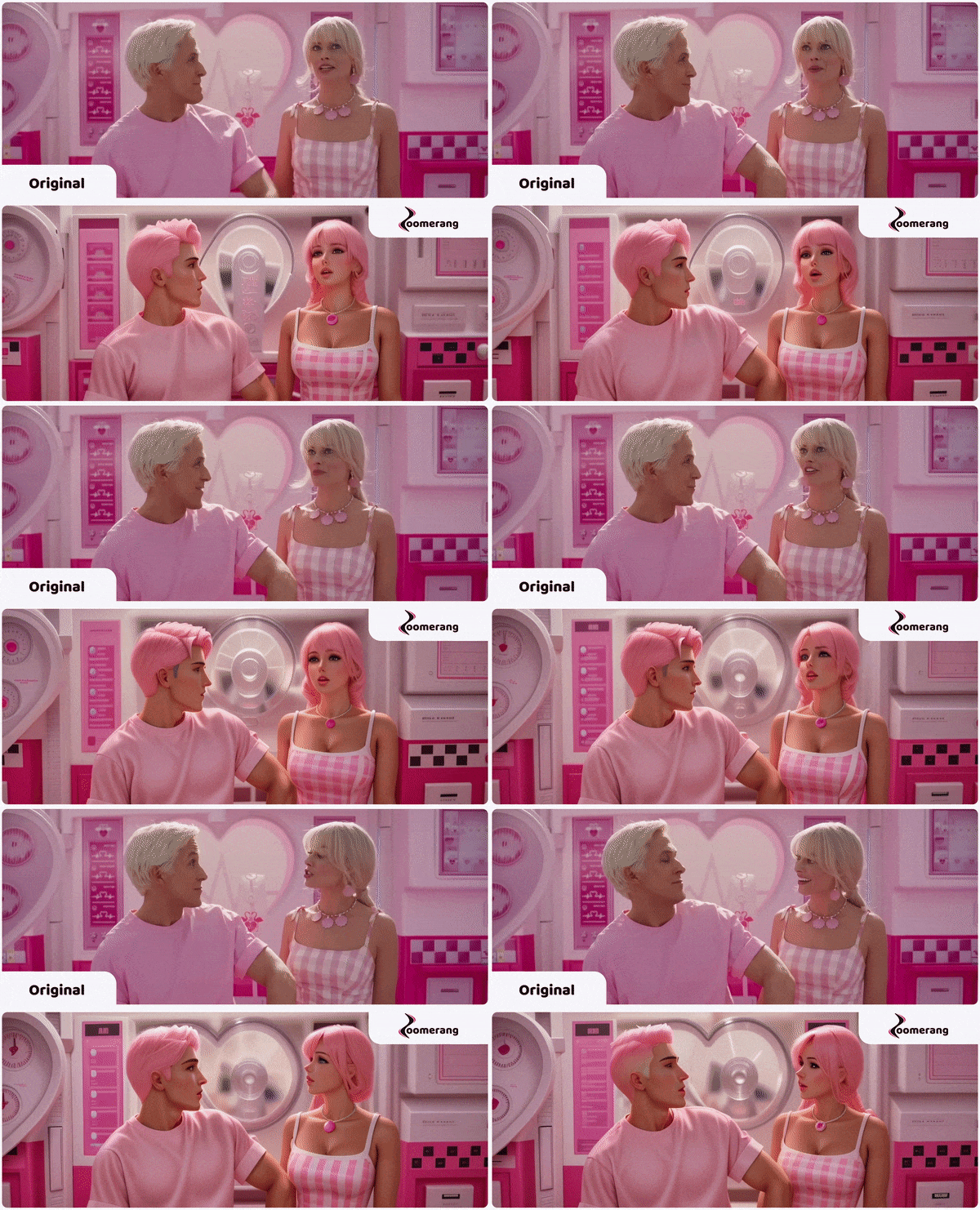 (Image: Zoomerang)
To access Restyle on the Zoomerang app, follow these steps:
1. Upload a video clip with a maximum length of 30 seconds.
2. Pick either the entire video or a specific segment you want to transform.
3. Choose from the following options to apply the effect:
Select a ready-made template from the curated library.
Create a custom prompt to personalise the effect.
4. Click the “Generate” button to see the magic happen
Next up is Deform. On Instagram and elsewhere, you must’ve come across short videos that start off as a normal image but then warp into something else. You’d be able to create similar clips using Deform. The tool harnesses Stable Diffusion’s image-to-image function to generate a series of images that are then stitched together to create captivating animations.
 (Image: Zoomerang)
To access Deform, follow these steps:
1. Upload any photo or video
2. For videos, mark the precise frame where you want Deform to work its magic.
3. For photos, choose how to apply the effect:
Pick a ready-made template from the suggested collection.
Write a custom prompt to customise the effect.
4. Click the “Generate” button to see the result.
Both Deform and Restyle are part of Zoomerang’s Pro tier and require a subscription for access.