


© IE Online Media Services Pvt Ltd
Tags:


Google recently announced that its AI chatbot Bard is now available in more than 180 countries. Although it is still in the experimental stage and can be inaccurate at times, Bard AI can be accessed on both smartphones and computers.
While the AI chatbots can be quickly accessed from their websites, here are 3 extensions for Chromium-based browsers like Google Chrome, Microsoft Edge, Opera and others that offer quick access to chatbots like Bard AI and ChatGPT with just a click.


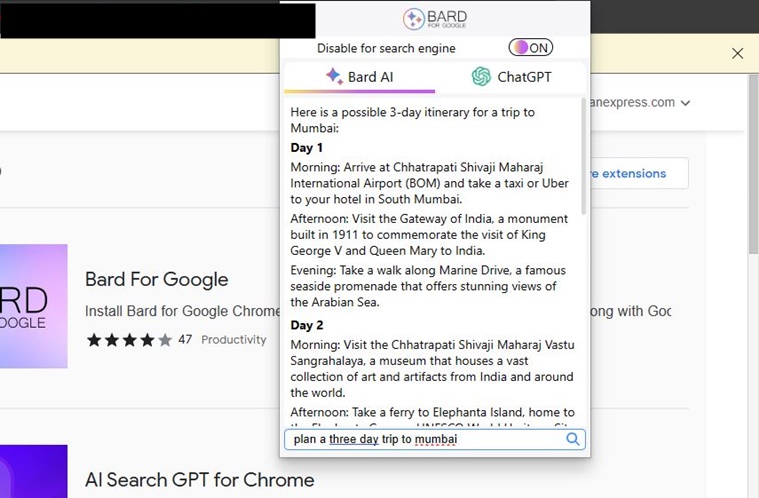
This is definitely one of the quickest ways to access Google Bard and ChatGPT since they are just a click away. You can also use it to ask the same question to both chatbots and compare them side by side without interrupting your current workflow.
UseChatGPT.AI is another popular Chrome extension with 100,000+ installs that offers one-click access to numerous generative AI like Google Bard, Microsoft Bing, and ChatGPT.
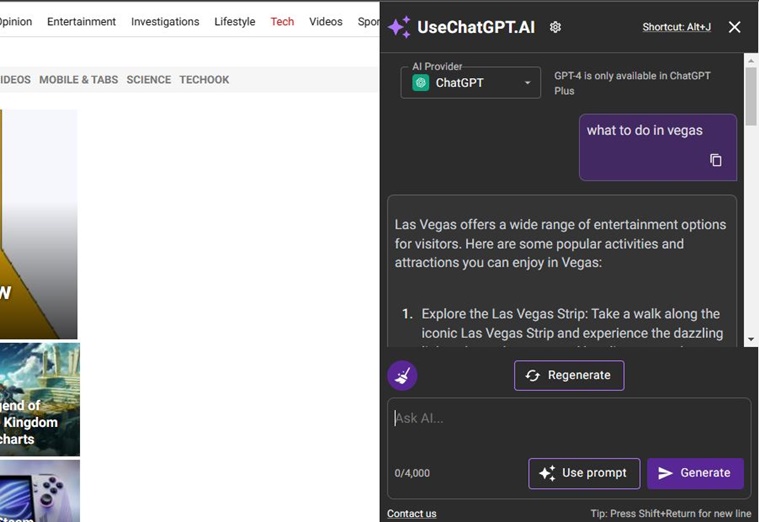
Once installed, you can either press the extension button or use ‘Alt + J’ shortcut to quickly access Bard or ChatGPT. It opens a window on the right side of the tab so you can use them without having to leave what you are doing. In the AI Provider tab, you can select from available chatbots that include Google Bard, ChatGPT and Microsoft Bing.
As the name suggests, Summarize is an extension that makes use of Google Bard, GPT 3-5 and GPT 4.0 and Google Bard to generate summaries of text on a web page. While it does open a window beside the current tab you are working in, using Summarize is pretty easy.
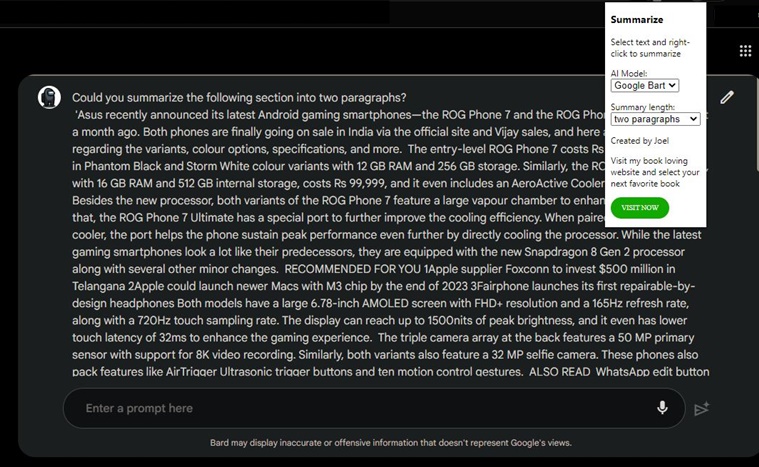
The extension button lets you select from the available bots and select how many paragraphs you want the AI to generate. To use the extension, simply select text in your browser, right-click on it and choose ‘Summarize’. It will open a new window depending on if you used ChatGPT or Google Bard and ask it to summarize it. While it may not be the fanciest extension on the list, it is pretty easy to use.


