2 min read
© IE Online Media Services Pvt Ltd



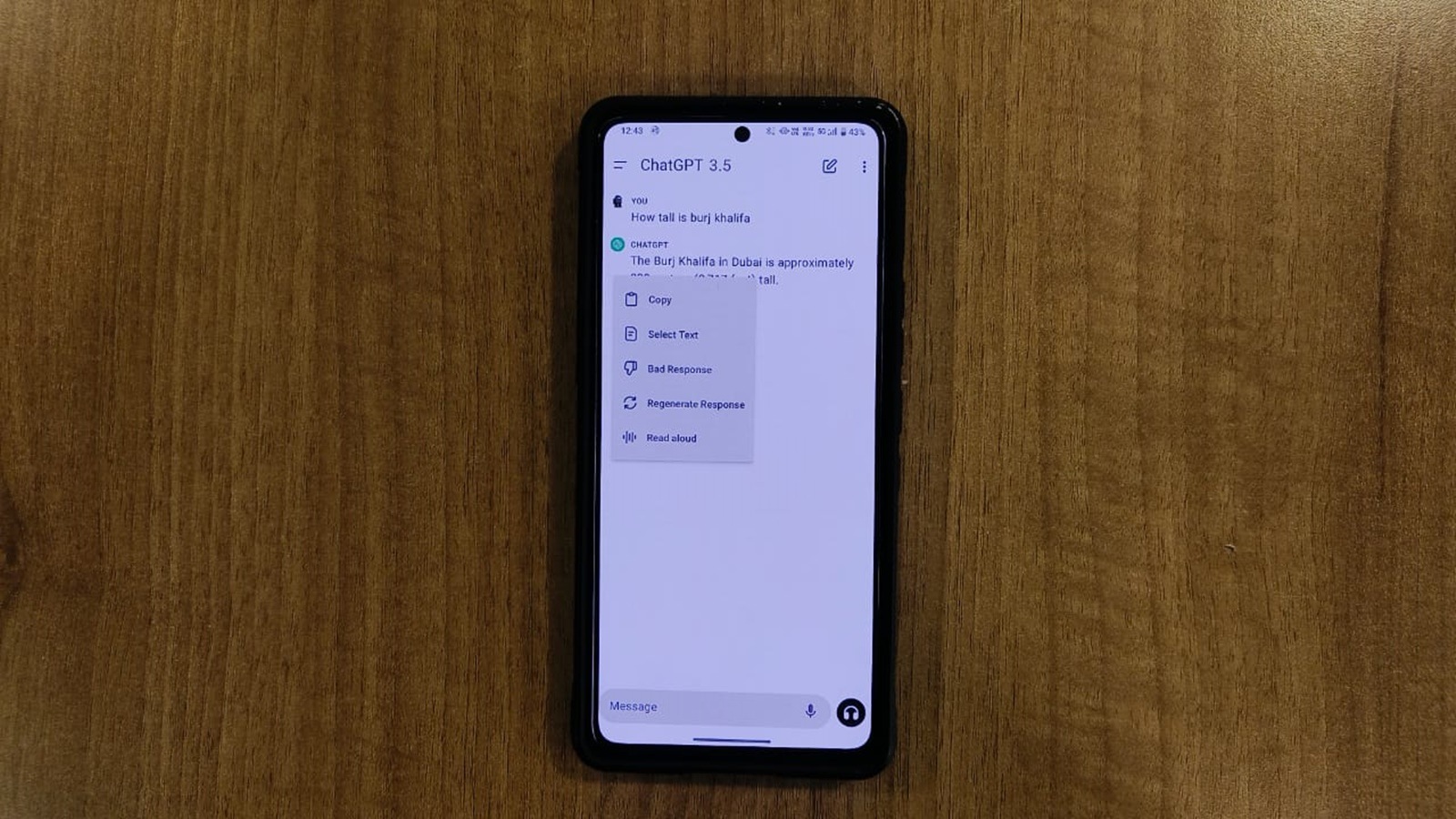 Read Aloud supports 37 languages. (Express Photo)
ChatGPT is getting a new feature that allows the AI-powered chatbot to read its responses to the user. Called ‘Read Aloud’, the new functionality lets users engage in a conversation with the chatbot without having to type anything
Announced by OpenAI in a post on X (previously Twitter), ChatGPT’s Read Aloud functionality works with both ChatGPT 3.5 and ChatGPT 4. The company says Read Aloud has five different voices to choose from, can speak 37 languages and can “automatically detect the language of the text it is reading.”
The ‘Read Aloud’ button is available on both Android and iOS and can also be accessed via a web browser. In September last year, the company rolled out a voice chat feature that enabled users to ask questions to the chatbot using voice.
ChatGPT can now read responses to you.
On iOS or Android, tap and hold the message and then tap “Read Aloud”. We’ve also started rolling on web – click the “Read Aloud” button below the message. pic.twitter.com/KevIkgAFbG
— OpenAI (@OpenAI) March 4, 2024
‘With OpenAI testing the option to set ChatGPT as the default digital assistant on Android phones, users may soon be able to trigger the AI chatbot on their phone using the power button, ask queries using voice and get the response in a verbal form using the Read Aloud feature.
While web users use the feature by simply pressing the ‘Read Aloud’ button that appears at the bottom of the response, mobile users will have to tap and hold ChatGPT’s text response and click on the ‘Read Aloud’ button.
OpenAI seems to be gradually rolling out the new Read Aloud feature to everyone, but it may take some time before it appears on your account.