This is an archive article published on August 3, 2022
What is Airplane mode, what does it do, and why do we need it?
The moment you enable airplane mode on your smartphone or tablet you disable your device's ability to connect to cellular or WiFi networks or to Bluetooth.
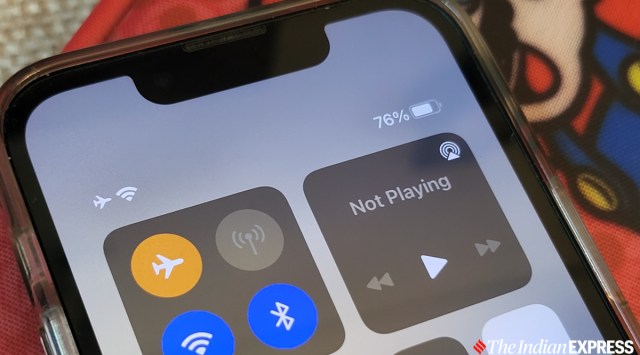
Turning on Airplane mode on an Android phone or iPhone is a fairly straightforward process. (Image credit: Anuj Bhatia/Indian Express)
If you have ever flown on an airplane and carried a smartphone or tablet, the airline’s staff must have asked you to turn your electronic devices off completely, or put them on airplane mode. Despite you wanting to upload one last selfie before the flight takes off, the flight attendant made sure to instruct passengers to switch their phones to “airplane mode.” It’s not a new practice; but what is airplane mode, and why do airlines require it?
What is airplane mode?
Airplane mode is a setting on your smartphone, tablet and laptop that temporarily suspends radio signals, Wi-Fi and even Bluetooth. This basically means you can’t make or take calls, send text or WhatsApp messages, or browse the internet. Your phone, however, is still functioning as usual. Anything stored on your phone that doesn’t require a signal or internet will be accessible, be it music, preloaded videos, games or eBook.
How to use airplane mode?
On a smartphone, activating or deactivating airplane mode is rather simple. On an iPhone, the icon for airplane mode is in the Control Center. All you need to swipe down from the top of the screen and access the airplane mode, depending on the age and model of your phone. Meanwhile, on Android, airplane mode is activated by swiping down from the top of the screen to access the quick settings panel. When you activate it, your phone is on airplane mode. And if you are a Mac user, you actually need to turn off both Wi-Fi and Bluetooth connections to use airplane mode. On a Windows laptop, meanwhile, select the Network icon on the taskbar, then select Airplane mode.
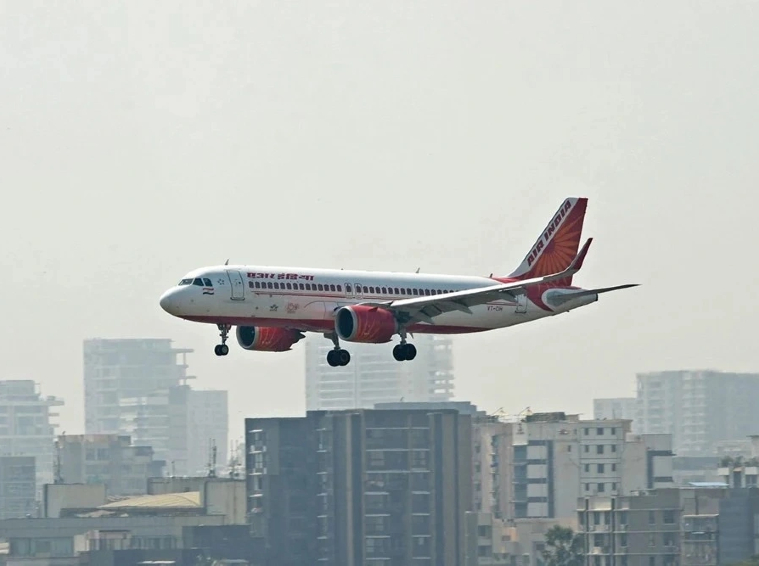
Electronic devices emit radio waves and electromagnetic interference (EMI) which can potentially interfere with an aircraft’s communication devices.
Why is airplane mode required?
Well, it’s mostly about safety. In 1992, the Federal Aviation Administration (FAA) requested an independent industry standards organization known as RTCA (Radio Technical Commission for Aeronautics) to study the effects of electronic devices on airplanes. RTCA found no interference and consequently, FAA recommended airlines allow their passengers to use gaming devices, music players and laptops while on board. Still, for precaution’s sake, electronic devices are being advised to either turn off or be in airplane mode during landing and takeoff.
In fact, in the 90s, Boeing investigated a few cases where it found that some electronic devices lead to instrument display malfunctions and autopilot disconnects. The aircraft manufacturer was never able to prove or replicate these allegations in a laboratory test.
Why do airline staff ask you to turn off your device or put it in airplane mode?
The reason why the airline staff request to turn our electronic devices off completely, or put them on airplane mode is something to do with smartphones and other wireless devices that emit radio waves and electromagnetic interference (EMI) which can potentially interfere with an aircraft’s communication devices. This interference, in turn, could potentially block radio frequency for a second and lead to confusion between the pilots and air traffic control. Imagine when an airplane can’t communicate with air traffic control at your destination airport. Nobody wants that situation to happen even in a nightmare. No wonder airplane mode has become more important, especially with the rollout of 5G in many parts of the world. Although planes fly 40,000 feet above the ground, the signals generated from ground antennas and users’ 5G devices might cause interference during the descent and landing of the flight.
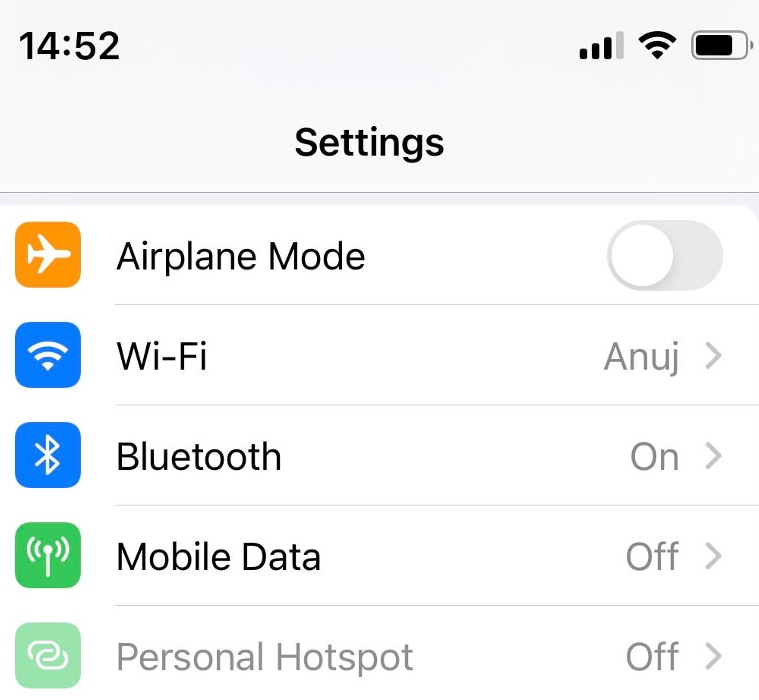
Every smartphone has a built-in airplane mode.
…but what about in-flight Wi-Fi
While you are asked to switch your phone airplane mode on a flight, we do airplanes why Wi-Fi and how does in-flight Wi-Fi work above 36,000 feet in the sky? Good question. These days a number of airlines offer in-flight Wi-Fi, which comes at an added cost (some airlines do offer free Wi-Fi as well) and one can buy it with air tickets or when boarding the aircraft.
Story continues below this ad
Even though in-flight is a paid service but it doesn’t interface with the airline’s communications. Reason? Well, airplanes use Satellite-based Wi-Fi systems. Unlike ground-based connectivity, Satellite Wi-Fi takes advantage of a network of orbiting satellites to allow a connection. The satellite is basically linked to ground stations, and the airplane connects using a transceiver antenna module installed on top of the aircraft. The advantage of satellite-based connectivity is that it proves a fast network using higher bandwidth signals compared to a ground-based system.
That being said, often high latency signals get lost due to the distance from the airplane to the satellite being longer than the distance from the airplane to the ground, which translates to slower or patchy connectivity; plus, a higher cost of maintenance and implementation. But given Satellite Wi-Fi uses a narrowband frequency, it is not as fast to stream movies but should be good enough to check emails.
Is there any other use case for airplane mode?
One big advantage of putting your phone on airplane mode is a slightly extended battery life. Think about you are on the good and forget to carry a power bank or charger, just put the phone on airplane mode for some time and you can get a little extra percentage of battery life. Airplane mode can also be used when you are exhausted after a tiring day and don’t want WhatsApp notifications or frequent calls from your manager.
Anuj Bhatia is a seasoned personal technology writer at indianexpress.com with a career spanning over a decade. Active in the domain since 2011, he has established himself as a distinct voice in tech journalism, specializing in long-form narratives that bridge the gap between complex innovation and consumer lifestyle.
Experience & Career: Anuj has been a key contributor to The Indian Express since late 2016. Prior to his current tenure, he served as a Senior Tech Writer at My Mobile magazine and held a role as a reviewer and tech writer at Gizbot. His professional trajectory reflects a rigorous commitment to technology reporting, backed by a postgraduate degree from Banaras Hindu University.
Expertise & Focus Areas: Anuj’s reporting covers the spectrum of personal technology, characterized by a unique blend of modern analysis and historical context. His key focus areas include:
Core Technology: Comprehensive coverage of smartphones, personal computers, apps, and lifestyle tech.
Deep-Dive Narratives: Specializes in composing longer-form feature articles and explainers that explore the intersection of history, technology, and popular culture.
Global & Local Scope: Reports extensively on major international product launches from industry titans like Apple and Google, while simultaneously covering the ecosystem of indie and home-grown tech startups.
Niche Interests: A dedicated focus on vintage technology and retro gaming, offering readers a nostalgic yet analytical perspective on the evolution of tech.
Authoritativeness & Trust
Anuj is a trusted voice in the industry, recognized for his ability to de-jargonize trending topics and provide context to rapid technological advancements. His authority is reinforced by his on-ground presence at major international tech conferences and his nuanced approach to product reviews. By balancing coverage of the world's most valuable tech brands with emerging startups, he offers a holistic and objective view of the global technology landscape.
Find all stories by Anuj Bhatia here.
You can find Anuj on Linkedin. ... Read More


 6 min read



 Electronic devices emit radio waves and electromagnetic interference (EMI) which can potentially interfere with an aircraft’s communication devices.
 Every smartphone has a built-in airplane mode.