3 min read
© IE Online Media Services Pvt Ltd



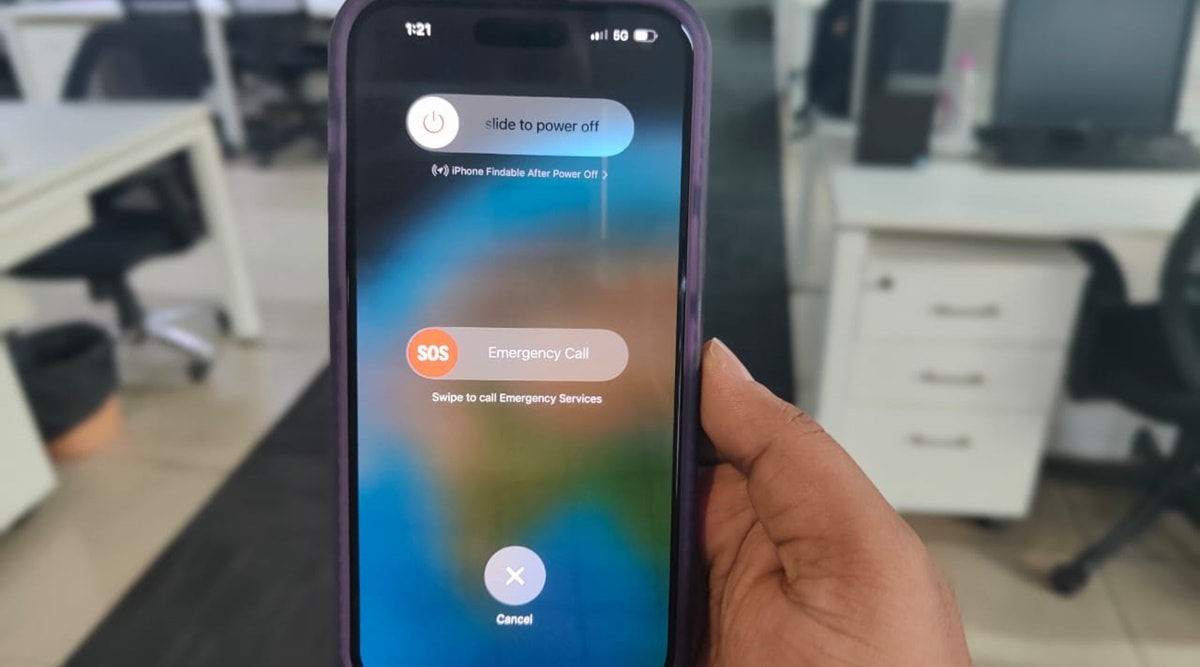 iPhone can help you contact your friends and family when in an emergency. (Image Credit: Anurag Chawake/ Indian Express)
 Apple Watch has a useful feature where the device automatically contacts emergency services if it detects the wearer is in trouble. A similar feature is also available on iPhone, which lets users quickly call emergency contacts and services for help without having to unlock the phone.
The feature works by calling the local emergency number and sharing your location information. When the call ends, the phone also alerts your emergency contacts with a text message with the recipient receiving updates if and when your location changes.
To set up ‘Emergency Contacts’ on an iPhone, you need to set up ‘Medical ID’, an option that can be found in the Health app.
To set up Medical ID, just launch the Health app, click on your profile picture on the top right of the screen, find and tap on Medical ID and press the ‘Edit’ button. Here you can add all relevant info.
Once done, you will now find the option to ‘Add Emergency contacts’. Tap on it and a new window with a list of your contacts will now appear. Add the people you want to contact in an emergency and define their relationship with you.
When done, tap on the ‘Done’ button in the top right corner and you are good to go.
Alternatively, you can also add an Emergency Contact to your list by tapping a person’s name from the Contacts app and clicking the ‘Add to Emergency Contacts’ button. Doing this will open your Medical ID in the Health app.
If you want to call your or someone else’s Emergency Contacts on an iPhone, just press and hold the side and volume down buttons together.
When the Slide to Power option appears, release the buttons and swipe ‘Medical ID’ from left to right.
Medical ID will now appear along with the option to call ‘Emergency Contacts’.
Note: In case you want to contact emergency services, simply hold down the volume down and power button and on the screen that appears, swipe right on the ‘Emergency SOS’ option.
If you continue holding down the side and volume down button, a countdown will begin along with an alert sound, after which the phone will automatically call emergency services.