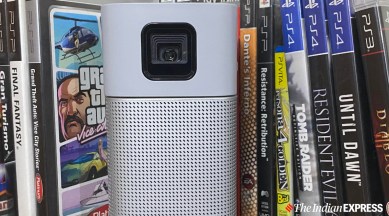
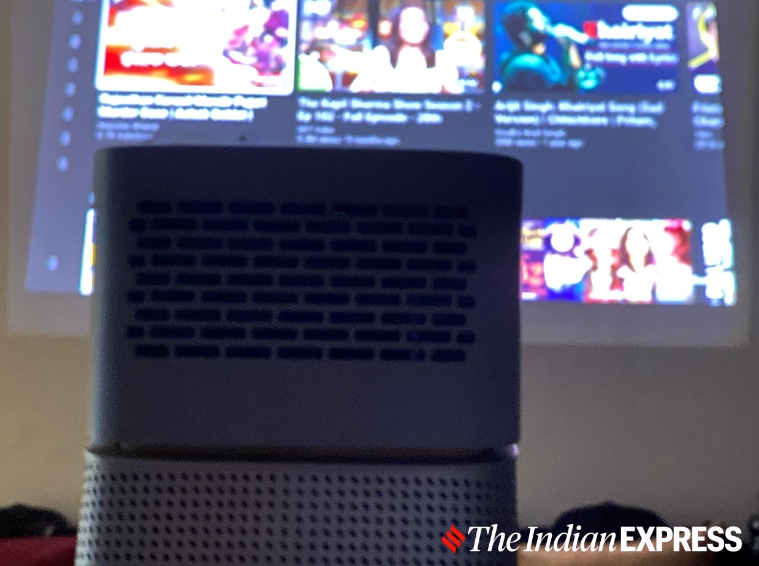
BenQ GV1 is a projector as small as a Bluetooth speaker that can project a 100-inch picture. (Image credit: Anuj Bhatia/Indian Express)
Watching a late-night movie in a pitch dark room on a 150-inch screen has its own charm. I know a lot of people who have invested in expensive projectors to create a theatre-like experience at home for just this feeling. If you have that amount of money and a dedicated room just for binge-watching, there is no better solution than a home projector.
But what if I tell you that there is a projector as small as a Bluetooth speaker that can project a 100-inch picture? Well, the BenQ GV1 does exactly what it is supposed to do: a portable-sized projector aimed at the mainstream audience. For Rs 30,990, BenQ GV1 gives you the freedom to take the projector anywhere with you; plus it covers the basics. That being said, the GV1 isn’t perfect, after all, portable projectors have some limitations over full-blown home theatre projectors and that won’t change anything soon.
You’ve Read Your Free Stories For Now
Sign up and keep reading more stories that matter to you.
I used the BenQ GV1 for a good 15 days, and here’s my experience of using a portable projector for the first time.
BenQ GV1 review: Design and built
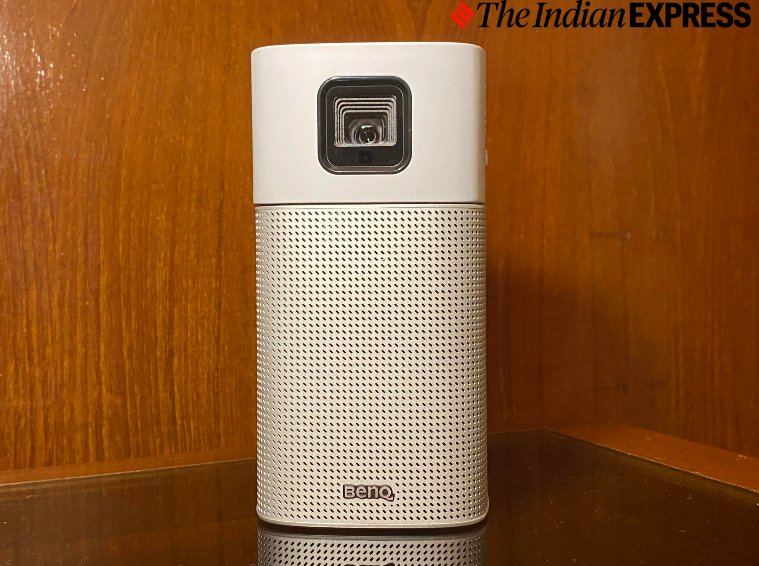
The GV1 has a striking design. In fact, the device looks like a Bluetooth speaker, even though it is a projector. Measuring 155 x 80 x 80mm and 708 grams, the GV1 is super compact and light enough from slipping into any bag, but it ships a fabric carry bag to keep the projector safe from wear and tear. The portable projector is designed in such a way to mimic an audio speaker, which is true. The lower half of the GV1 is actually a speaker, while the upper half is a projector.
The lower half of the GV1 is actually a speaker, while the upper half is a projector. (Image credit: Anuj Bhatia/Indian Express)
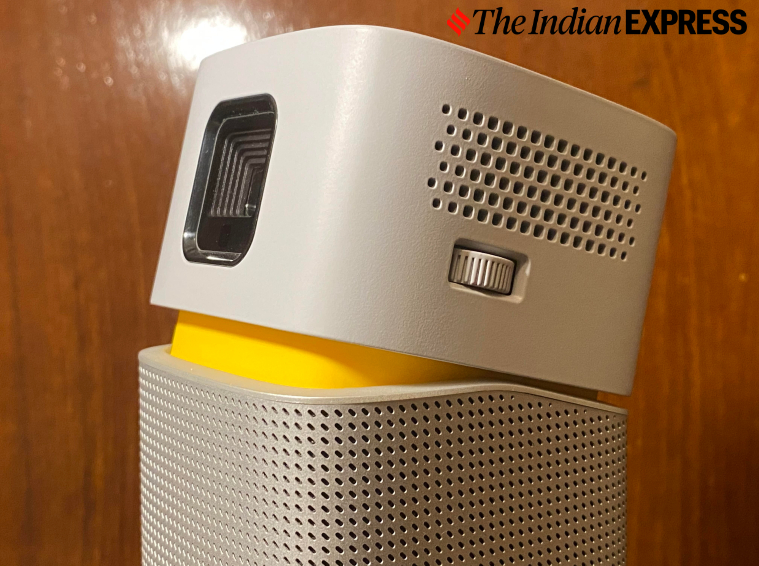
On the top of the GV1, you will find four buttons to turn on the projector, volume up/down controls, and a control switch to toggle between projection and speaker modes. Towards the right-hand side of the projector, there is the focus adjustment dial that allows users to adjust the projected images.
Unlike the standard projector, the GV1 is a portable projector. That means you don’t have to worry about installing the projector on the wall or ceiling to create a home theatre-like experience. I kept the BenQ GV1 on the side table of my room without worrying about installing the projector on the ceiling to achieve a certain height. But the good thing about the GV1 is that it is designed in such a way that the projector’s upper half can be manually tilted to 15 degrees, and this makes it easy to create different sizes of images. One can even mount the unit on a tripod.
The GV1 is that it is designed in such a way that the projector’s upper half can be manually tilted to 15 degrees, and this makes it easy to create different sizes of images. (Image credit: Anuj Bhatia/Indian Express)
In terms of connectivity, there is a power input as well as a USB-C port that lets you hook the laptop with USB-C video out capability. I wish the GV1 had a built-in HDMI input that would have allowed me to pair my PlayStation 4 or Nintendo Switch to the projector.
Story continues below this ad
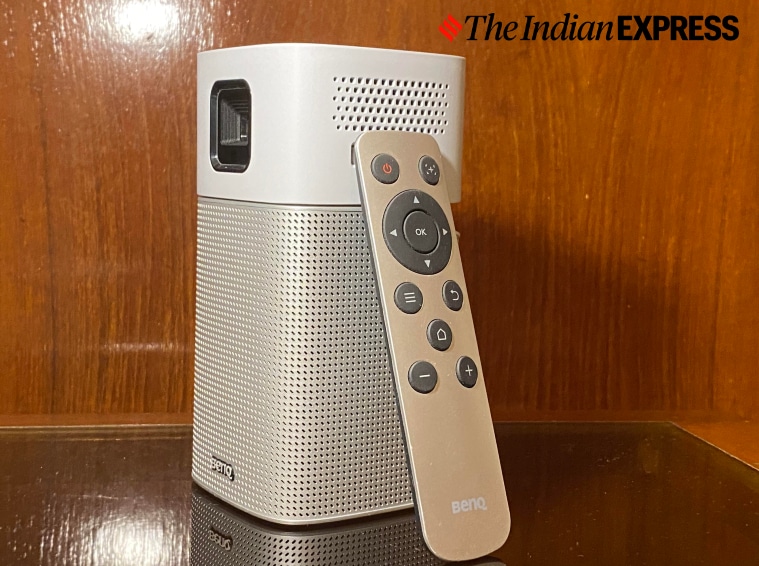
The remote is included with the GV1 for controlling the projector. The GV1’s remote is simple in its design and mimics the Apple TV remote, though I found it to be unreliable after a few days of use.
The GV1’s remote is simple in its design and mimics the Apple TV remote, though I found it to be unreliable after a few days of use. (Image credit: Anuj Bhatia/Indian Express)
BenQ GV1 review: Set-up and interface
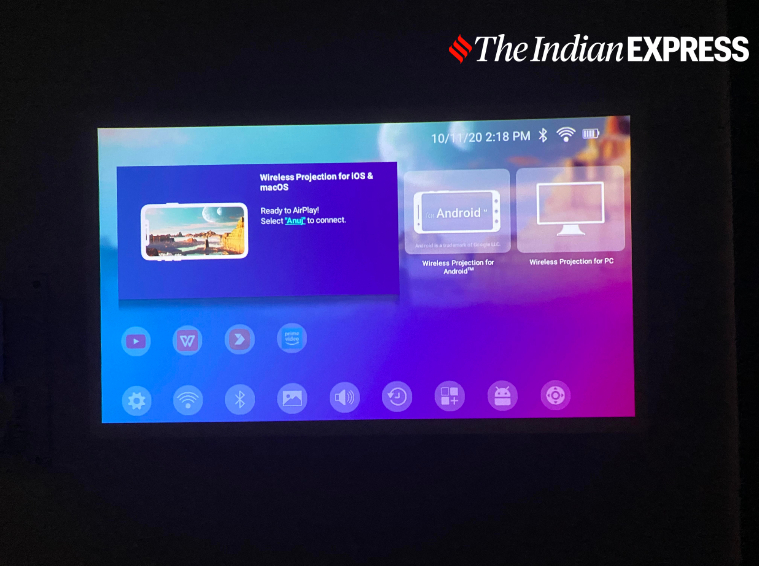
Don’t worry, it takes seconds to set up the BenQ GV1 projector. When turned on, the portable projector boots up quickly and you will be greeted to the main menu. Given the GV1 runs on a customised version of Android, the initial setup involves very few setups. All you need to connect the projector to Wi-Fi, and you are ready to go. Once the initial set-up is done, users can find and download apps such as Netflix, YouTube or Amazon Prime Video from the Aptoide app store, rather than Play Store. There are plenty of apps to choose from, but I didn’t like the GV1’s user interface. It’s frustratingly slow to navigate, and the bundled remote control tests your patience.
The user interface is frustratingly slow to navigate, and the bundled remote control tests your patience. (Image credit: Anuj Bhatia/Indian Express)
The good thing about the GV1 is that it is easy to use, if you are an Android or iOS user, or PC or Mac user. You can stream the content directly from your iPhone or Android smartphone, thanks to AirPlay and Screencast integration. Plus, users can also mirror both iPhone and Android devices to the projector. I could easily mirror YouTube videos from my iPhone to the GV1 but the content from Netflix or Amazon Prime Video cannot be mirrored or screencast onto the projector due to copyright issues.
BenQ GV1 review: Picture quality and audio
Technically, the GV1 is capable of displaying a 100-inch picture, but I got the best results when the projector projected a 50-inch image. But the size of the image totally depends on where you keep the GV1. In terms of picture quality, colours look sharp but don’t expect this projector to be near as good as high-end offerings from BenQ.
Story continues below this ad
The GV1 has a peak brightness of 200 lumens, which is good for a projector as small as this one. The portable projector works best in a pretty dark room. The GV1 can natively handle a resolution of 480p, but is capable of reaching resolutions up to 1920×1080.
Technically, the GV1 is capable of displaying a 100-inch picture, but I got the best results when the projector projected a 50-inch image. (Image credit: Anuj Bhatia/Indian Express)
I also want to make it clear that once you disconnect the GV1 from the power source, the picture quality will take a hit. Yes, you can run the GV1 on the rechargeable battery for three hours, which is equivalent of an average Bollywood movie run time. Its three-hour battery life makes it super useful for watching films and binge-watching with cousins and family during a special get together on a terrace. The GV1’s 5W speaker is as good as the phone’s loudspeaker, although I did pair my Ultimate Ears Boom 3 Bluetooth speaker for high-quality sound.
BenQ GV1 review: Should you buy this?
The reason why I think most people would be willing to pay Rs 30,990 for the BenQ GV1 is for the portability. The whole idea of the GV1 is to make a projector that is easy to carry around, and on that front, I think BenQ has succeeded in its aim. However, the picture quality is your ultimate concern, I don’t think the GV1 is close to a projector that delivers the real theatre-like experience. That said, I am glad that there are portable projectors being made for those people who don’t bother with the picture quality much but still want a portable solution for their home or home office.
Anuj Bhatia is a seasoned personal technology writer at indianexpress.com with a career spanning over a decade. Active in the domain since 2011, he has established himself as a distinct voice in tech journalism, specializing in long-form narratives that bridge the gap between complex innovation and consumer lifestyle.
Experience & Career: Anuj has been a key contributor to The Indian Express since late 2016. Prior to his current tenure, he served as a Senior Tech Writer at My Mobile magazine and held a role as a reviewer and tech writer at Gizbot. His professional trajectory reflects a rigorous commitment to technology reporting, backed by a postgraduate degree from Banaras Hindu University.
Expertise & Focus Areas: Anuj’s reporting covers the spectrum of personal technology, characterized by a unique blend of modern analysis and historical context. His key focus areas include:
Core Technology: Comprehensive coverage of smartphones, personal computers, apps, and lifestyle tech.
Deep-Dive Narratives: Specializes in composing longer-form feature articles and explainers that explore the intersection of history, technology, and popular culture.
Global & Local Scope: Reports extensively on major international product launches from industry titans like Apple and Google, while simultaneously covering the ecosystem of indie and home-grown tech startups.
Niche Interests: A dedicated focus on vintage technology and retro gaming, offering readers a nostalgic yet analytical perspective on the evolution of tech.
Authoritativeness & Trust
Anuj is a trusted voice in the industry, recognized for his ability to de-jargonize trending topics and provide context to rapid technological advancements. His authority is reinforced by his on-ground presence at major international tech conferences and his nuanced approach to product reviews. By balancing coverage of the world's most valuable tech brands with emerging startups, he offers a holistic and objective view of the global technology landscape.
Find all stories by Anuj Bhatia here.
You can find Anuj on Linkedin. ... Read More