This is an archive article published on February 26, 2022
I used Acer’s Aspire Vero, an everyday laptop that is built to be sustainable and eco-friendly
The Aspire Vero, although not a high-end laptop, shows that it is possible to make a fairly capable mid-range notebook whilst being socially responsible but without losing out style and build quality.
New Delhi | Updated: February 27, 2022 08:07 AM IST
7 min read
Whatsapp
twitter
Facebook
Reddit
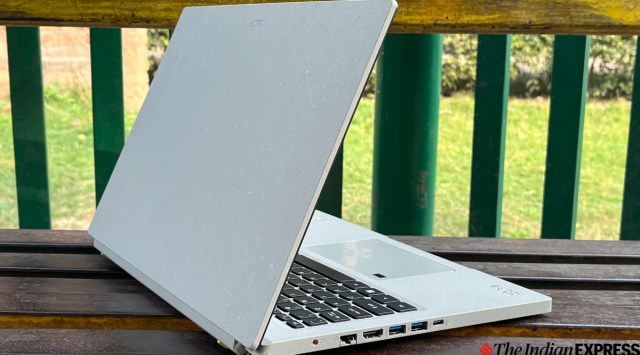
The Aspire Vero's design has the magic of the backwaters of Alleppey and the old-world charm of the houseboat. (Image credit: Anuj Bhatia/Indian Express)
The moment I saw the Aspire Vero, I knew the laptop was different. It seems major tech players in the industry are finally making greener choices and this is why this laptop is made of post-consumer recycled (PCR) materials. Whenever a tech product is made with a clear conscience and keeps the environment in mind, it excites me as a journalist. After using the new Aspire Vero for a few days, I can say this notebook is definitely a refreshing, positive step forward for a greener future. But is it the right laptop for you? I tried to find out the answer in my review.
Acer Aspire Vero review: Design and aesthetics
The Acer Vero has a contemporary aesthetic that never goes out of style. It’s like the magic of the backwaters of Alleppey and the old-world charm of the houseboat. You know Acer is using post-consumer recycled plastic, but the overall aesthetics is calm and relaxing. The notebook’s chassis is covered in speckled grey coloured plastic reminiscent of paper mesh greeting cards, with a flecked yellow pattern. Acer says the laptop’s body is made from 30 per cent PCR materials, while the keycaps are made up of 50 per cent PCR. Even the panel is 99 per cent recyclable, and the laptop comes in a cardboard box that’s 100 per cent recyclable. Instead of throwing away the box, the company encourages you to use it as a mini-laptop stand. The chassis is totally paint-free, a step towards its sustainability promises for the future.
The notebook’s chassis is covered in speckled grey coloured plastic reminiscent of paper mesh greeting cards, with a flecked yellow pattern. (Image credit: Anuj Bhatia/Indian Express)
The laptop feels solid and unique, although it’s not as sleek as the MacBook Air. At 1.8 kg, it’s lightweight, which could make it a good pick for university students or someone who is looking for a notebook for casual use. Although I liked the build quality of the notebook, I did notice a little flex on its deck. Also, it would have been great to see shrunken-down bezels around the screen. But I am glad that Acer is making it easy for users, especially on a mid-range notebook, to get inside the device and replace or upgrade components.
The notebook has two USB 3.2 Gen 1 ports, a USB 2.0, an HDMI and a headphone jack. Other connectivity options include dual-band Wi-Fi 6, Bluetooth 5.0 and Gigabit Ethernet, and there’s a fingerprint reader and a webcam. It, however, lacks a built-in SD card reader and Thunderbolt connectivity.
I like the simplicity of the Aspire Vero. (Image credit: Anuj Bhatia/Indian Express)
Acer Aspire Vero review: Display and speakers
The display is large, stretching nearly 15.6- inches. It’s a non-touch IPS panel, with a resolution of 1920 x 1080 pixels. The screen is fine for web browsing, working on presentations and consuming multimedia content but the large bezels around the sides now look a little dated. I was not even expecting the display to be precise enough for Photoshopping and supporting HDR video. My only gripe about the notebook’s display is that it’s a little dim and the flaw is clearly visible when you take the notebook outside. Because the display’s brightness level maxes out at 250 nits, it’s best to use the notebook indoors.
I have had no issues doing basic tasks on the Aspire Vero. (Image credit: Anuj Bhatia/Indian Express)
The 720p webcam is mediocre, although it’s fine for video calls. The speakers are good enough for media consumption, but they lack bass. And since they are downward-firing speakers, as I have noticed during the testing, the output often gets muffled. That said, the stereo speakers aren’t bad and can be used for casual music listening and watching YouTube videos.
The backlit keyboard is surprisingly good. Keys are well-spaced, stable, fairly quiet, with satisfying travel and good feedback when pressed. I also liked the inclusion of a number pad. The trackpad is large and responsive and includes a fingerprint scanner to let you log in without typing your password via Windows Hello.
Story continues below this ad
The “R” and “E” keys are backward and printed in yellow. (Image credit: Anuj Bhatia/Indian Express)
Acer Aspire Vero review: Performance and battery
The version I tested had Intel’s 11th gen Core i5, 8GB of RAM and 512GB of storage, and Iris Xe integrated graphics—and performed as you would expect from a mid-tier laptop. It handled general computing with no slowdown at all, even with 15 Chrome tabs open in the background, being able to edit images of Pixlr and listening to my music on Apple Music all at the same time. As I said, the notebook is capable of anything, except for high-end gaming. But the fans were considerably more noticeable on the Core i5 version. The notebook never became overly hot to the touch. The Aspire Vero ships with Windows 11 Home.
The internals of the laptop can be accessed with a standard Philips head screwdriver. (Image credit: Anuj Bhatia/Indian Express)
Battery life was slightly disappointing, with the Core i5 version lasting between 4 and 5 hours between charges, which wasn’t quite long enough to complete my workday without reaching for the charger. I’d also like to point out that while the notebook has a USB-C port, it doesn’t work for charging the notebook, which is bizarre. That means I will be forever stuck with a barrel-style power plug.
The Aspire Vero is fine for editing photos and videos, web browsing, attending Zoom calls and playing non AAA games. (Image credit: Anuj Bhatia/Indian Express)
Acer Aspire Vero review: Should you buy it?
The Aspire Vero, although not a high-end laptop, shows that it is possible to make a fairly capable mid-range notebook whilst being socially responsible but without losing out style and build quality. Priced at Rs 57,999, the Aspire Vero is a simple notebook that covers the basics. I see the Vero as a fantastic laptop held back by a few issues, most of which are traditionally associated with most mid-range Windows notebooks.
Anuj Bhatia is a seasoned personal technology writer at indianexpress.com with a career spanning over a decade. Active in the domain since 2011, he has established himself as a distinct voice in tech journalism, specializing in long-form narratives that bridge the gap between complex innovation and consumer lifestyle.
Experience & Career: Anuj has been a key contributor to The Indian Express since late 2016. Prior to his current tenure, he served as a Senior Tech Writer at My Mobile magazine and held a role as a reviewer and tech writer at Gizbot. His professional trajectory reflects a rigorous commitment to technology reporting, backed by a postgraduate degree from Banaras Hindu University.
Expertise & Focus Areas: Anuj’s reporting covers the spectrum of personal technology, characterized by a unique blend of modern analysis and historical context. His key focus areas include:
Core Technology: Comprehensive coverage of smartphones, personal computers, apps, and lifestyle tech.
Deep-Dive Narratives: Specializes in composing longer-form feature articles and explainers that explore the intersection of history, technology, and popular culture.
Global & Local Scope: Reports extensively on major international product launches from industry titans like Apple and Google, while simultaneously covering the ecosystem of indie and home-grown tech startups.
Niche Interests: A dedicated focus on vintage technology and retro gaming, offering readers a nostalgic yet analytical perspective on the evolution of tech.
Authoritativeness & Trust
Anuj is a trusted voice in the industry, recognized for his ability to de-jargonize trending topics and provide context to rapid technological advancements. His authority is reinforced by his on-ground presence at major international tech conferences and his nuanced approach to product reviews. By balancing coverage of the world's most valuable tech brands with emerging startups, he offers a holistic and objective view of the global technology landscape.
Find all stories by Anuj Bhatia here.
You can find Anuj on Linkedin. ... Read More


 7 min read



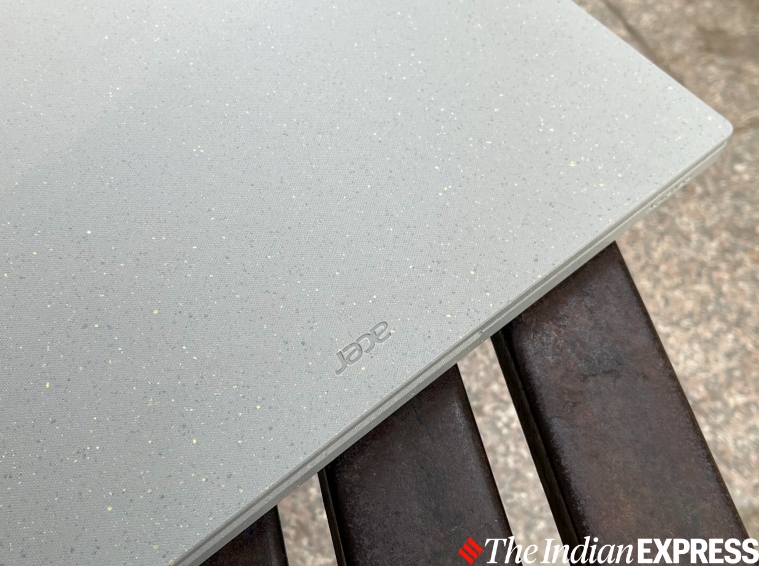 The notebook’s chassis is covered in speckled grey coloured plastic reminiscent of paper mesh greeting cards, with a flecked yellow pattern. (Image credit: Anuj Bhatia/Indian Express)
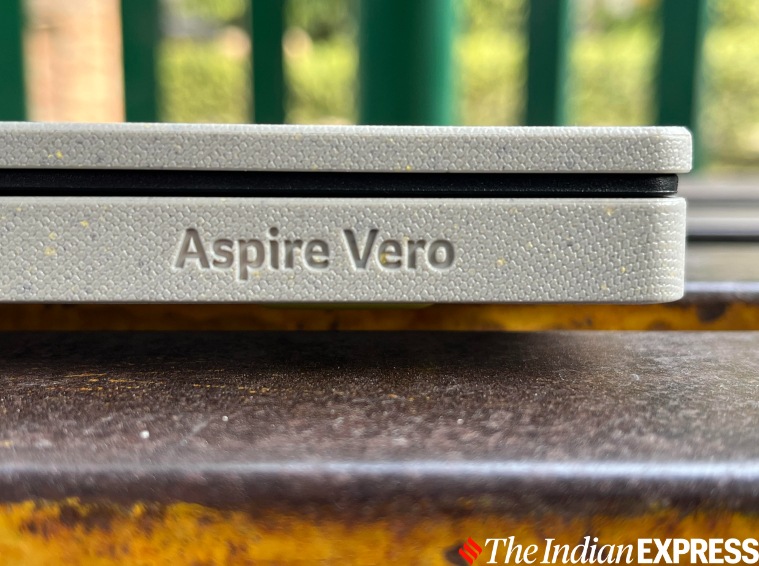 I like the simplicity of the Aspire Vero. (Image credit: Anuj Bhatia/
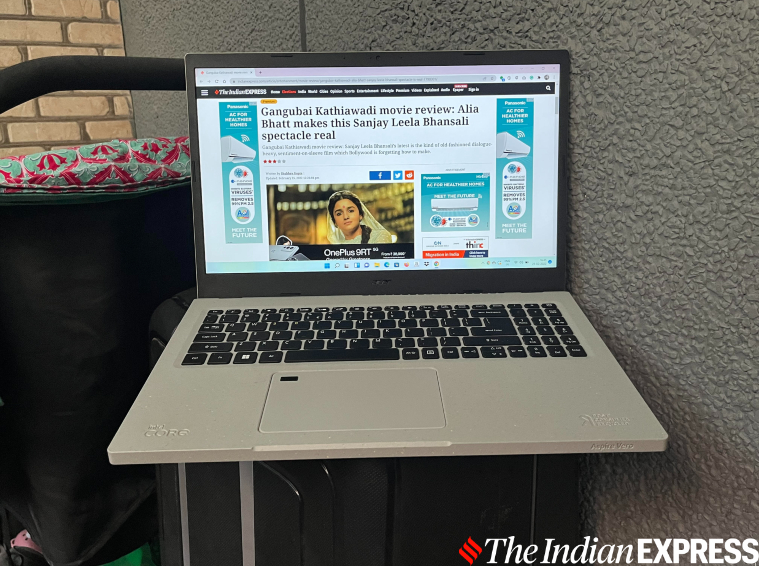 I have had no issues doing basic tasks on the Aspire Vero. (Image credit: Anuj Bhatia/Indian Express)
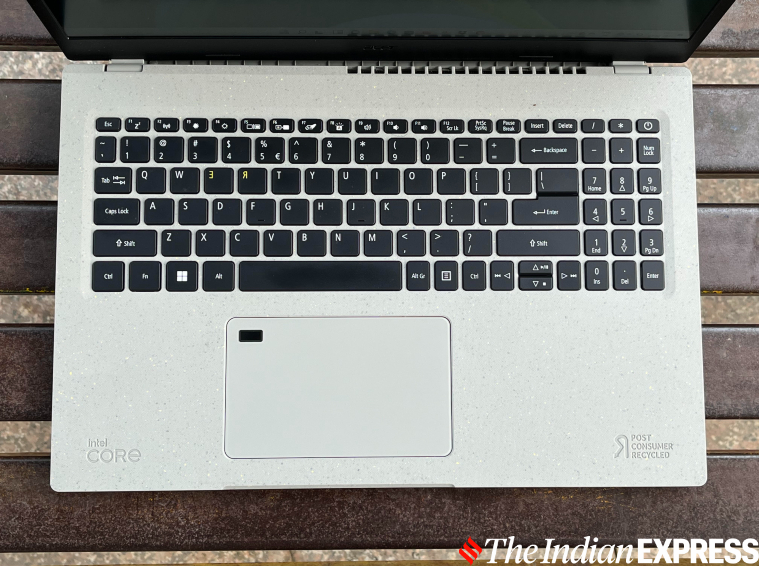 The “R” and “E” keys are backward and printed in yellow. (Image credit: Anuj Bhatia/Indian Express)
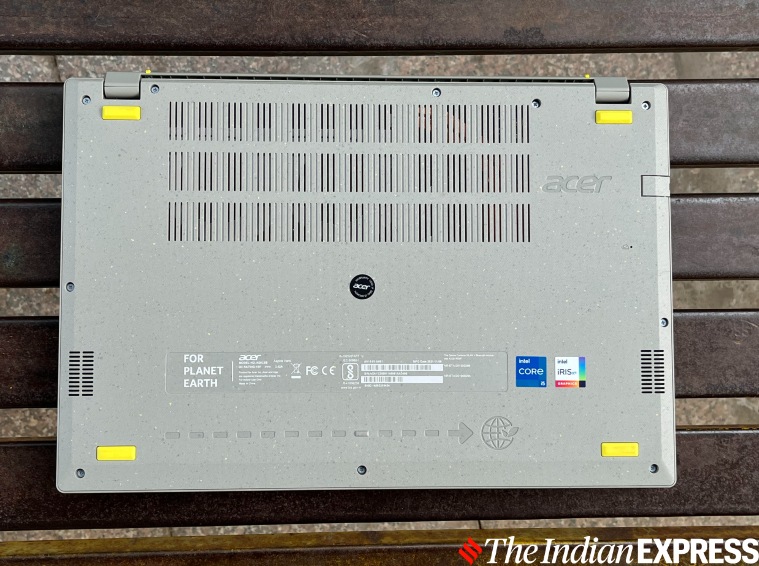 The internals of the laptop can be accessed with a standard Philips head screwdriver. (Image credit: Anuj Bhatia/Indian Express)
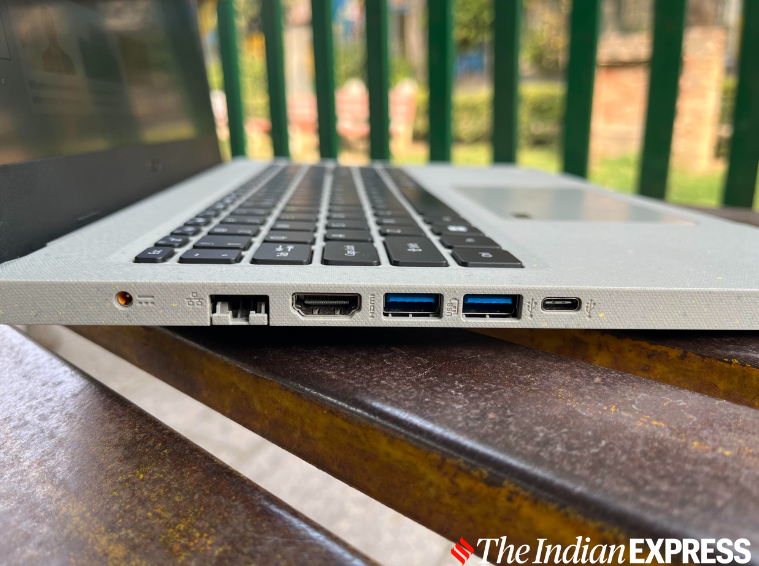 The Aspire Vero is fine for editing photos and videos, web browsing, attending Zoom calls and playing non AAA games. (Image credit: Anuj Bhatia/Indian Express)