2 min read
© IE Online Media Services Pvt Ltd



 Excel running on a phone and a laptop (Image credit: Microsoft)
 Microsoft has added a new capability to Excel, which makes it easy for scientists to use various alphanumeric symbols and the update is being rolled out to Windows and Mac users. With this update, Excel no longer automatically converts gene numbers and other scientific data as dates and allows scientists to use proper data within the Excel app.
This shortcoming made scientists rename genes, which again had to be reworked at the time of publishing, which would otherwise ruin the data. The new update is based on the automatic data conversion feature, which Microsoft introduced last year, where, when disabled, Excel offers more control over automatic data conversion.
These features are enabled by default, and users have to disable these to prevent Excel from automatic data conversion. There is also an option to prevent automatic data conversion while loading a .csv or similar file on Excel. Do note that these features won’t work during a macro execution or while reading a macro entry to perform simple repetitive actions.
To disable automatic data conversion on Microsoft Excel, go to File > Options > Data > Automatic Data Conversion and disable the respective options.
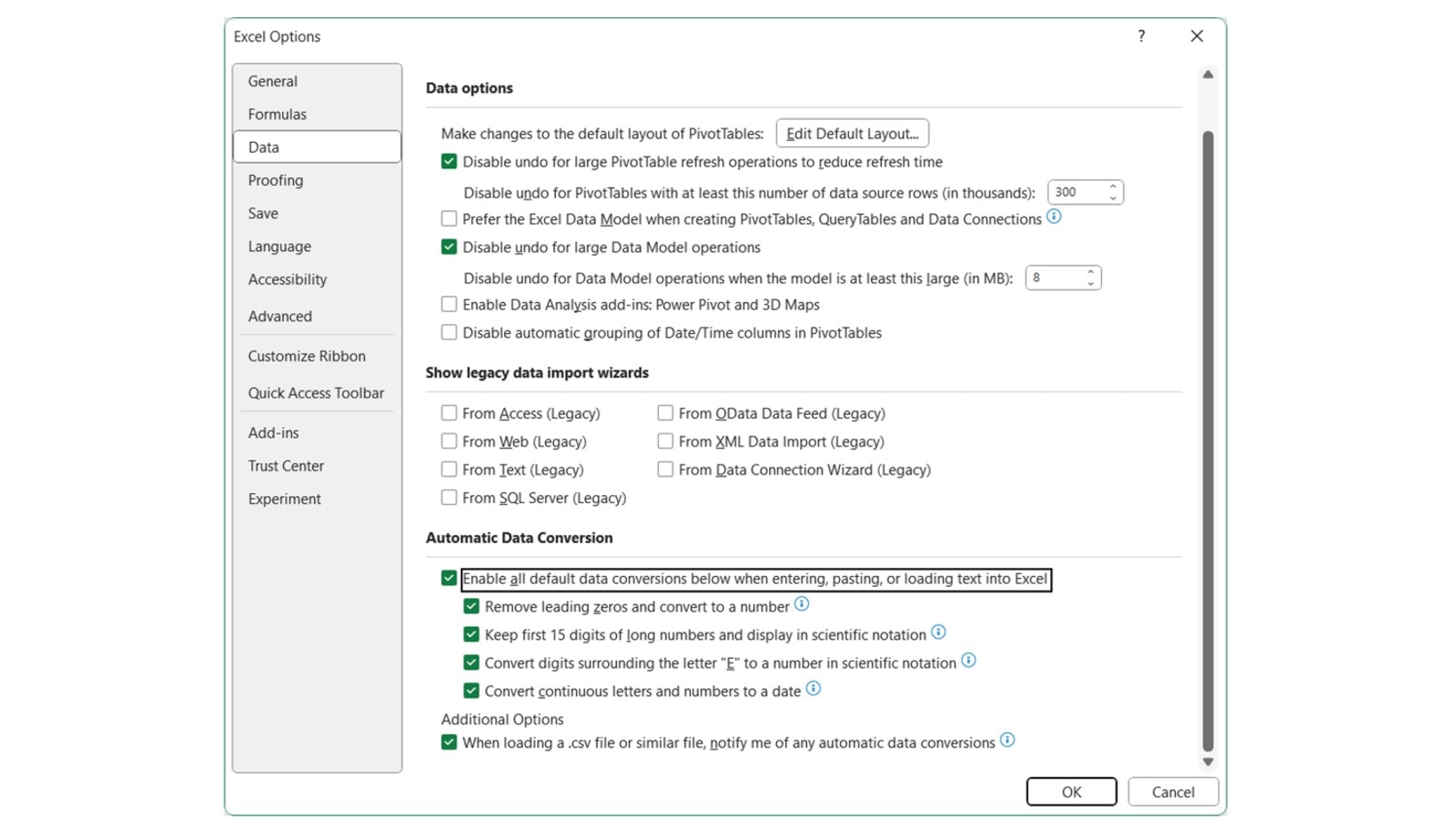 New data conversion options introduced on Excel (Image credit: Microsoft)
To use these new features, one has to update Excel to version Version 2309 (Build 16808.10000) or later on Windows and Version 16.77 (Build 23091003) or later on Mac.