2 min read
© IE Online Media Services Pvt Ltd



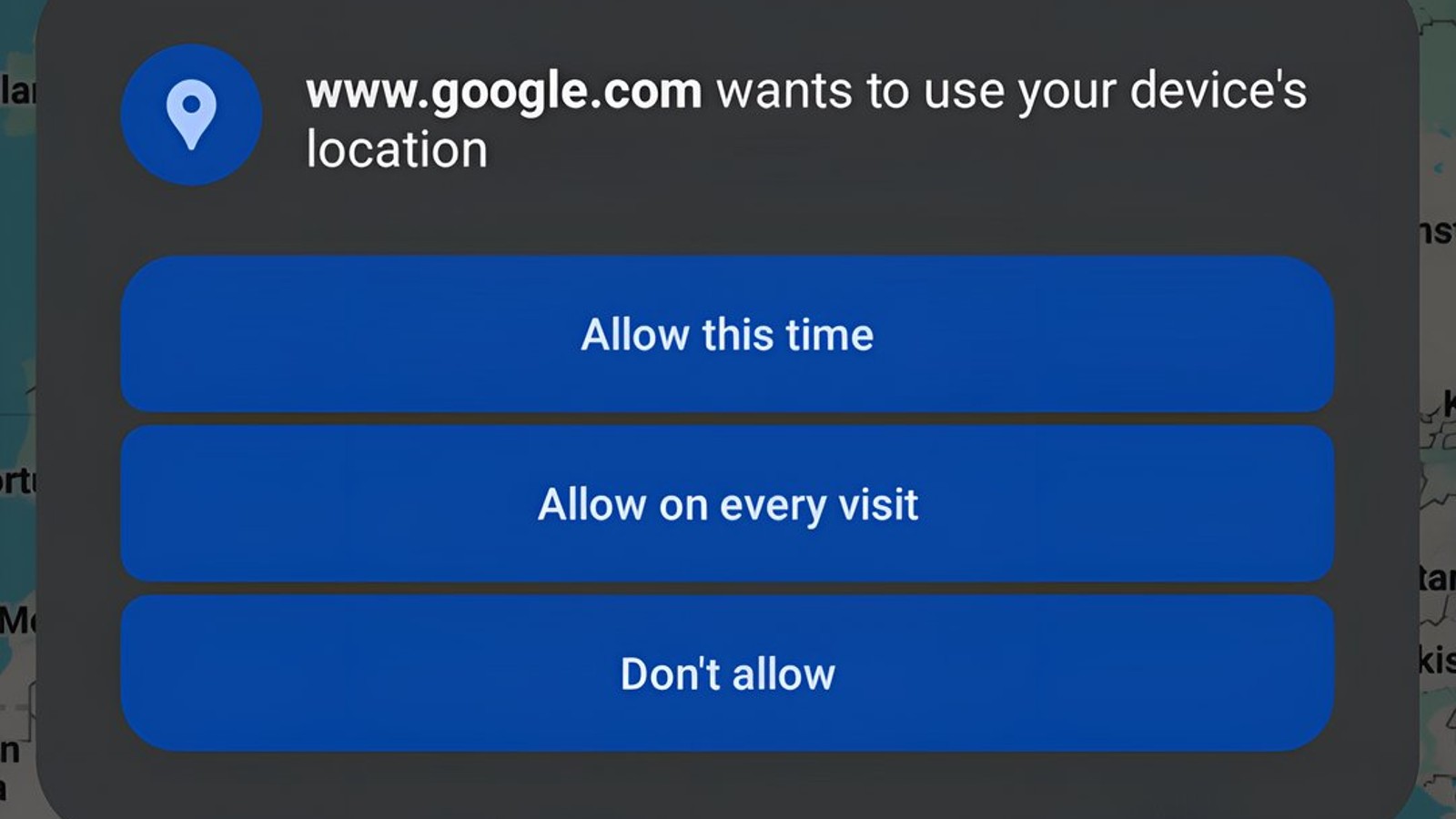 Chrome Canary on Android includes a flag that may let you grant websites one-time permissions. (Image: Leopeva64/X)
Google Chrome browser for Android may soon get an important privacy upgrade. According to a noted Chrome feature spotter, the latest Chrome Canary development build includes support for one-time website permissions.
This new option will give users more control over what sites can access on their device. Currently, when a website requests access to features like your location, camera, or microphone, you have to either allow access all the time or block it entirely. The new one-time permission will add a third option – allowing access only for the current browsing session.
Once implemented, users will see a popup with three choices when a site requests access to a protected feature: Allow this time, Allow on every visit, and Don’t allow. The “Allow this time” option is the key addition, granting one-time access just while you’re actively using the site. The “Allow on every visit” works as it does currently, remembering your permission preference. And “Don’t allow” will block the request altogether.
Chrome Canary for Android now supports one-time permissions, Google has added the "Allow this time" option to the permissions dialog":https://t.co/Ps67QuuDjb pic.twitter.com/sx5O2HjUYD
— Leopeva64 (@Leopeva64) January 12, 2024
These choices may sound familiar to Android users. Whenever an app on the OS asks for a permission, say for using the camera, it fires a popup that displays similar choices. Google appears to be streamlining things by bringing these options to websites too. Other Chromium-based browsers may follow suit and implement a similar way to handle permissions in the future.
Recent versions of Android have added notifications when apps access your camera or microphone in the background. There are also options to limit location access to approximate-only for apps that don’t need your precise location. Chrome for Android obviously inherits these system-level permission controls. But this new one-time permission feature will now provide an additional layer of privacy protection within the browser itself.
Since one-time permissions are still in testing, they are currently hidden behind a flag in Chrome Canary version 122. The feature is likely not fully functional yet. To enable it, users can go to chrome://flags/#one-time-permission in Canary.
Given the incomplete state, it may take some time before one-time permissions roll out to the stable version of Chrome for Android.