


© IE Online Media Services Pvt Ltd
Tags:


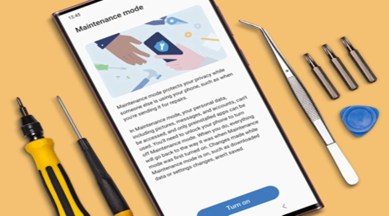
Samsung’s OneUI is one of the most customised Android skins, available for a variety of smartphones, including the budget offerings to the recently launched S23 series of smartphones. Amongst all the features, one of the most interesting features available on OneUI 5 is the maintenance mode, which allows users to protect all the data on the phone, especially when the phone is handed over to someone else for a service or repair.
Here’s everything you need to know about the new maintenance mode on Samsung Galaxy phones.


Maintenance mode comes into play when you want to leave your phone at a service centre for repair. When the phone is in maintenance mode, it offers peace of mind to users by making the content stored on the device inaccessible. Besides, it also gives access to the phone, allowing technicians to test all the features of the phone without accessing any of the media stored on the device.
On top of that, maintenance mode also allows technicians to install new apps, which will be removed from the device as soon as the maintenance mode is disabled. On top of that, maintenance mode also allows users to back up all the content on the phone. This also allows users to fully restore the phone even if the phone gets completely reset during the repair process.
Maintenance mode compatible devices
All Samsung smartphones running on OneUI 5 support maintenance mode. This includes the Galaxy S series of smartphones, the Galaxy Z series of folding smartphones, the Galaxy A series, the Galaxy M series, and the Galaxy F series of smartphones.
Is maintenance mode secure?
Yes, maintenance mode creates a second profile on the phone and does not allow technicians to access any of the stored data on the smartphone. On top of that, users can also create a complete backup and restore for added security via this option.
Can you use maintenance mode without a lock screen?
No, your phone should have a pin code or password to use maintenance mode. If not, don’t have a password, the phone will recommend you set a passcode before enabling maintenance mode.


