2 min read
© IE Online Media Services Pvt Ltd



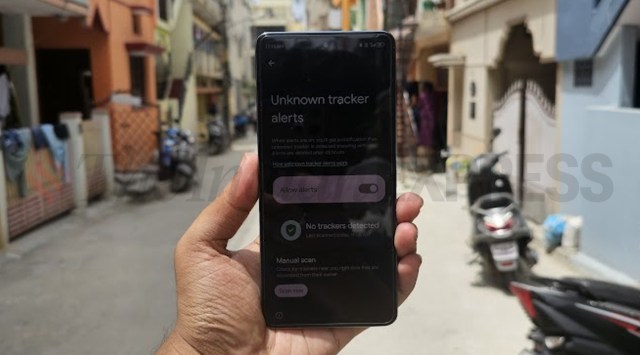 Unknown tracker alerts is now available for Android smartphones (Image credit: Vivek Umashankar/The Indian Express)
 Google has introduced a convenient way to identify an unknown tracker using an Android smartphone. Initially announced in May at its I/O developers conference, the company has now rolled out “unknown tracker alerts” for all Android smartphones running on Android 11 or a newer version.
Google’s unknown tracker alerts function will automatically search for unrelated Bluetooth trackers, such as the Apple AirTag, and promptly notify the user. This serves to safeguard users from unauthorised tracking.
Once activated, Google’s unknown tracker alert will scan for Bluetooth trackers and issue a notification with messages like “tracker travelling with you” and “unknown tracker detected.” The notification may also indicate whether the tracker’s owner can access its location.
Furthermore, the feature provides an option to play a sound and displays the tracker’s location on a map. This assists the user in precisely determining the tracker’s whereabouts without alerting the owner. Additionally, it includes a tutorial on how to disable the tracker by removing the battery to prevent it from sharing the user’s location with its owner.
Do note that the device will only notify users about an unknown tracker after 48 hours, hence, there is also a provision to scan manually for a tracker that might be separated from its user for quick detection.
 Google also offers a provision to manually search for unknown trackers (Image credit: Vivek Umashankar/The Indian Express)
To manually search for an unknown Bluetooth tracker on Android smartphones, go to Settings > Unknown tracker alerts > Manual scan > Scan now. This will scan for unknown Bluetooth trackers in real-time.