2 min read
© IE Online Media Services Pvt Ltd



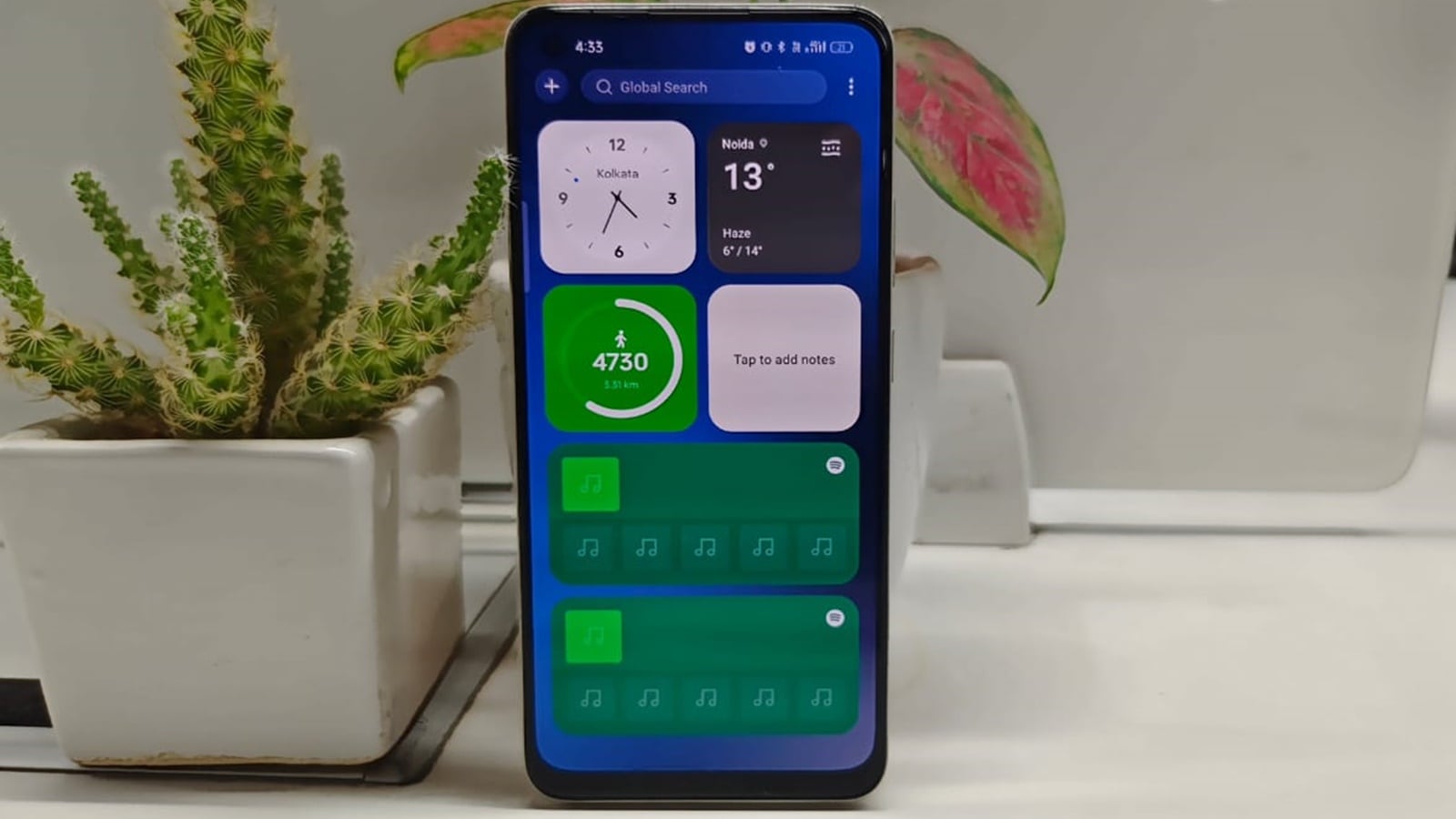 Realme UI 5 has borrowed some features from OxygenOS. (Image Credit: Anurag Chawake/Indian Express)
Realme has borrowed some useful features that were previously only available on OnePlus devices. The phone maker recently launched Realme UI 5 based on Android 14, which adds some useful functionalities like Smart Sidebar and Shelf,
Smart Sidebar was previously available on Realme UI, but the latest update adds some features like ‘File Dock’ and ‘Recent Files’ which lets you drag and drop files between different apps and see your recent images and documents from the sidebar itself. Shelf is another Oneplus feature that enables users to place widgets from apps like Notes, Step Counter and Weather on a separate screen. If you recently updated to Realme UI 5, here’s how to enable Smart Sidebar and Shelf on your phone.
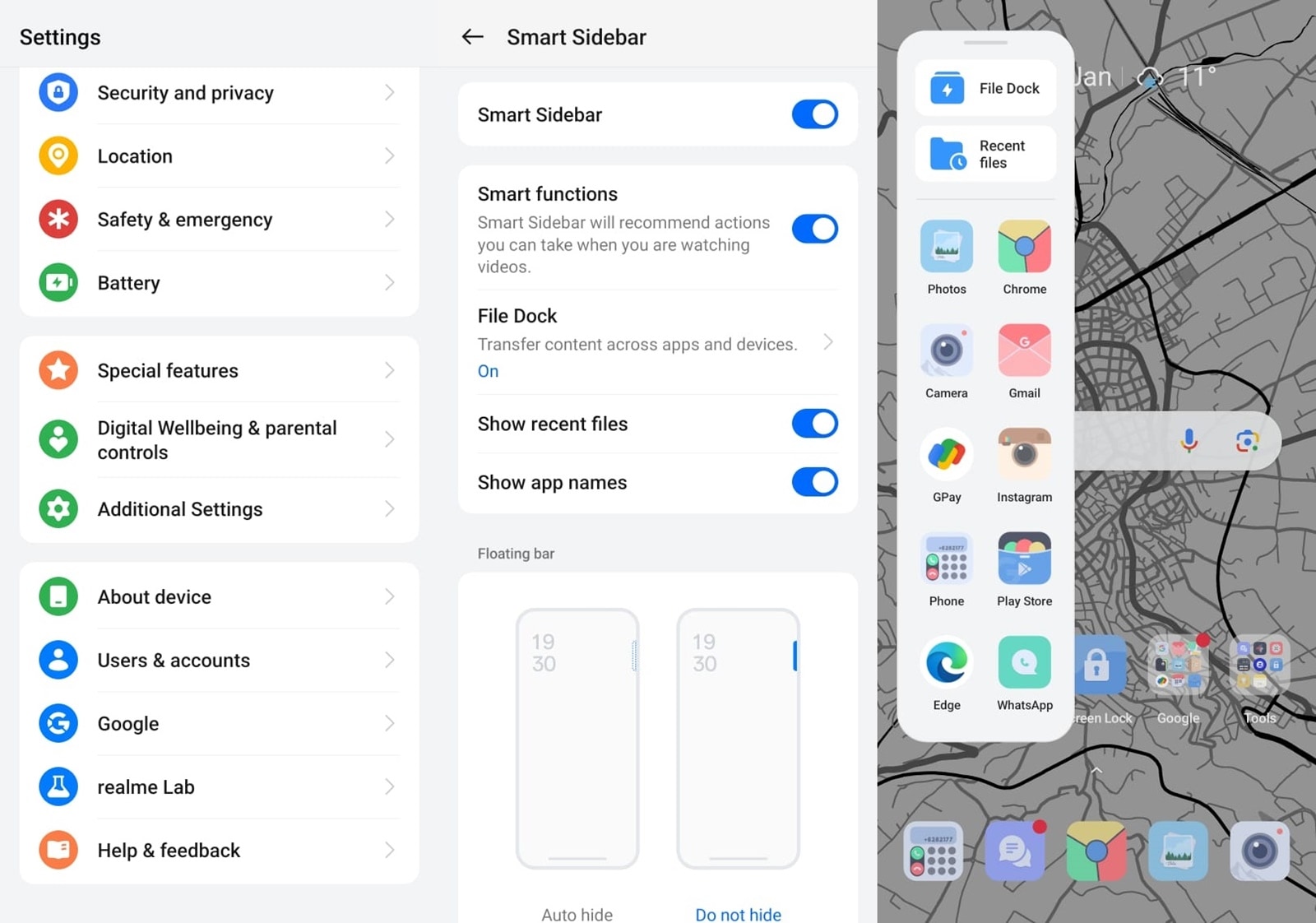 Enabling the Smart Sidebar is pretty easy. (Express Photo)
1. To enable the feature, launch the Settings app, scroll down and tap on ‘Special features’.
2. Now, tap on ‘Smart Sidebar’ and on the screen that appears, turn on the toggle. Here, you can also customise what you see on the sidebar and change other settings as well.
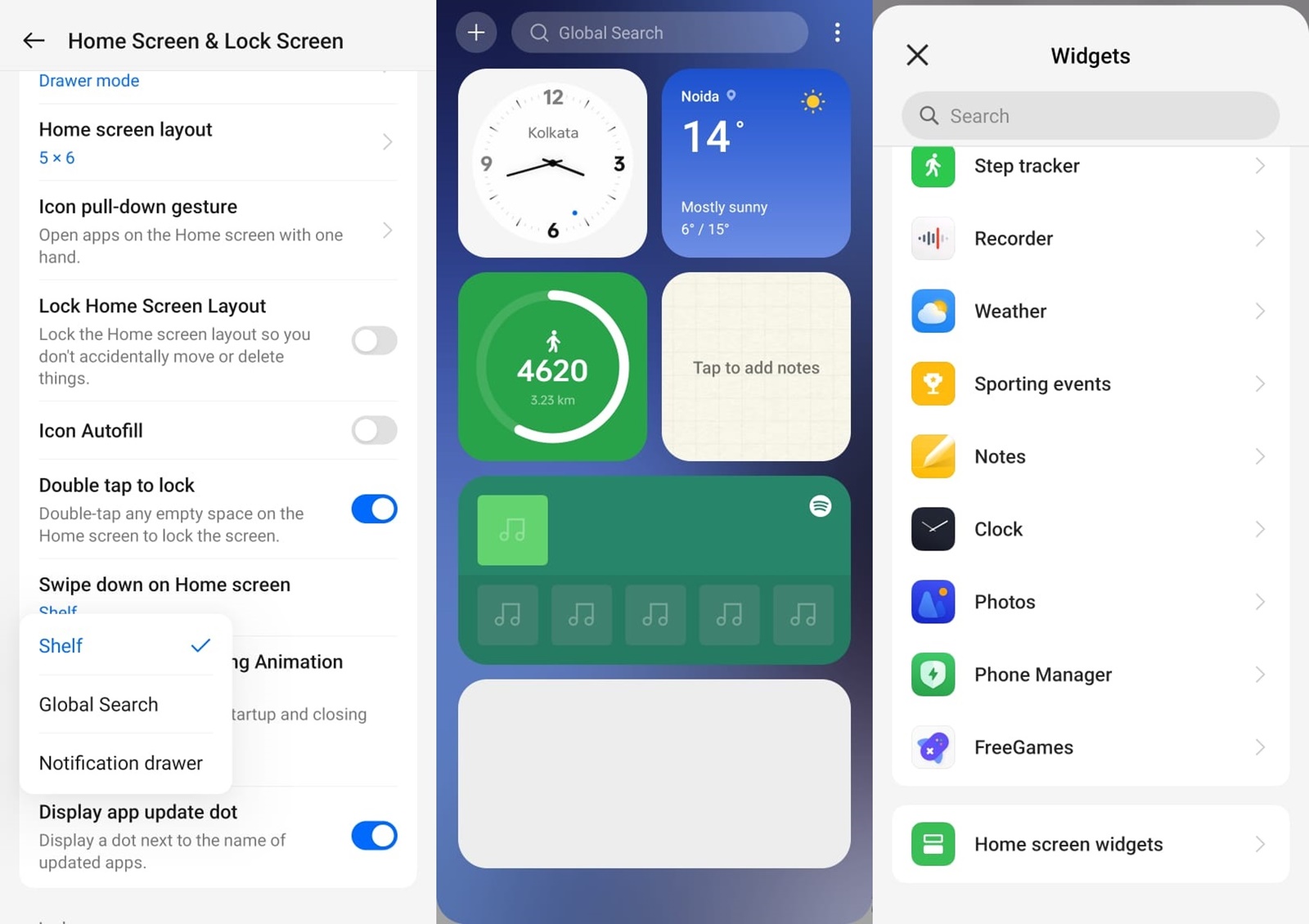 Previously available on OnePlus phones, Shelf is a feature that lets you see all your widgets on a single screen. (Express Photo)
1. If you want to enable Shelf, long press on the home screen and on the menu that appears at the bottom of the screen, tap ‘More’.
2. Now, scroll down and find an option named ‘Swipe down on Home screen’ and select ‘Shelf’.
3. Once done, swipe down from the home screen and you will see a new screen with all the widgets in a single place.
If you want to add a new widget, tap on the Plus button on the top left. To remove an existing widget, just long press it and a button to remove it will appear.