3 min read
© IE Online Media Services Pvt Ltd



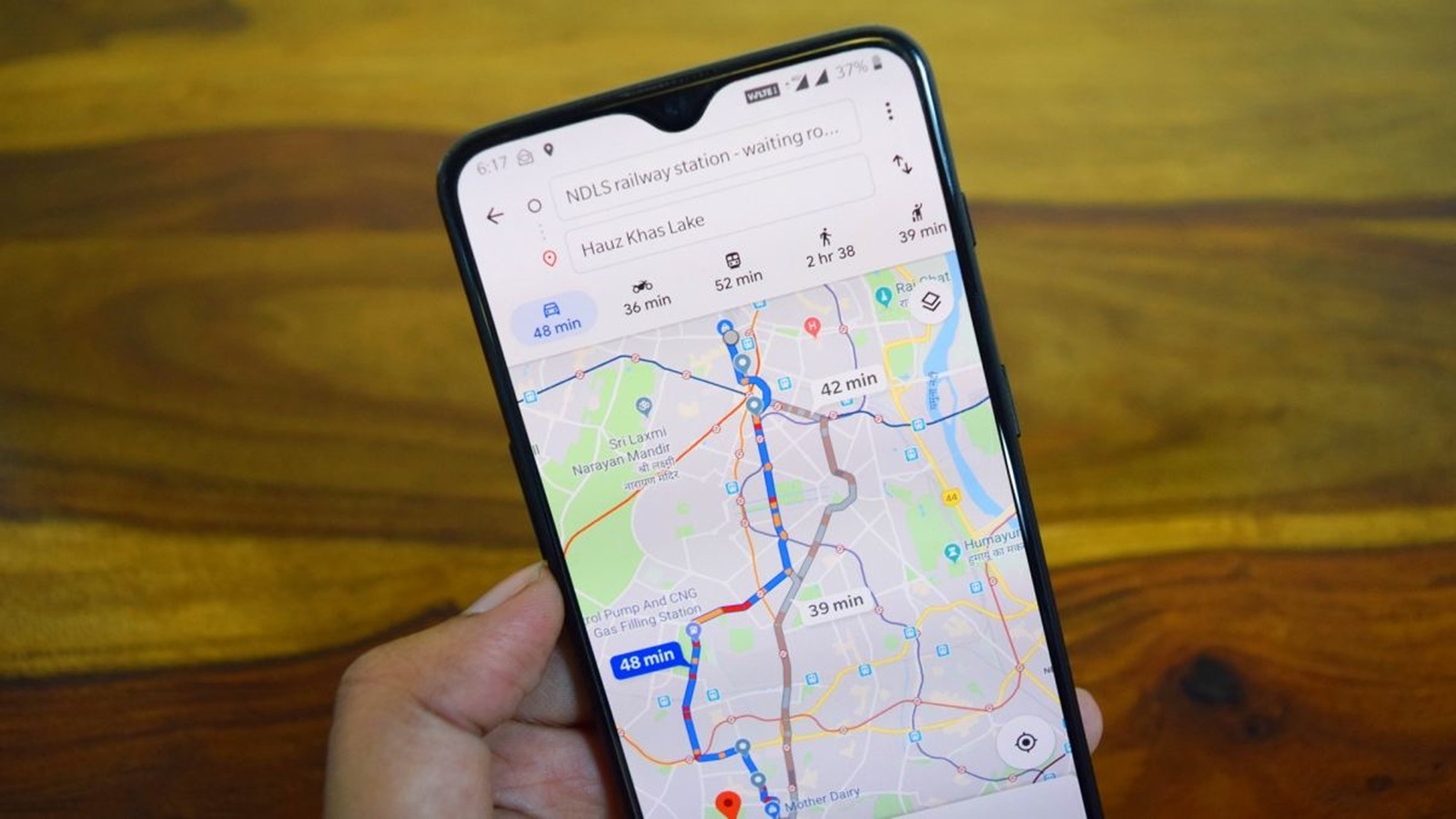 Google Maps lets you remove the history of certain locations. (Image Source: Pixabay)
Be it navigating to a friend’s place or visiting a new place, most of us often use Google Maps for various things every day. If you have turned on location, the app history might come in handy in case you want to search for something or someplace you have visited before.
However, in certain cases, you might want to delete your location and search history from the app. If you are looking for a way to get rid your secret visits or just prevent others from spying on where you went, here’s how to remove the location and search data from Google Maps.
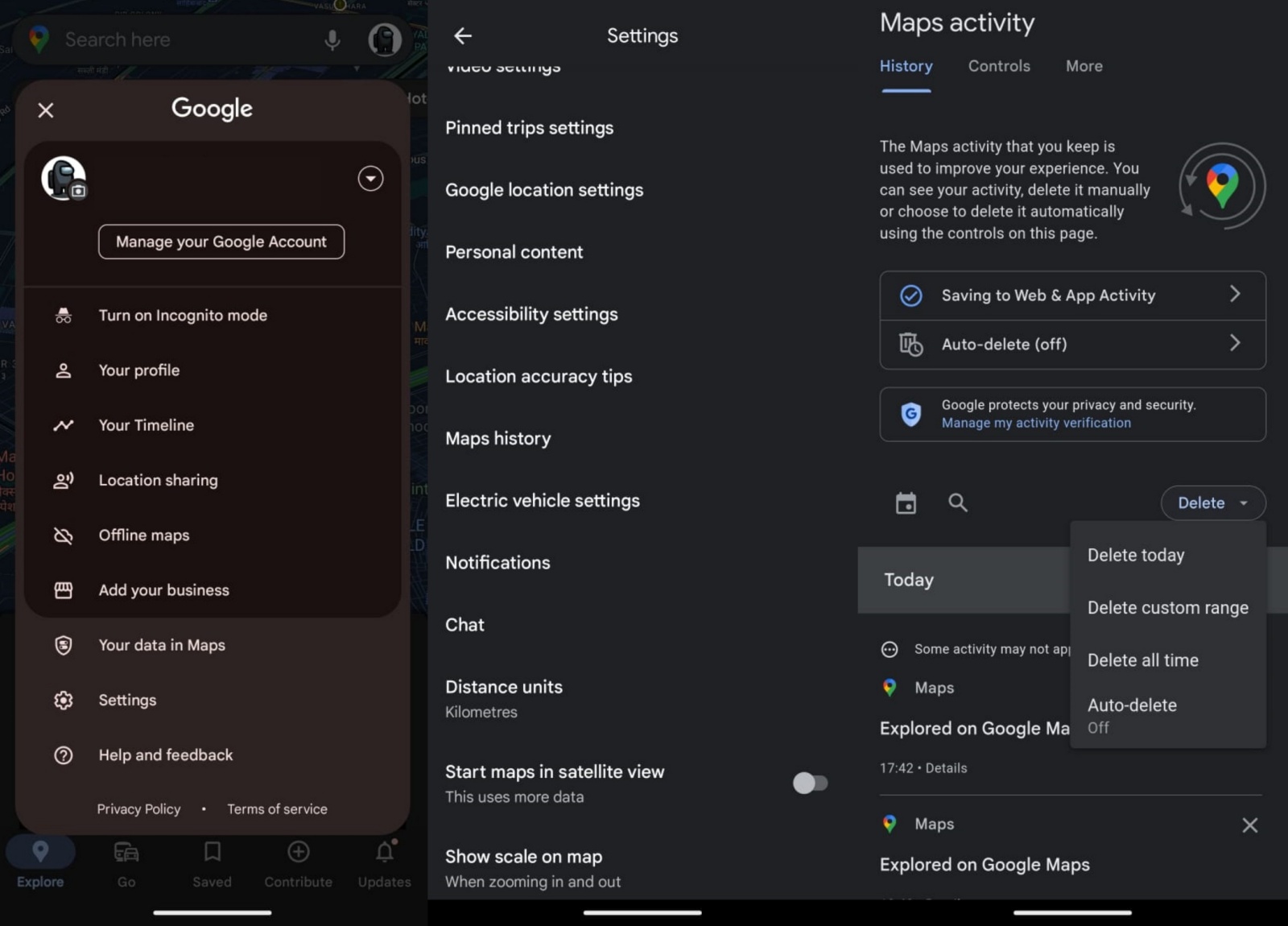 Removing recently searched places from Google Maps is really easy. (Express Photo)
Google Maps allows users to prevent searched items from appearing in the recent search list, but removing this does not remove the place or its reviews from your visited places. However, if you want to hide your recent party places or secret hideout from search history, here’s how to do it.
1. Open Google Maps on your phone and tap on the Profile picture icon on the top right
2. Now, head over to the Settings page, scroll down and click on ‘Maps history’.
3. Tap on the blue-coloured Delete button that appears on the right side and Google will offer you four options to choose from that let you define the time period you want to delete your previous searches.
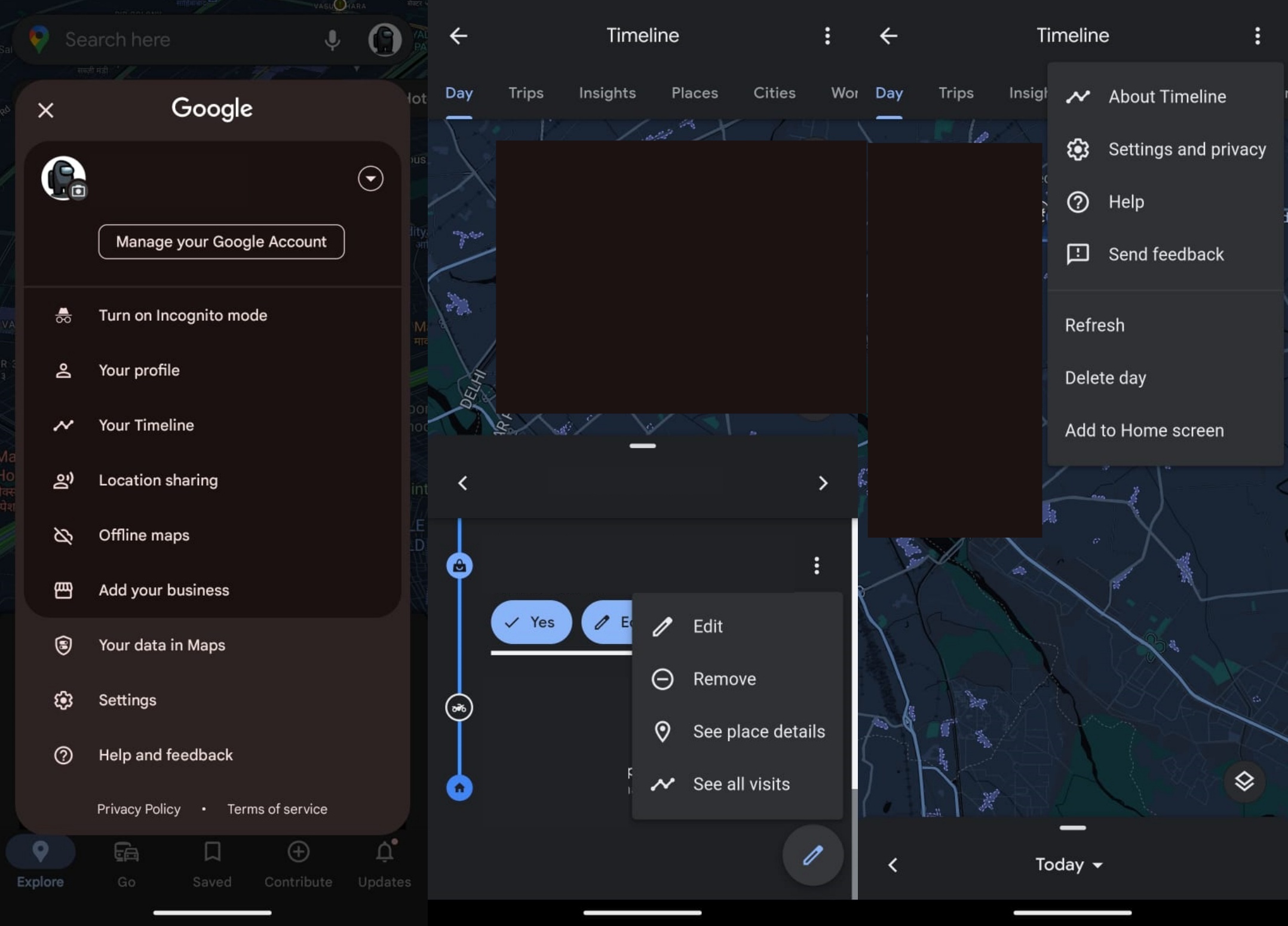 Here’s how to check and delete places you might have visited from Google Maps. (Express Photo)
If you have turned on location, Google Maps might be keeping track of where and when you visited a certain place. If you want to remove the information from your account, here’s what you need to do.
1. Launch Google Maps and tap on the profile picture icon in the upper right corner of the screen.
2. Now, click on ‘Your timeline’ and a new window with your location history will appear.
3. To remove an individual visit, tap on the three-dot menu to the right of the information and press the remove button. The three-dot menu on the top right also allows you to delete the location history for the entire day.