3 min read
© IE Online Media Services Pvt Ltd



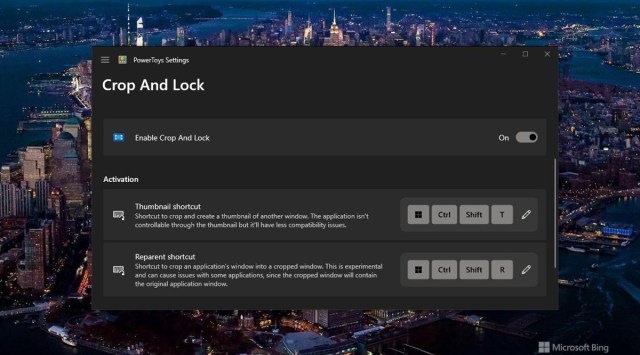 All cropped apps stay on top of other windows. (Express Photo)
 Microsoft has added a new functionality called ‘Crop and Lock’ to its free-to-use PowerToys utility suite that lets users crop an app window to show the information they want to see or create an interactive thumbnail.
The recently introduced feature offers two modes – ‘Thumbnail’ and ‘Reparent’. While the former lets you select an area of the original window and create a non-interactive thumbnail, ‘Reparent’ lets you select a part of a window and control it from the thumbnail itself. All cropped apps will always stay on top of other windows, enabling users to access them without having to switch to that app.
To use ‘Crop and Lock’, download and install PowerToys 0.73.0 from the Microsoft website or GitHub and open it on your Windows-powered machine. Under the ‘Crop and Lock’ section, find and click on ‘Enable Crop and Lock’.
Once enabled, focus on the window you want to crop and press the Thumbnail shortcut (Windows key+ Ctrl+ Shift+ T) or the Reparent shortcut (Windows key+Ctrl+Shift+R) and you will now be able to select the area you want to crop.
Now, a new window will appear allowing you to see a static or interactive view depending on which option you chose. If the default shortcuts are too complex for you, Microsoft allows you to customise them from the PowerToys app.
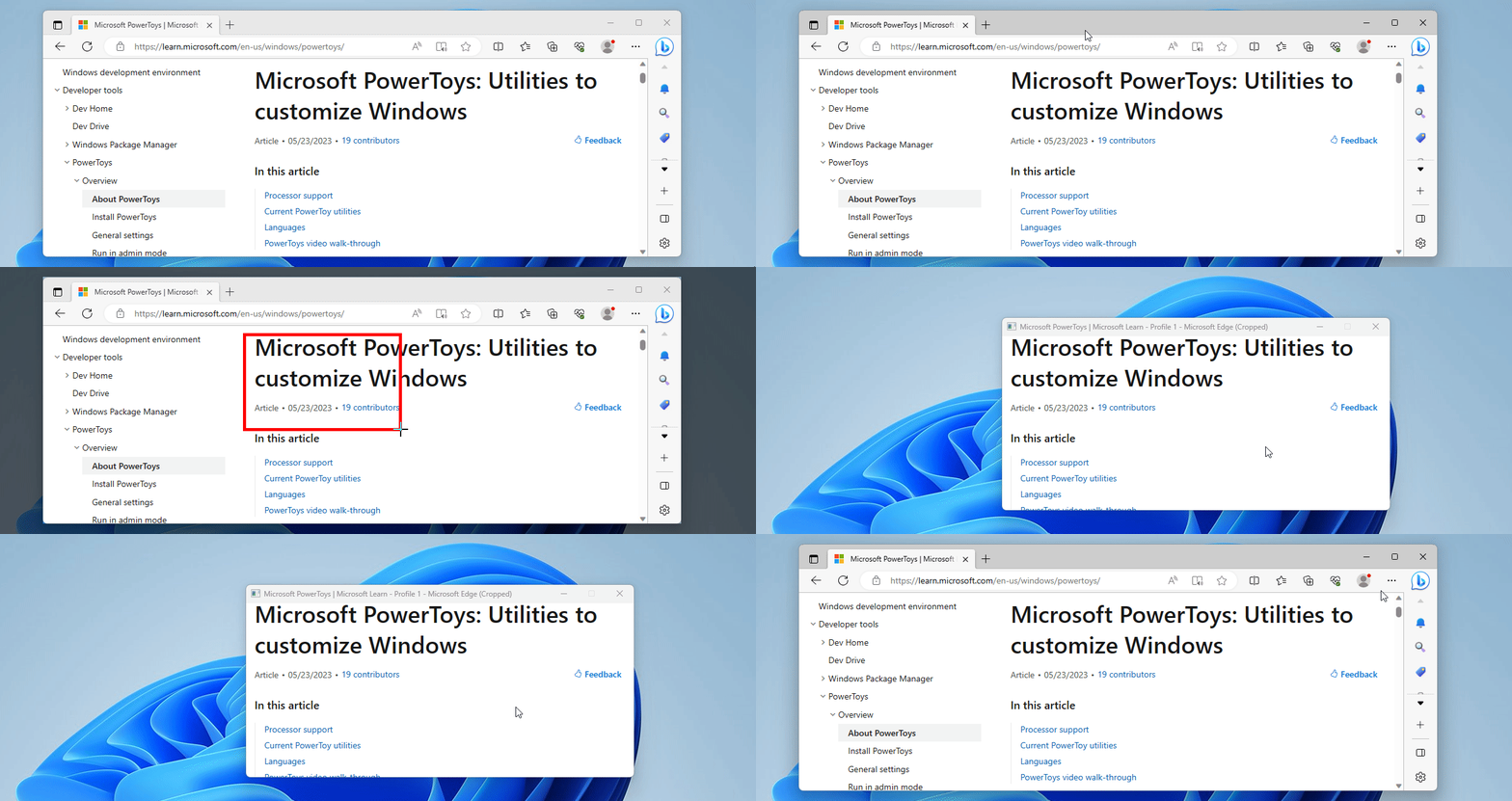 The Crop and Lock feature can be used to create mini apps. (Image Source: Microsoft)
Microsoft notes that Thumbnail mode is compatible with most apps but you might encounter some issues with the Reparent mode, especially if you want to crop maximized or full-screen applications. Also, some UWP apps like Windows Calculator and apps with tabs or sub-windows like Notepad currently don’t play well with ‘Reparent’ mode.
Available on Windows 11 and Windows 10, the feature is part of Microsoft PowerToys, an open-sourced software for power users that offers numerous functionalities like the ability to create complex window layouts, resize images, bulk renaming files and assign custom keyboard shortcuts to name a few.