2 min read
© IE Online Media Services Pvt Ltd



 IGNOU June 2018 exam: All the candidates who have appeared for the examination can check the results through the official website, ignou.ac.in
IGNOU June 2018 exam: Indira Gandhi National Open University (IGNOU) has released the results for the June term end examination. All the candidates who have appeared for the examination can check the results through the official website, ignou.ac.in. The university stated that in case any student is booked for resorting to unfair means during the exam, their result will be cancelled.
The university has also released the grade card for BCA/MCA/MP/MPB and other courses. The candidates can download it through the official website.
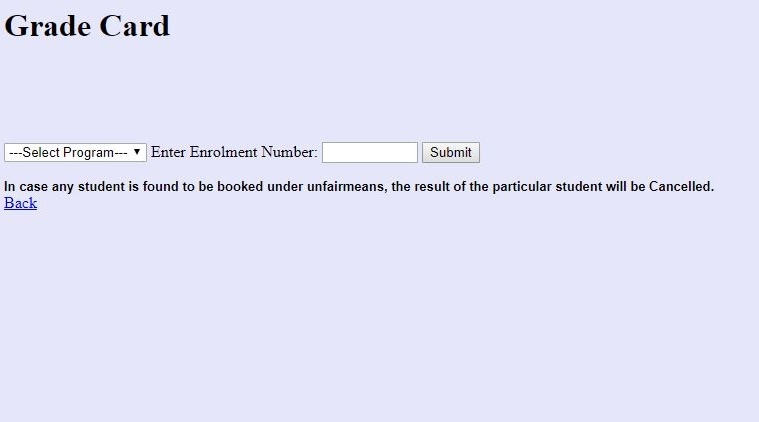
Step 1: Log on to the official website ignou.ac.in
Step 2: Click on the ‘Results’ tab
Step 3: On the new page, on the left-hand side of the page click on ‘Term end’
Step 4: Select ‘Early declaration of June 2018 exam result’
Step 5: In the provided field, enter your nine digit enrollment number and click on submit
Step 6: Your result will be displayed on the screen
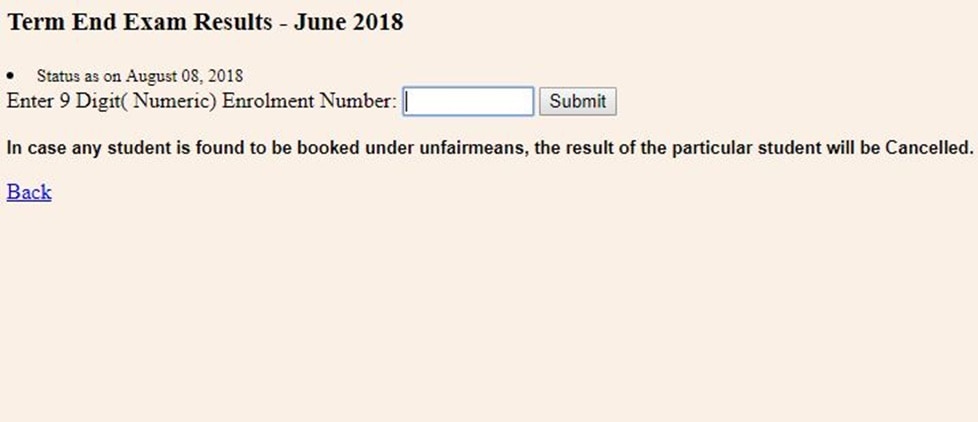
Step 7: Download the same and take a printout for future reference
Marks obtained by students in assignments will also be uploaded in some time.