


© IE Online Media Services Pvt Ltd
Tags:



CU BA, BSc semester-I results: Calcutta University has announced the results for the Bachelor of Arts, BA and Bachelor of Science, B.Sc. semester 1 (Honours / General) examinations under choice based credit system (CBCS). The candidates who have appeared in the examination can check the results from the official website, wbresults.nic.in.
Calcutta University results 2018: How to check

Step 1: Log on to the official website, wbresults.nic.in
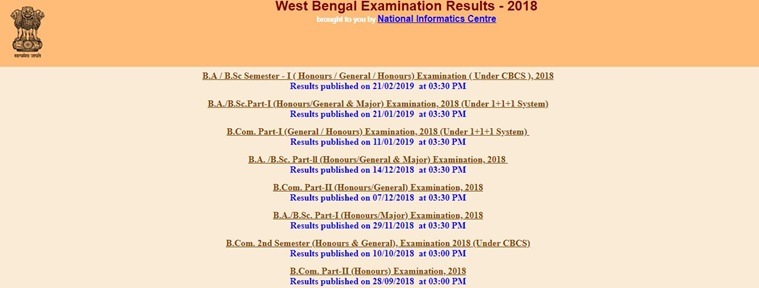
Step 2: Click on the link ‘BA/ B Sc semester-I (Honours, General) examination, 2018’
Step 3: You will be directed to another page. Here, enter your roll number
Step 4: Your results will be available when you click on the “Submit” button after entering your details
Step 5: Check your results and save a copy to your computer
Step 6: Take a print for future reference
Step 7: To refresh the page, click on the “Reset” button.
The University has recently released the results of BA, B.Sc, B.Com Part-I (General/ Honours) examinations. The results of BA/ B.Sc Part-II examination was declared on December 14.


