


© IE Online Media Services Pvt Ltd
Tags:


Purchased an Android device but realized you are running out of storage space in a few months? If you are in the same boat as us but don’t want to uninstall apps, here are some of the quickest ways to free up storage space on your Android smartphone.
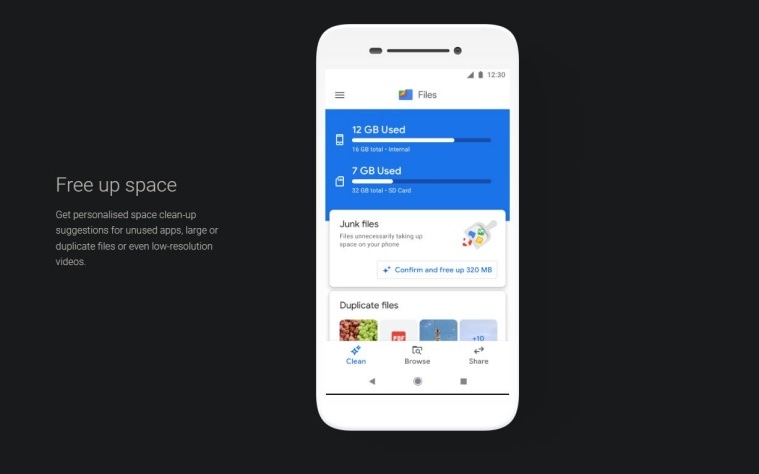
Google’s Files app is one of the quickest ways to free up storage space. While some devices come with the app already installed on the device, if you can’t find it on your phone, just download it from the Google Play Store.


If you are someone who takes lots of photos, chances are pretty high that you might run out of available storage soon than later. In case your phone doesn’t come with a microSD card slot, Google Photos is your friend, with the free tier offering up to 15GB.
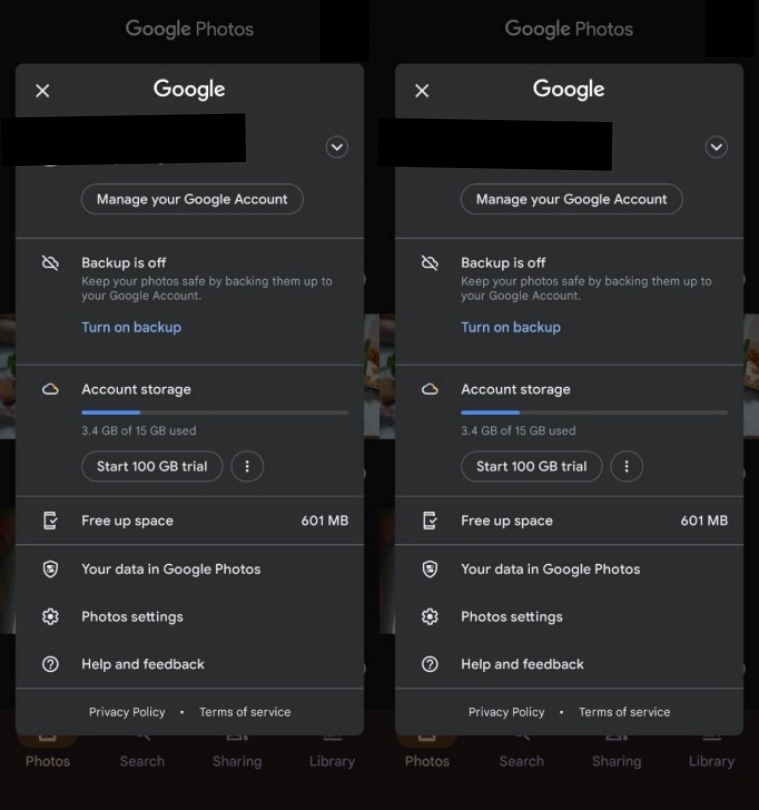
To free up space, open Google Photos and click on your profile pic on the top right of the screen. Here, you will find an option that says ‘Free up space’. Tap on it and the app will delete camera photos from your device that are already backed up on your Google account.
Part of WhatsApp groups where several users share media on a daily basis? One reason why your device might quickly run out of space is that WhatsApp automatically downloads most media like images, videos, documents and more.
To clean the space occupied by WhatsApp media, open the app and tap on the three-dot menu on the top right. Find the storage section, navigate to the data sub-menu and click on manage storage. Here, you will see several files that take up valuable space with the app offering option to quickly delete them.


